3 Collateral Liquidation Initiation
This topic describes the information about the Collateral Liquidation Initiation stage in Collateral Liquidation process.
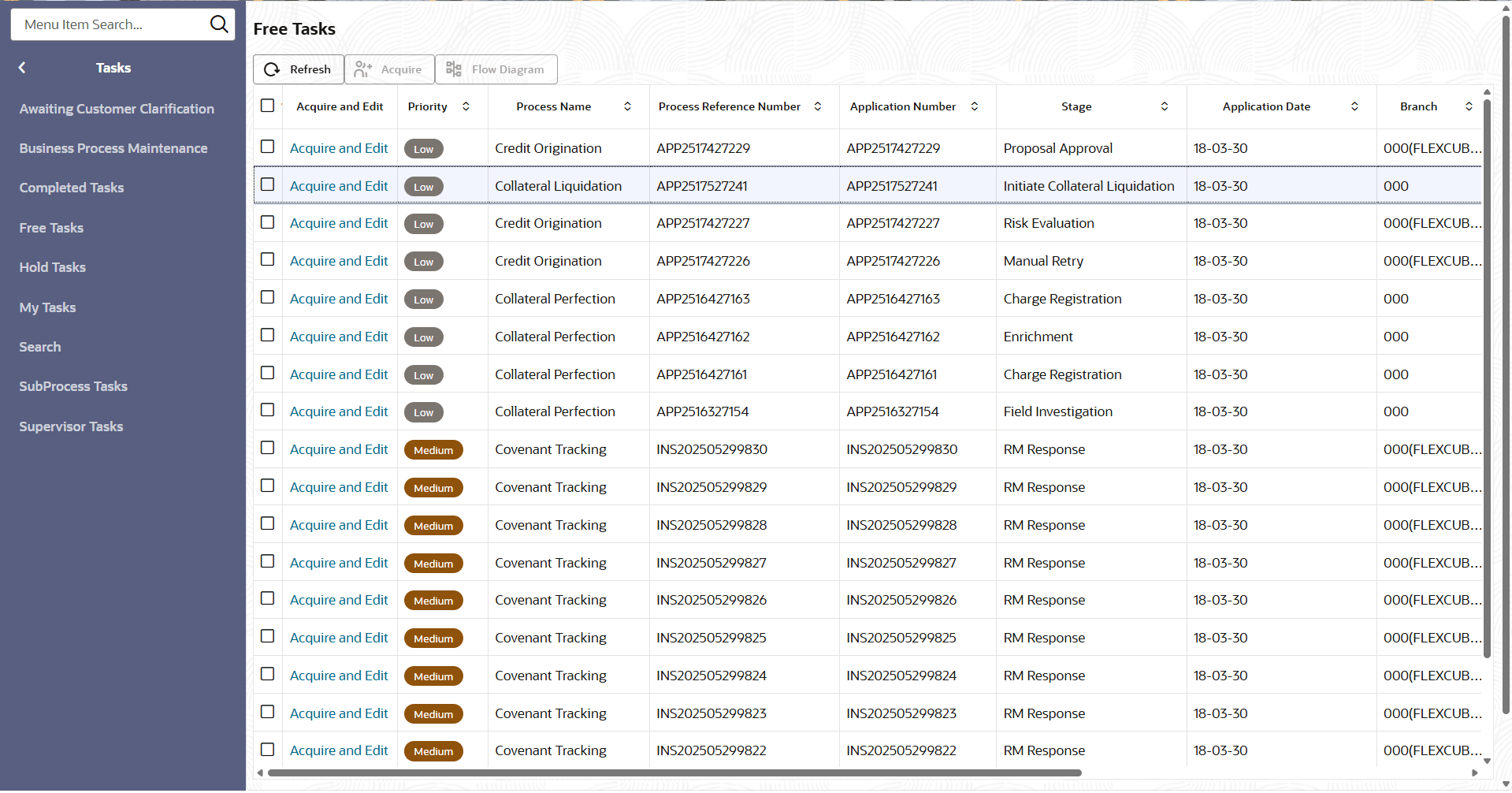
Collateral Liquidation process can be triggered from both the mid-office and back-office systems based on the performance of the account to which the collateral is linked. In case of back-office system, the system lists the task in the free task queue once the collateral liquidation task is initiated. The user must acquire and edit the task from the Free Tasks menu.
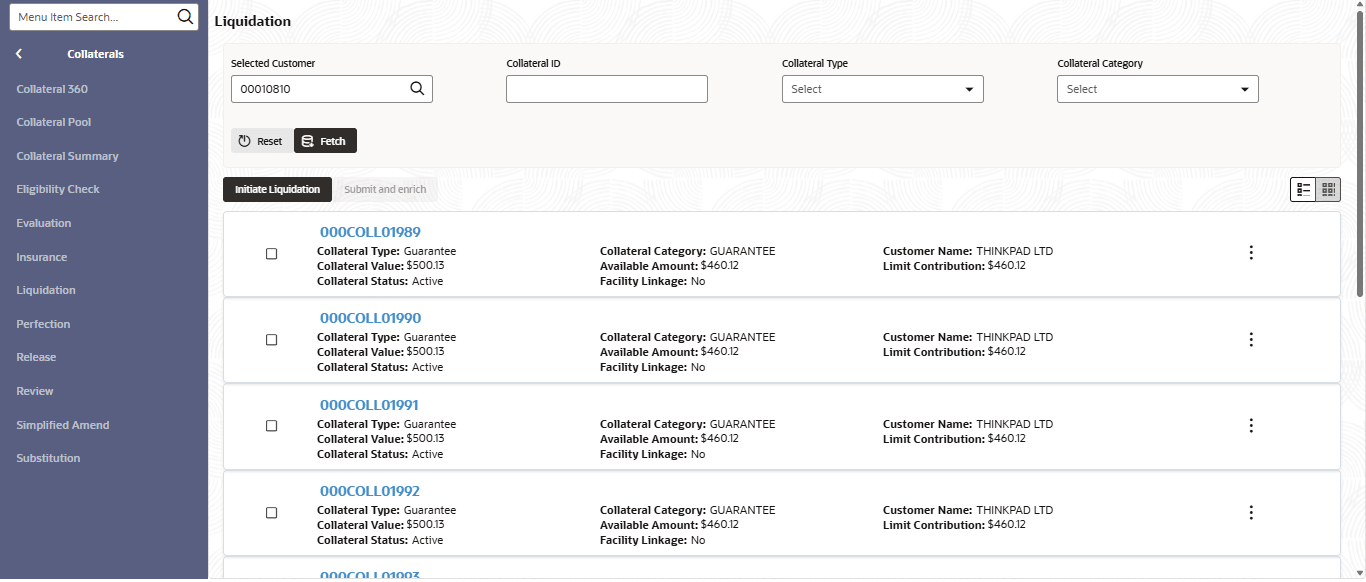
To initiate Liquidation Process in OBCFPM:
- From Home menu, click
Collaterals. Under Collaterals, click
Liquidation.The Liquidation Initiation screen displays..
- From Tasks, click Free
Tasks.The Free Tasks screen displays.