5.1 Collateral details
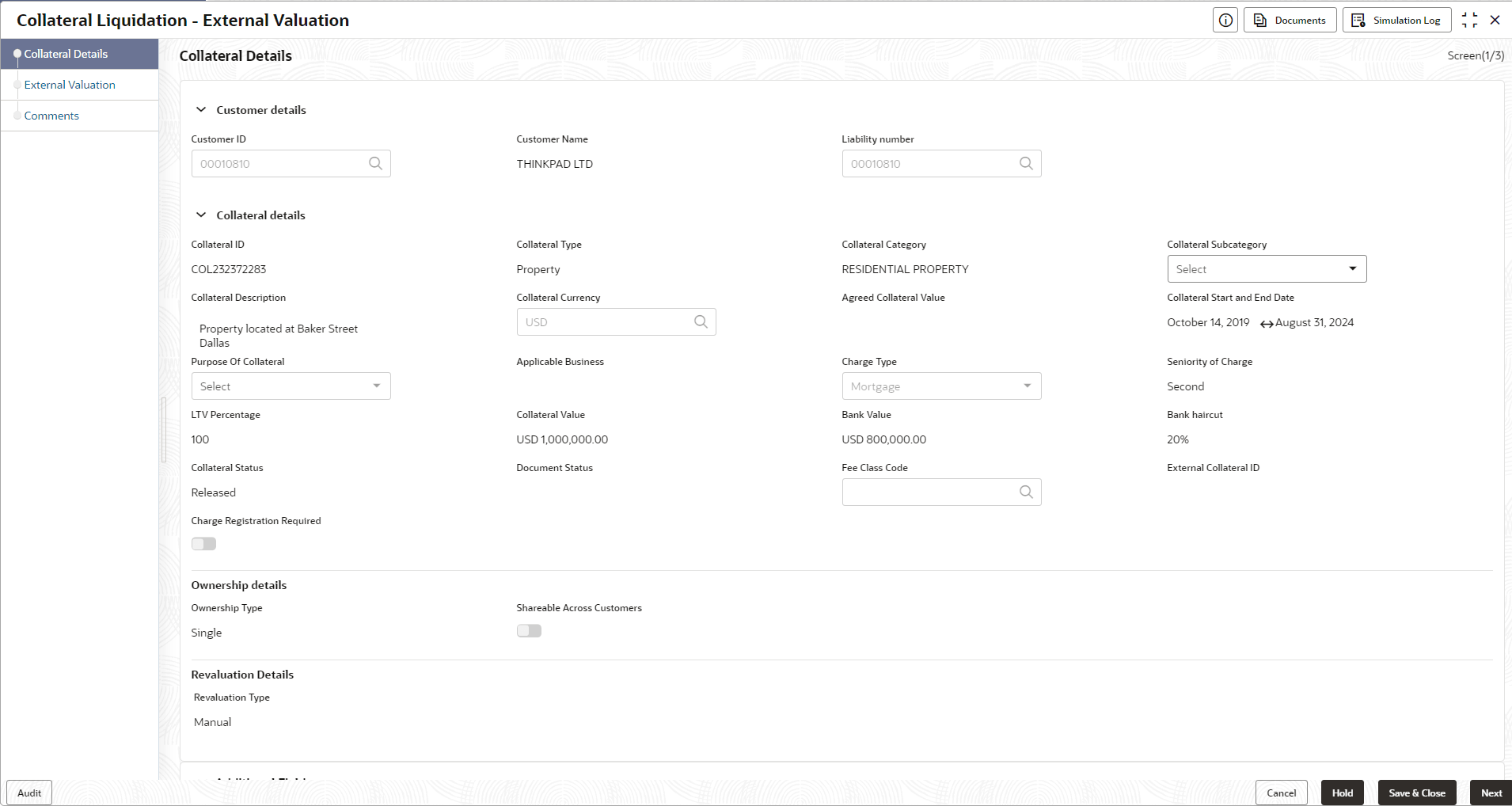
Detailed Information about the Collateral details data segment in External Valuation stage.
This data segment displays the collateral details captured as part of
Collateral Evaluation / Perfection process. You cannot modify these details.
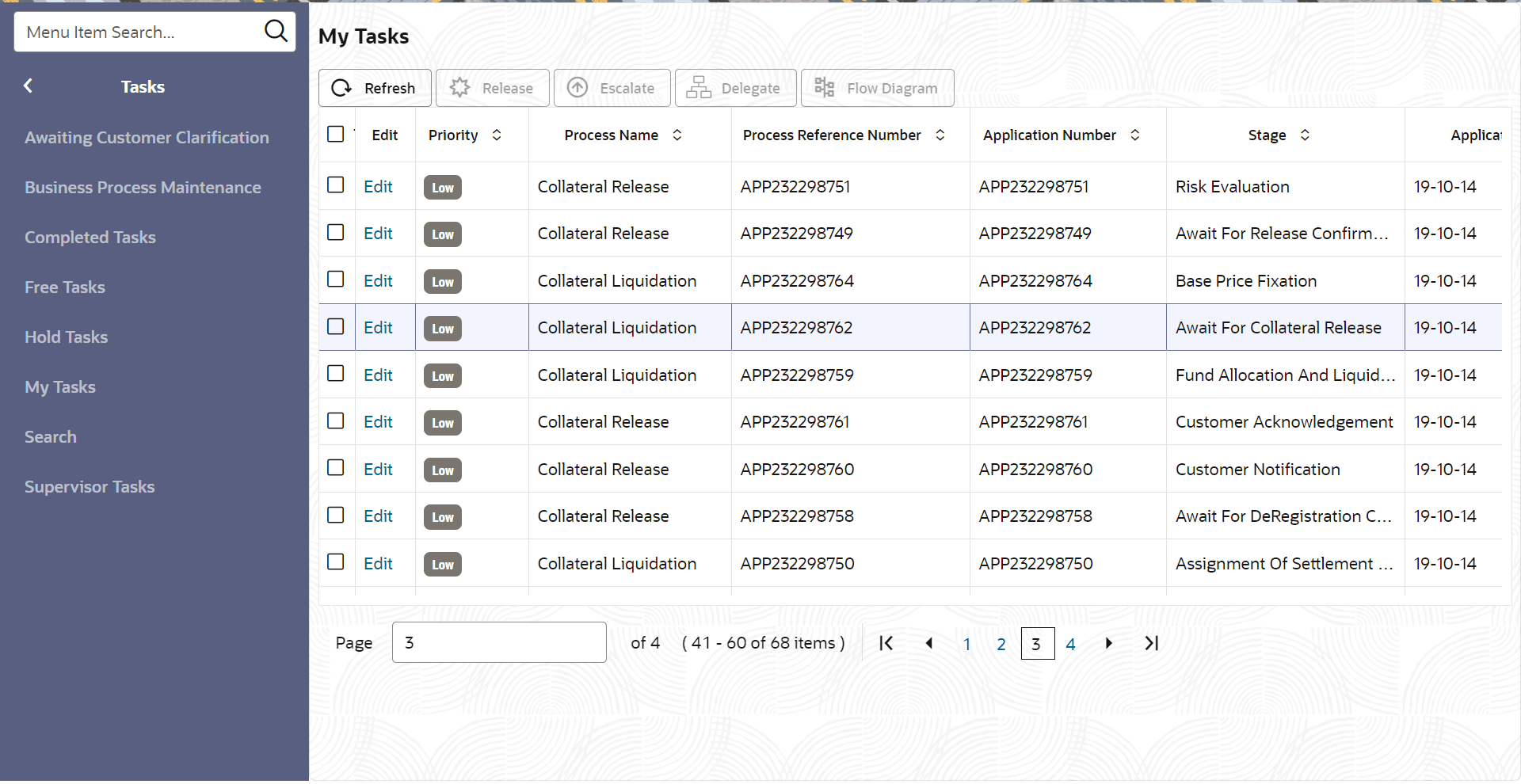
- From Home screen, click Tasks.
Under Tasks, click Free
Tasks.The Free Tasks screen is displayed.
- Click Acquire & Edit in the required External Valuation task.The External Valuation - Collateral details screen is displayed.
Figure 5-2 External Valuation - Collateral Details