5.2 Property

Ths topic provides systematic instructions about the Property data segment in External Valuation stage.

This data segment allows user to view the collateral specific details and add the External Valuation details for the selected collateral. Click Next in the External Valuation - Collateral Details screen.

The Commodity screen is displayed.
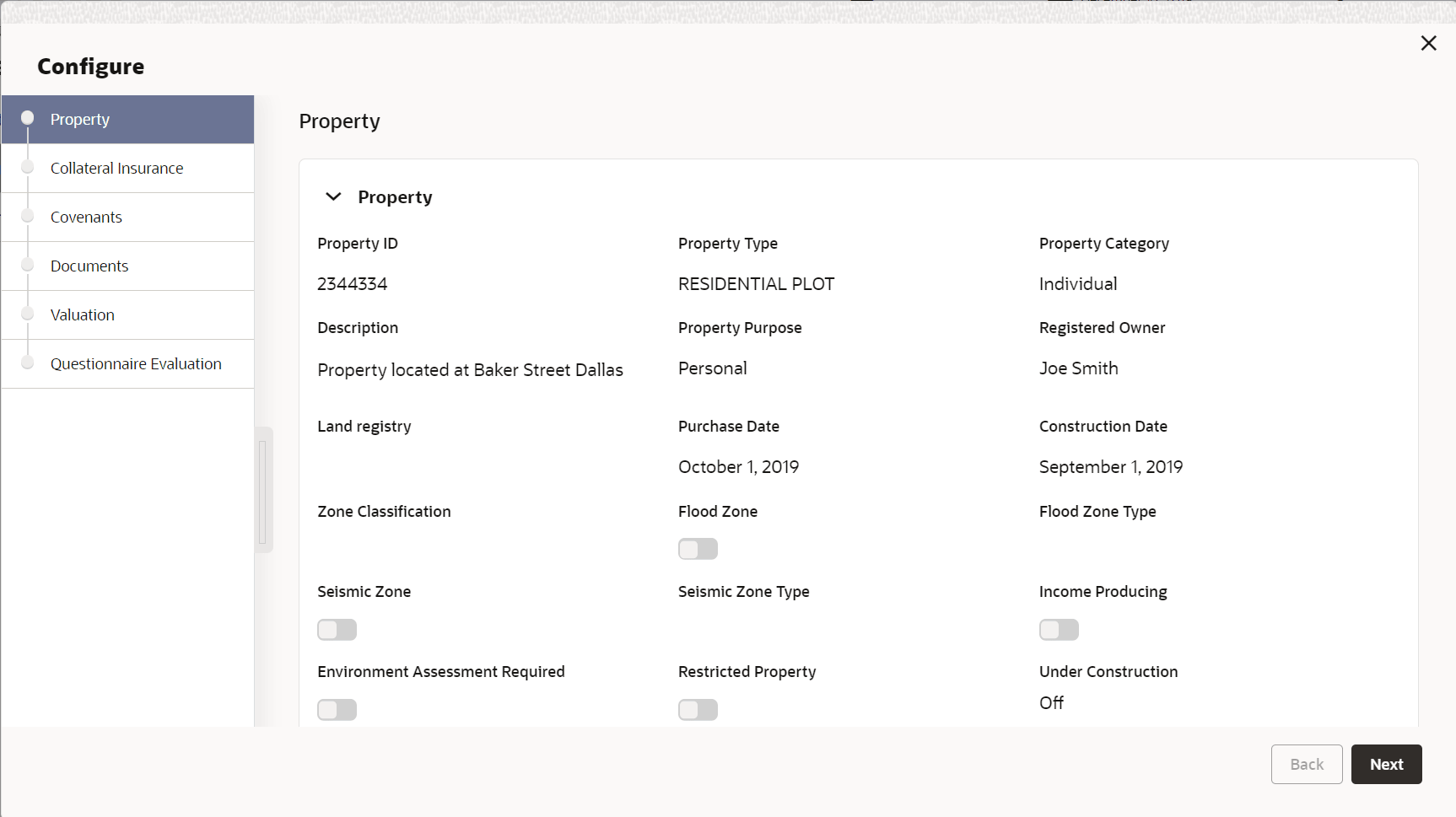
Figure 5-3 External Valuation_Property


Note:

In this topic, only procedure to add external valuation details is provided. For more information on field description, refer Collateral Perfection User Guide.
  1. To capture the External Valuation details, click the action icon in the collateral record and select Edit.
    The External Valuation - Configure - Property screen is displayed.

    Figure 5-4 External Valuation_Property


  2. Click Next and navigate to the Valuation menu.
    The External Valuation - Configure - Valuation screen is displayed.

    Figure 5-5 Exteranl Valuation_Valuation


  3. Click + Add icon in the in the External Valuation - Configure -Valuation screen.
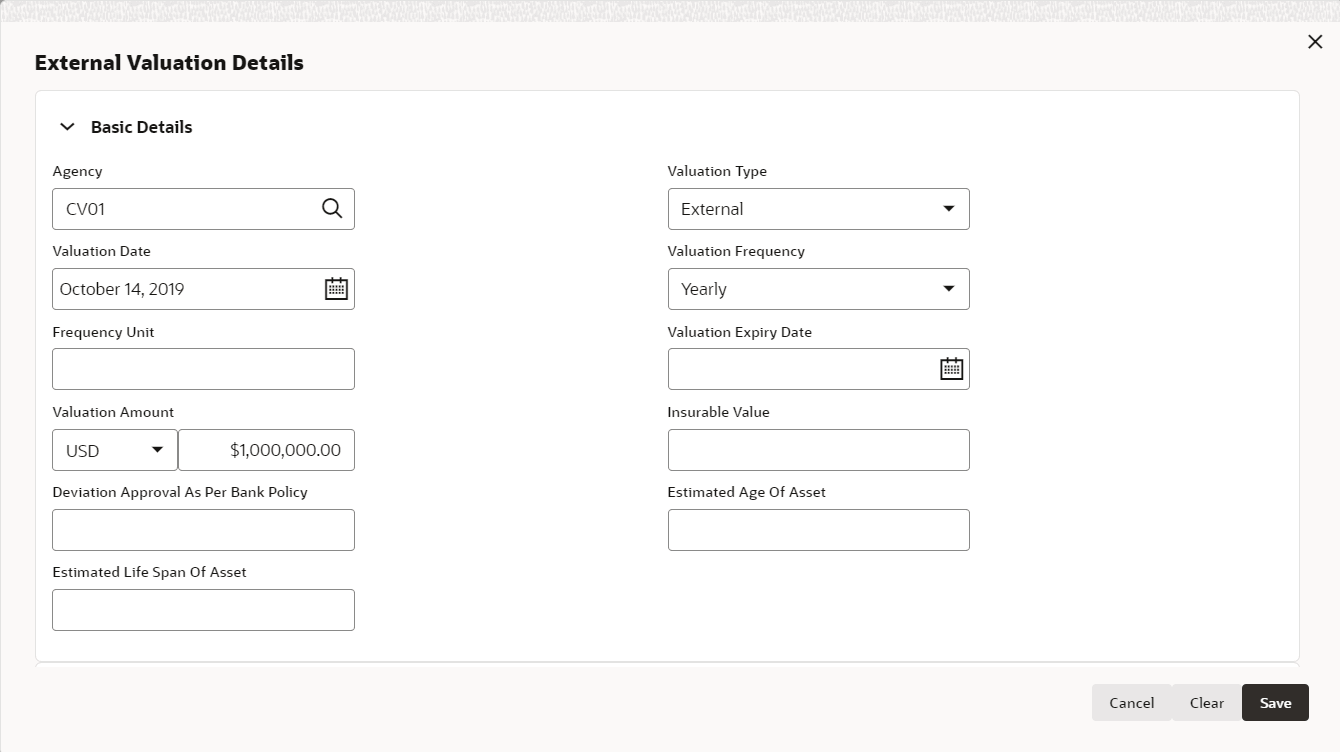
    The External Valuation Details screen displays.

    Figure 5-6 External Valuation Details


  4. Refer the below table and specify the External Valuation Details.

    Table 5-1 External Valuation Details

    Field Description
    Agency Select the Agency which performed external valuation from the drop down list.
    Valuation Date specify the date on which the external valuation is performed.
    Valuation Expiry Date specify the date till which the external valuation is valid.
    Valuation Amount Select the currency in which the collateral is valuated and specify the collateral Valuation Amount.
    Valuer Remarks Specify the Valuer Remarks.
    Valuation Type Select the Valuation Type from the drop down list.
    Valuation Frequency Select the Valuation Frequency from the drop down list.
    Estimated Age of Asset Specify the Estimated Age of Asset.
  5. Click Add.
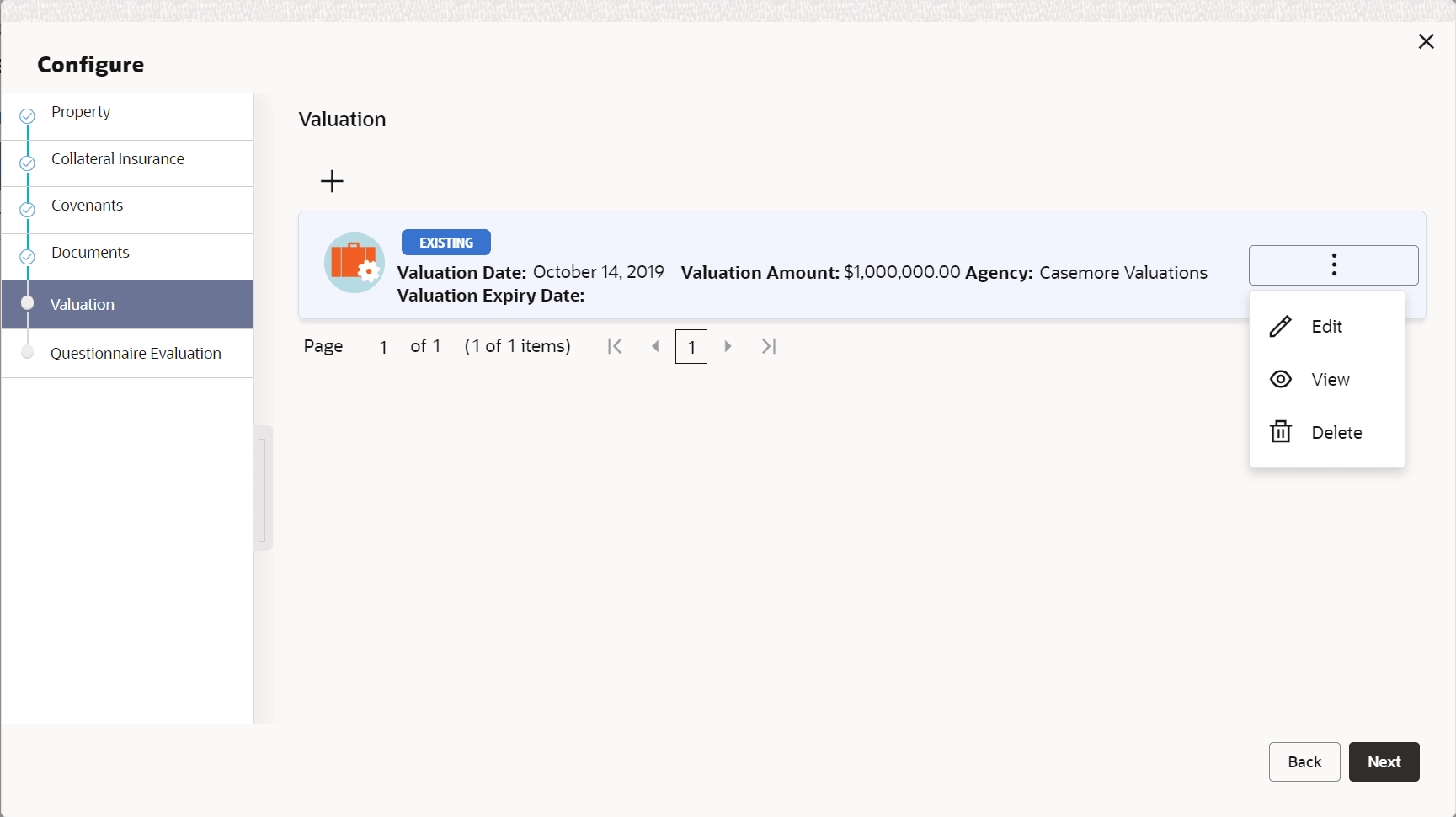
    The External Valuation Details are added and displayed as shown below.

    Figure 5-7 Exteranl Valuation_Valuation


  6. To View, Edit or Delete the external valuation detail, click the action icon in the corresponding record and select the required option.
  7. After adding the external valuation details, click Next.
    The External Valuation - Questionnaire Evaluation screen displays.

    Figure 5-8 Questionnaire Evaluation
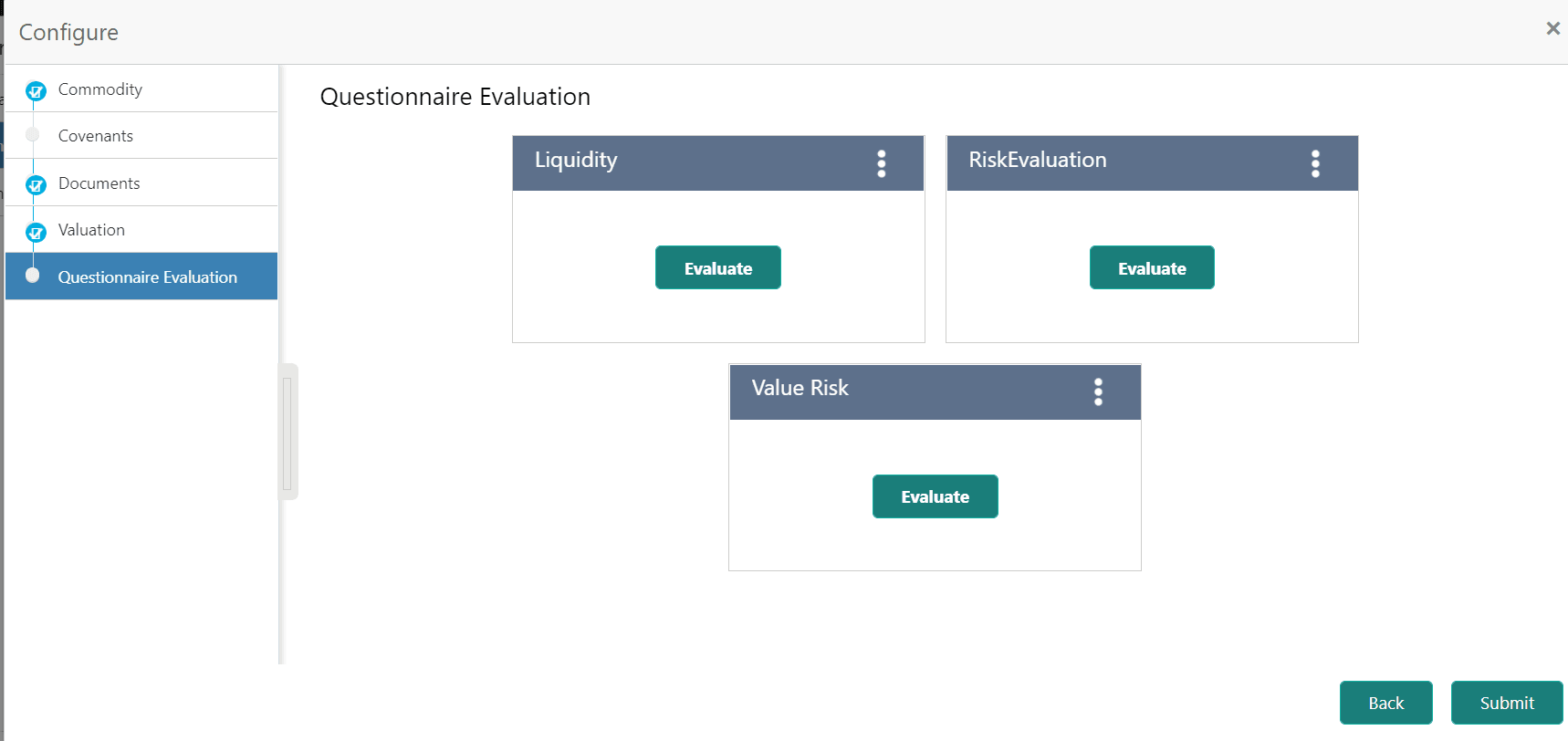
    Questinary for Covenants
  8. Click Submit.
    The valuation details are added and displayed in the External Valuation - Commodity screen.
  9. click Next, to move the next data segment.