12.2 Collateral Review

This topic provides systematic instructions about procedure to review collateral details and add recommendation.

Click Next in the Collateral Review - Collateral Summary screen, the Collateral Review data segment is displayed.

Figure 12-3 Collateral Review
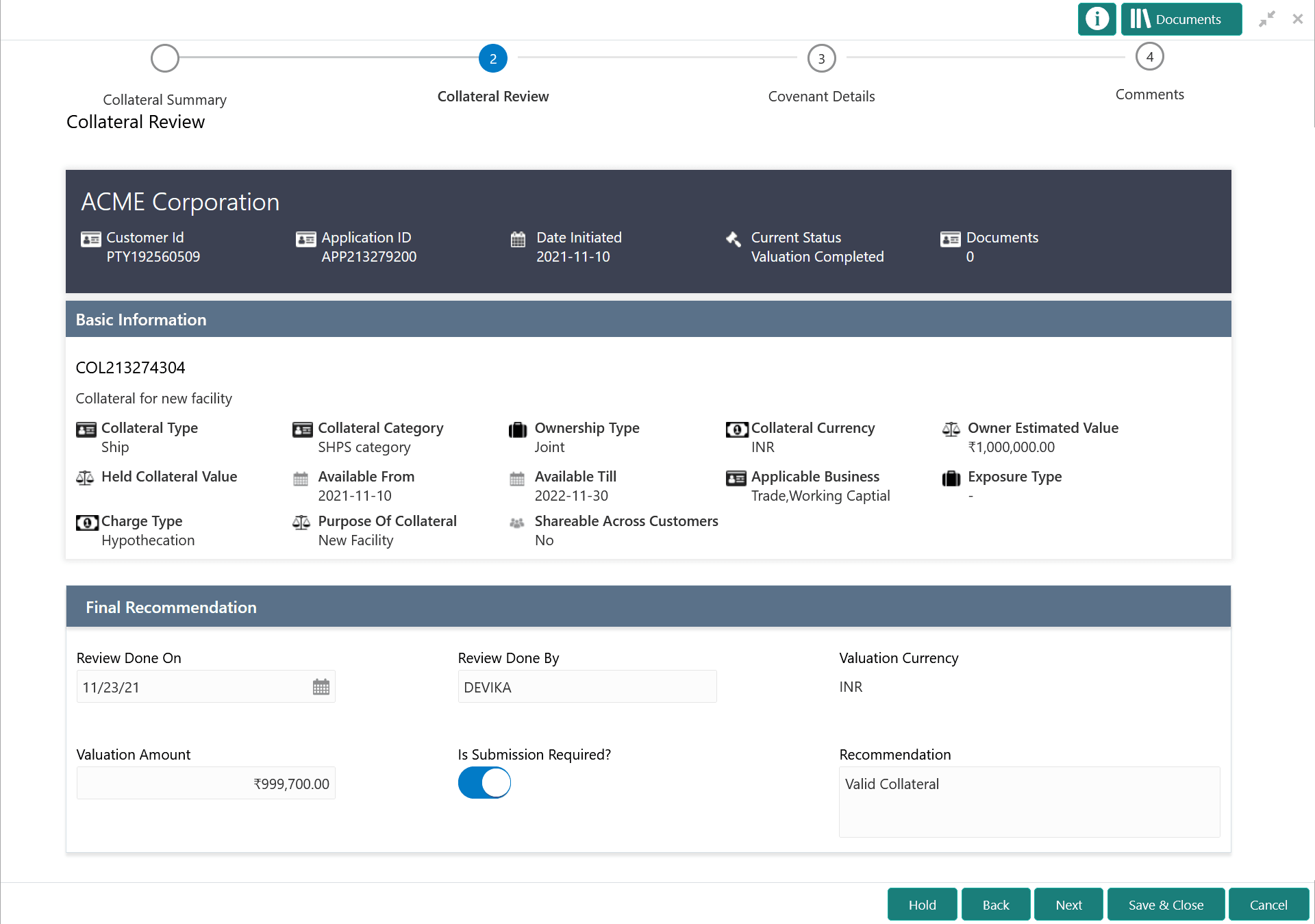

Option to add recommendation

  1. View the application details, collateral Basic Information, and collateral documents.
  2. Specify all the details in the Final Recommendation section.

    For more information on the fields, refer to the field description table below:

    Table 12-1 Collateral Review - Final Recommendation - Field Description

    Field Description
    Review Done On Specify the date on which the Collateral Review is performed.
    Review Done By The system defaults the logged in user ID in this field.
    Valuation Currency The currency in which the collateral is valuated is defaulted.
    Valuation Amount Specify the collateral Valuation Amount arrived in this stage.
    Is Submission Required Enable this flag, if collateral submission to the bank is required.
    Recommendation Provide a final Recommendation for the collateral.
  3. After Review and Recommendation, click Next.