11.4 Comments

This topic provides systematic instructions the comments data segment in the Valuation stage.

The Comments data segment allows you to post overall comments for the Valuation stage. Posting comments helps the user of next stage to better understand the application.

Click Next in the Valuation - Covenant Details screen, the Comments data segment is displayed.

Figure 11-11 Valuation - Comments
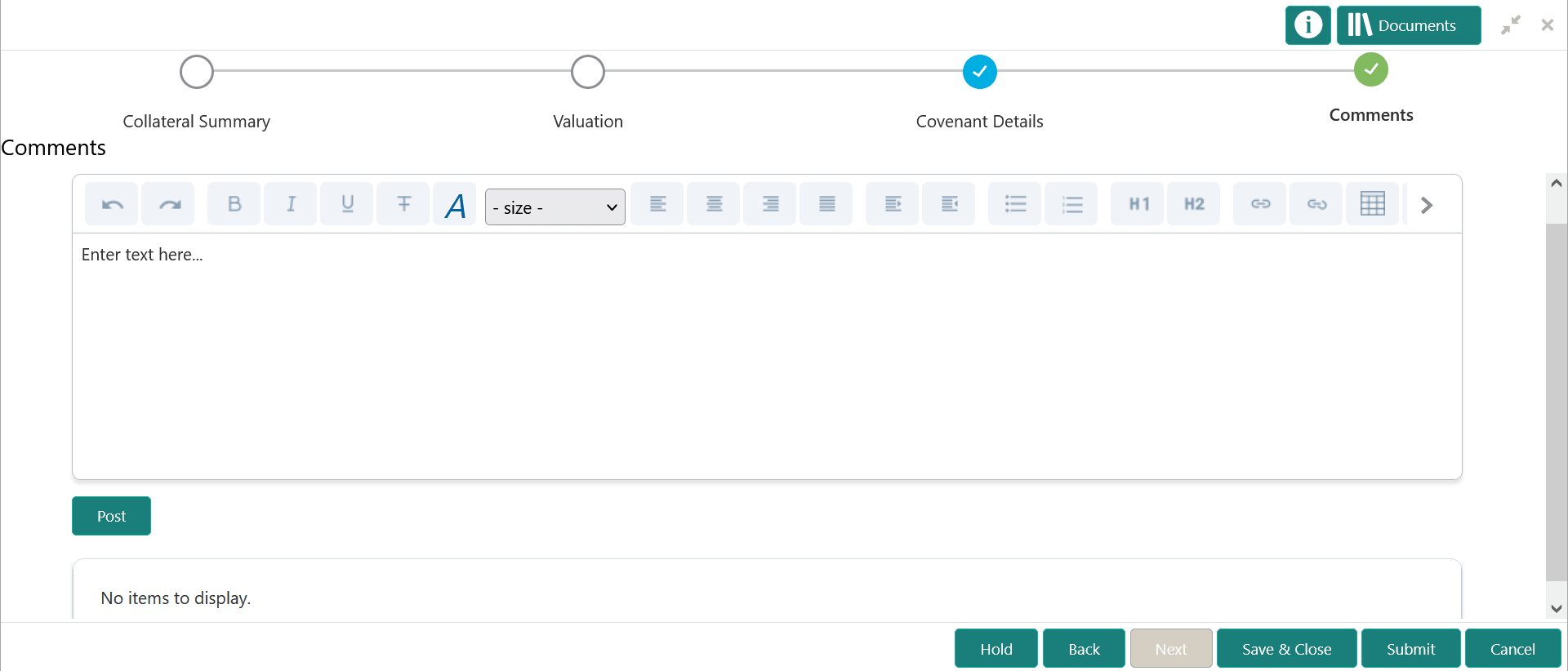

Option to post comment for the stage

  1. Type comments for the Valuation stage in the Comments text box.
  2. Click Post.
    Comments are posted and displayed below the Comments text box.
  3. Click Submit.
    The Checklist window is displayed.

    Figure 11-12 Checklist
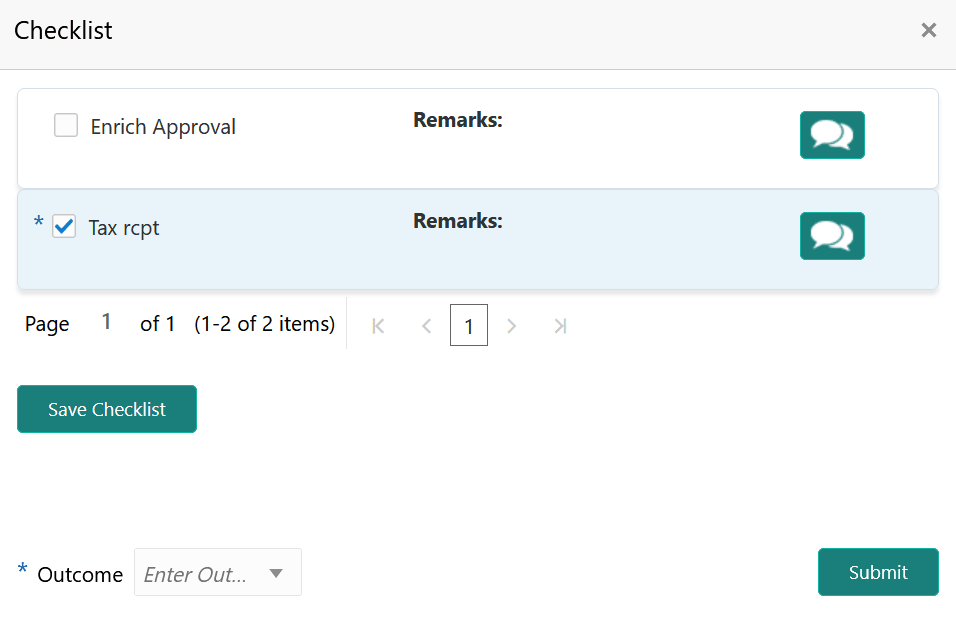

    Checklist configured for the stage

  4. Manually verify all the checklist and enable the corresponding check box.
  5. Select the required Outcome and click Submit.
    The options available in the drop down list are:
    • PROCEED
    • ADDITIONAL_INFO

    If PROCEED is selected as the Outcome, the application is moved to the next stage after successful completion of all the parallel stages.

    If ADDITIONAL_INFO is selected as the Outcome, the application is moved back to the previous stage.