11.2 Valuation
This topic provides systematic instructions procedure to add final valuation details.
Upon clicking Next in the Valuation -
Collateral Summary screen, the Valuation data segment is displayed.
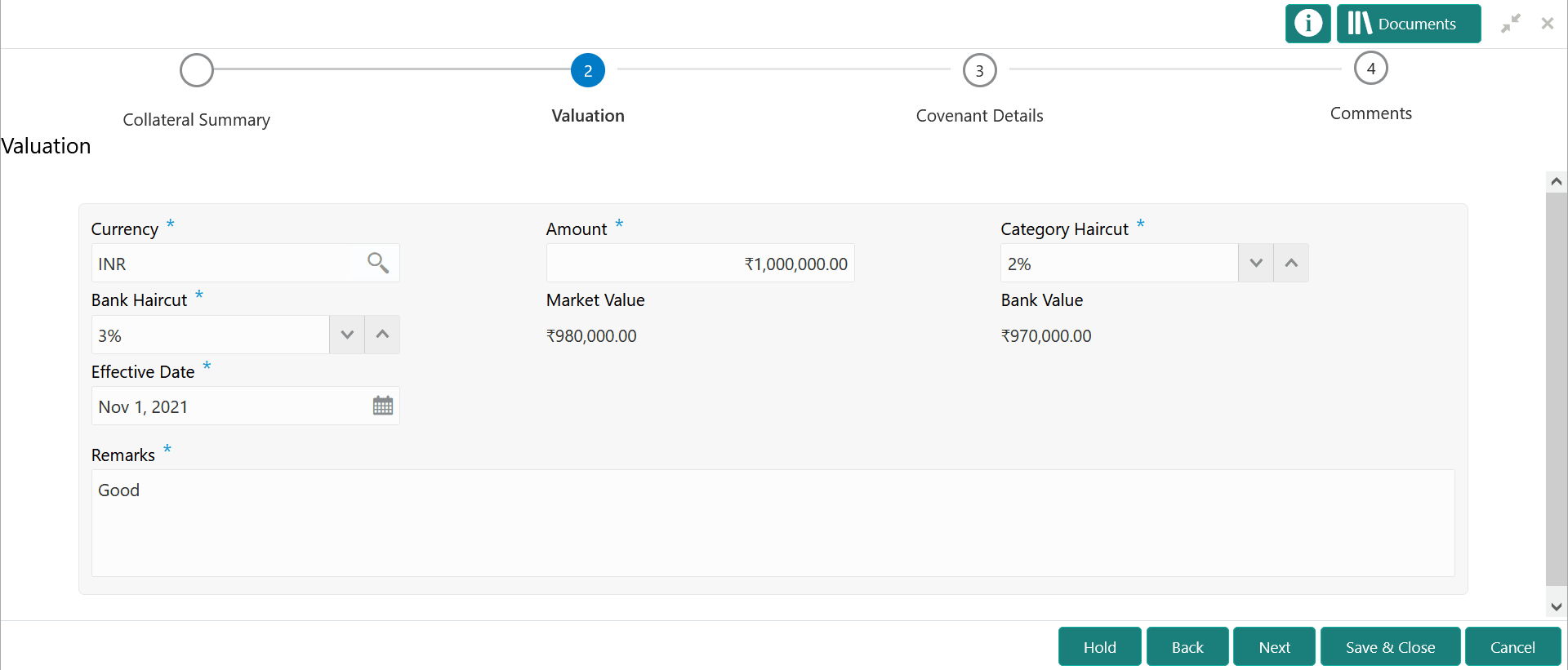
Figure 11-3 Valuation
- Provide the valuation details in the above screen.
For more information on the fields, refer to the field description table below:
Table 11-1 Valuation - Field Description
Field Description Currency Specify the Currency in which the collateral is valuated. Amount Specify the collateral valuation Amount. Category Haircut Specify the market haircut for the collateral category. Bank Haircut Specify the Bank Haircut for the collateral category. Market Value Market Value is the collateral value amount reduced to the extent of market haircut. This value is calculated and displayed by the system. Bank Value Bank Value is the collateral value amount reduced to the extent of provided bank haircut. This value is calculated and displayed by the system. Effective Date Specify the date on which the valuation is performed. Remarks Capture Remarks for the valuation.
In case user want to send back the application to previous stage for additional information, you can specify what information is required in this field.
- Click Next.