3.3.2 Managing Collateral Insurance Details
Procedure to add, edit, view and delete collateral insurance details.
Figure 3-13 Enrichment - Configure - Collateral Insurance
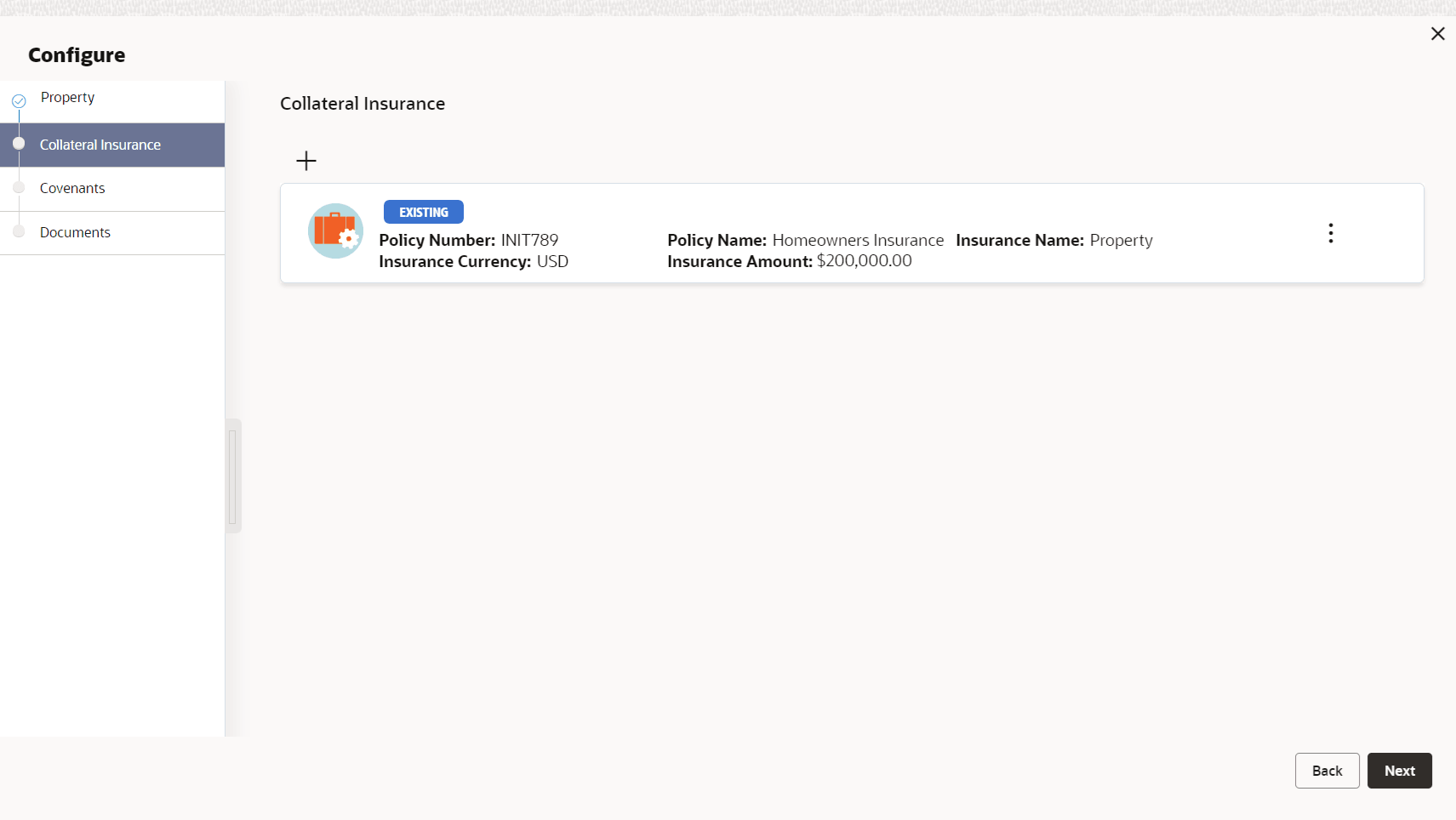
- To add insurance details, click + the add icon.The following window is displayed.
Figure 3-14 Collateral Details
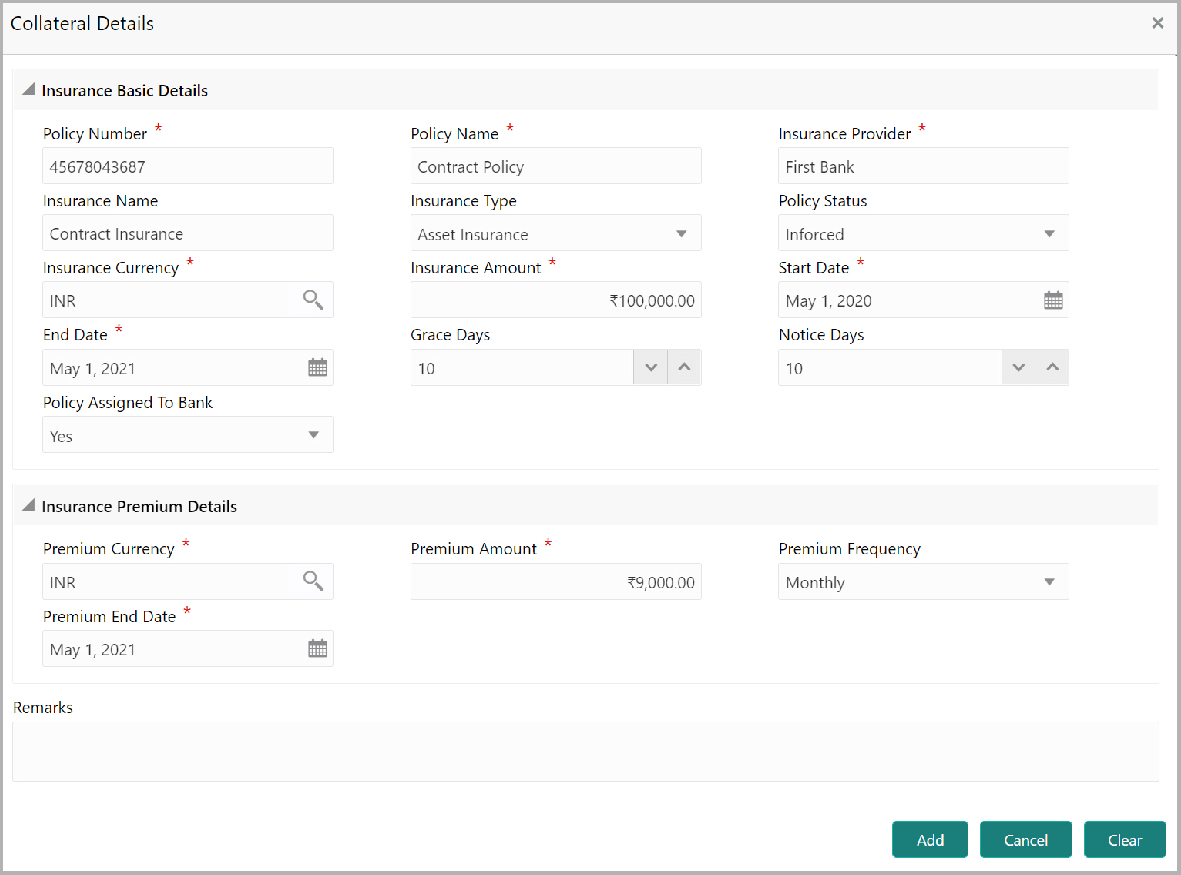
- Specify all the details in the Insurance Details screen.For field level information, refer the following tables.
Table 3-11 Insurance Basic Details - Field Description
Fields/ Icons Description Policy Number Specify the insurance Policy Number. Policy Name Specify the insurance Policy Name. Insurance Provider Specify the name of Insurance Provider. Insurance Name Specify the name of insurance. Insurance Type Select the Insurance Type from the drop down list. The options available include but are not limited to: - Asset Insurance
- Life Insurance
- Corporate Insurance
- Borrower Insurance
Policy Status Select the Policy Status from the drop down list. The options available include but are not limited to: - Inforced
- Lapsed
- Paidup
Insurance Amount Specify the Insurance Amount in selected insurance currency. Start Date Click the calendar icon and select the insurance Start Date. End Date Click the calendar icon and select the insurance End Date. Grace Days Specify the Grace Days for making insurance premium payment. Notice Days Specify the Notice Days for insurance premium payment. Policy Assigned To Bank Specify if the policy is assigned to your bank by selecting required option from the Policy Assigned To Bank drop down list. Table 3-12 Collateral Details - Insurance Premium Details - Field Description
Fields/ Icons Description Premium Currency Click the search icon in the Premium Currency field and select the currency in which insurance premium is paid. Premium Amount Specify the Premium Amount in selected premium currency. Premium Frequency Select the Premium Frequency from the drop down list. Premium End Date. Click the calendar icon and select the Premium End Date. Remarks Type Remarks about the insurance, if any. - Click Add. The insurance details are added and displayed
in the Enrichment - Configure - Collateral Insurance screen.You can Edit, View, or Delete the insurance record by clicking on the action icon and selecting the required option.
- After performing necessary actions, click Next in the
Enrichment - Configure - Collateral Insurance screen.The Enrichment - Configure - Covenants screen is displayed.