4.2 Summary
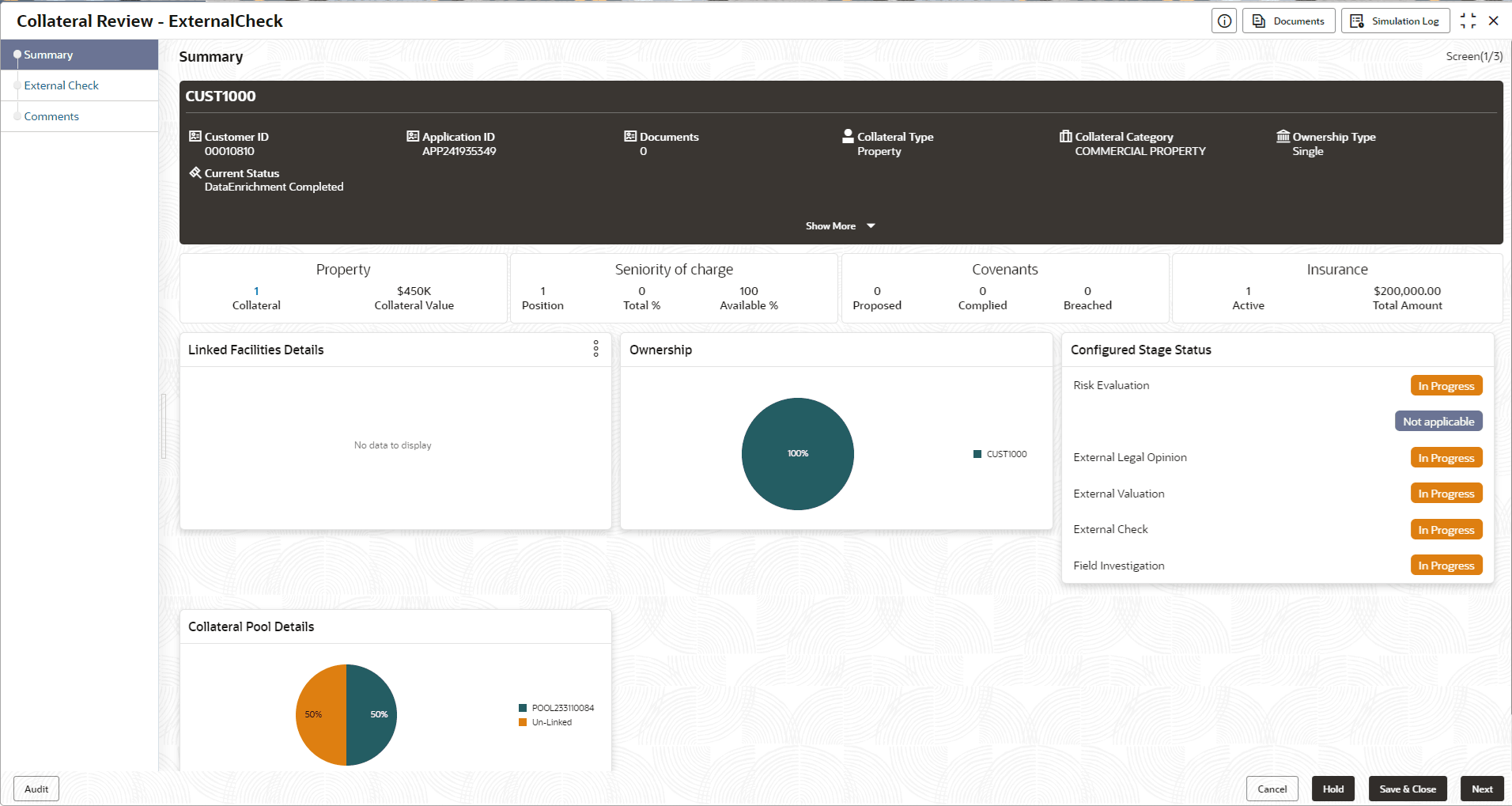
Information on the Summary data segment in External Check stage.
In the Summary data segment, the following collateral details captured
in the previous stages are displayed.
- Basic Information
- Collateral Type (Property) Details
- Linked Facilities Details
- Ownership
- Seniority of Details
- Covenants
- Insurance
- Configured Stage Status
Note:
The Configured Stage Status is updated based on the status of parallel tasks generated in the system.
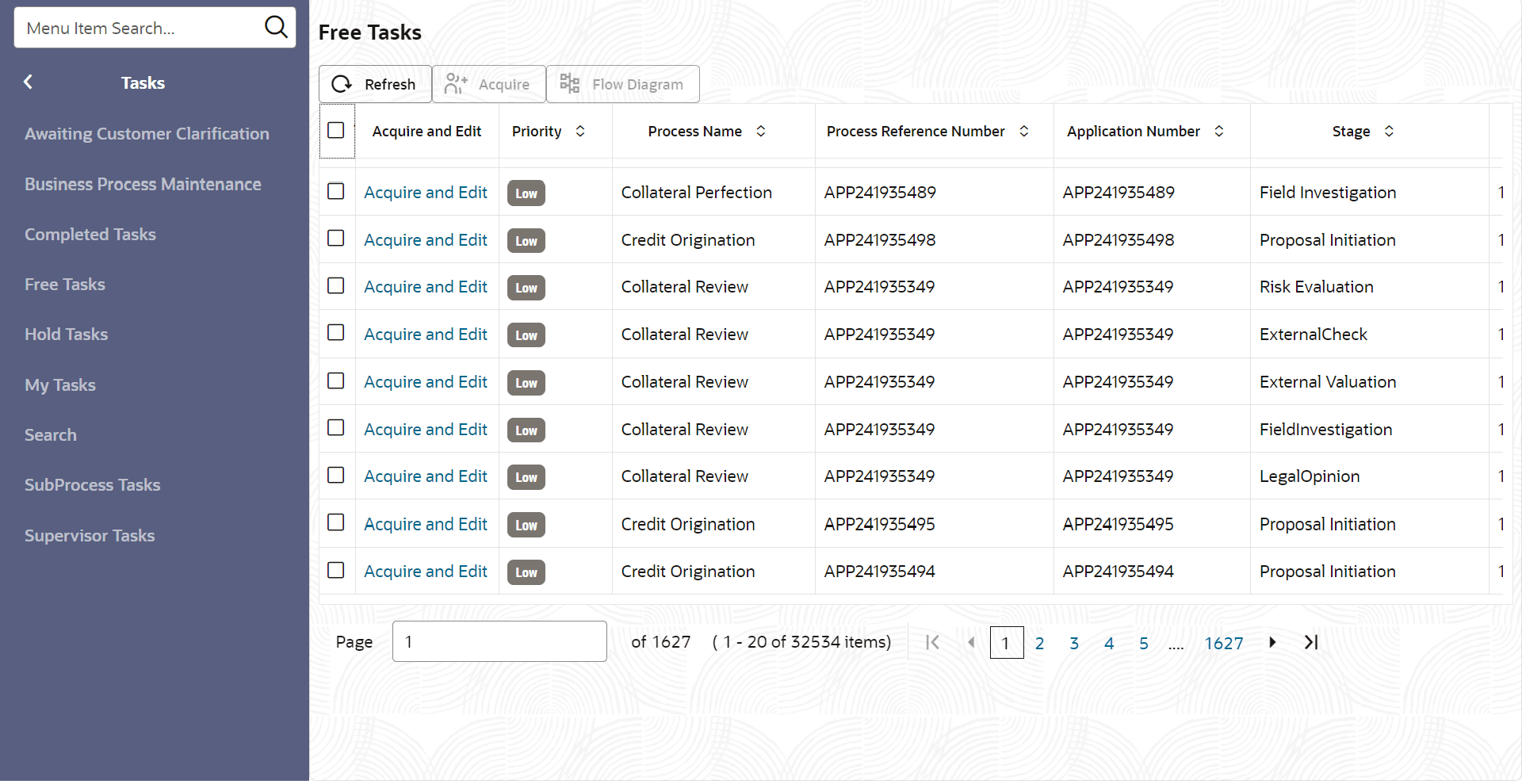
- To launch the External Check - Summary screen, navigate to Tasks >
Free Tasks from the left menu.The Free Tasks screen is displayed.
- Click Acquire & Edit in the required External Check
task.The External Check - Summary screen is displayed.