4 Review
This topic provides systematic instructions about the Review of the Economic Dependency Analysis.
In this stage, the Reviewer can review the customer’s economic dependency details and post the review comments.
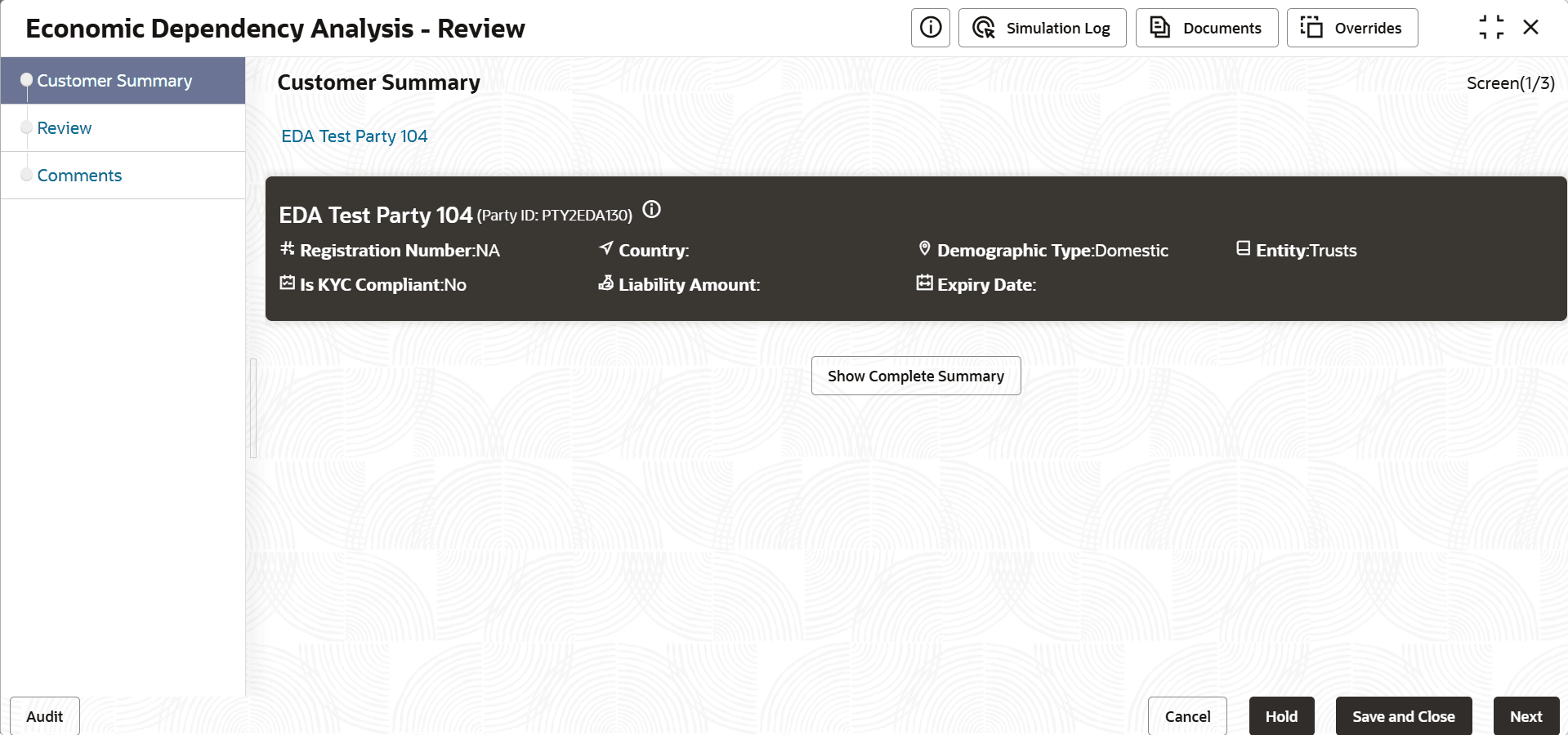
- Edit the required Review task. The Review - Customer Summary screen is displayed.
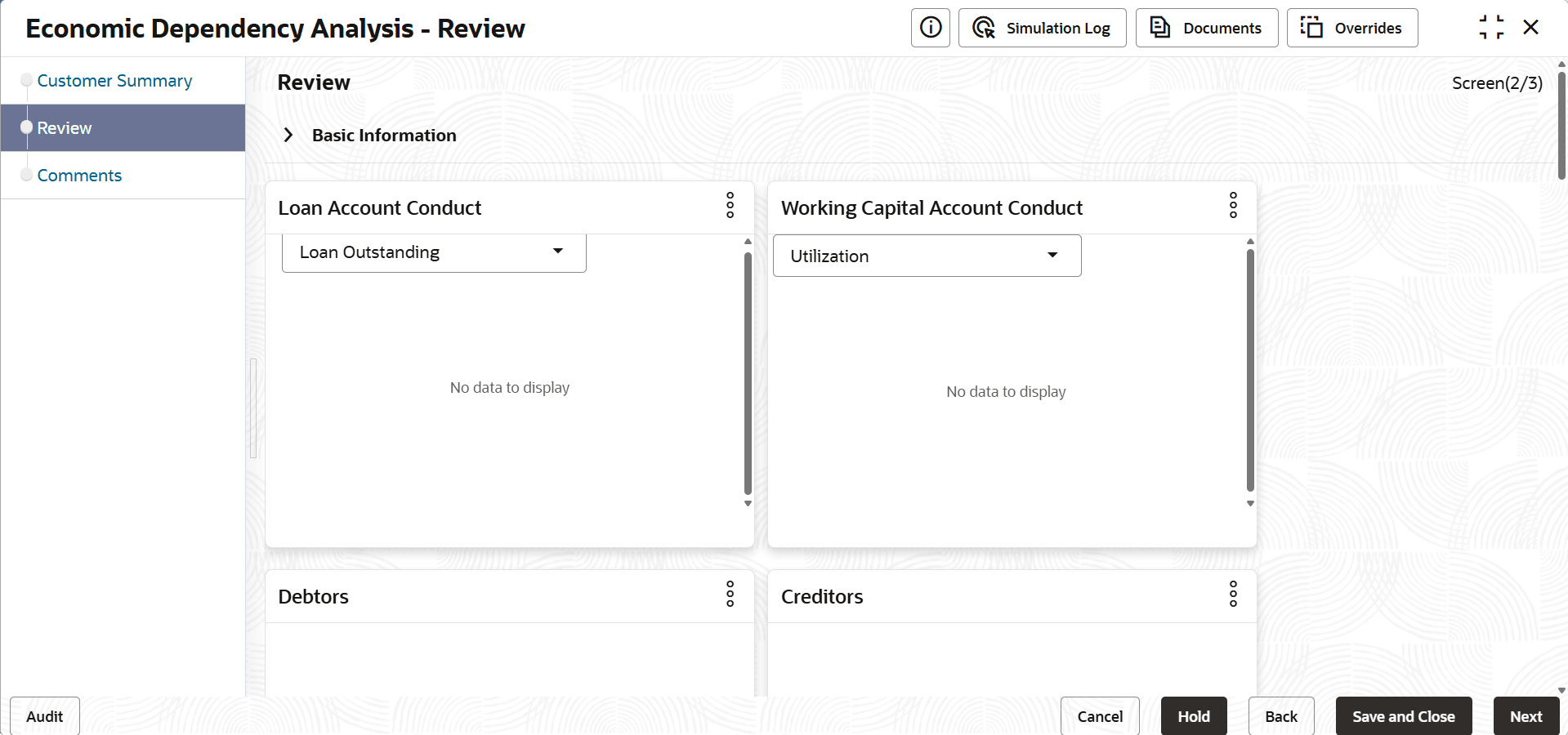
- View the customer summary and click Next. The Review Screen is displayed.
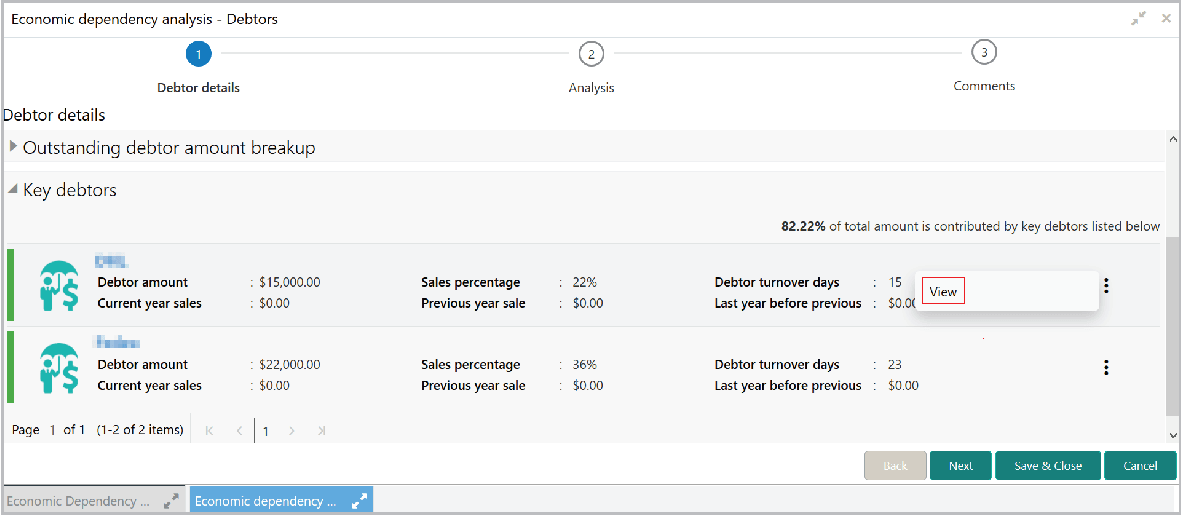
- Upon clicking the search icon, the details page appears. For example, if the
user clicks the search icon in the Debtors tile.The Debtor details screen is displays.
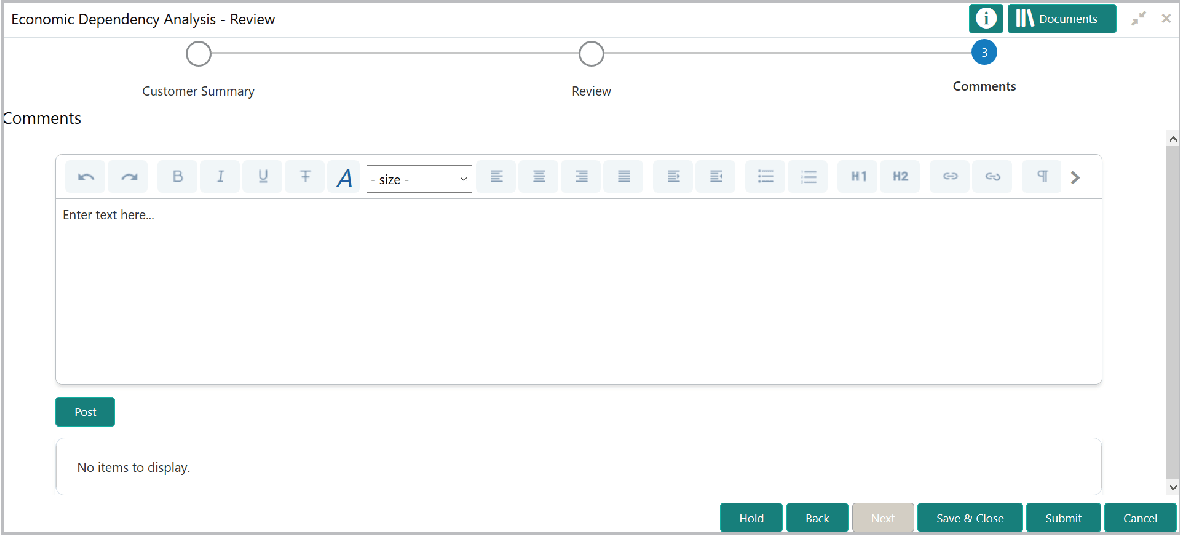
- After viewing dependency details of all the dimensions, click Next in
the Review page.The comments screen is displayed.
For information on fields in the Review - Comments screen, refer the below table.
Table 4-1 Review - Comments
Fields Description Post Post the overall Comments for the Review stage. Hold To hold the Review process, click Hold. Back To go back to the previous page, click Back. Save & Close To save and exit the page, click Save & Close. Submit To submit the task, click Submit. Cancel To cancel the review task, click Cancel.