7 Uploading Financial Documents
Ths topic provides systematic istructions about the Uploading Financial Documents of the Economic Dependency Analysis.
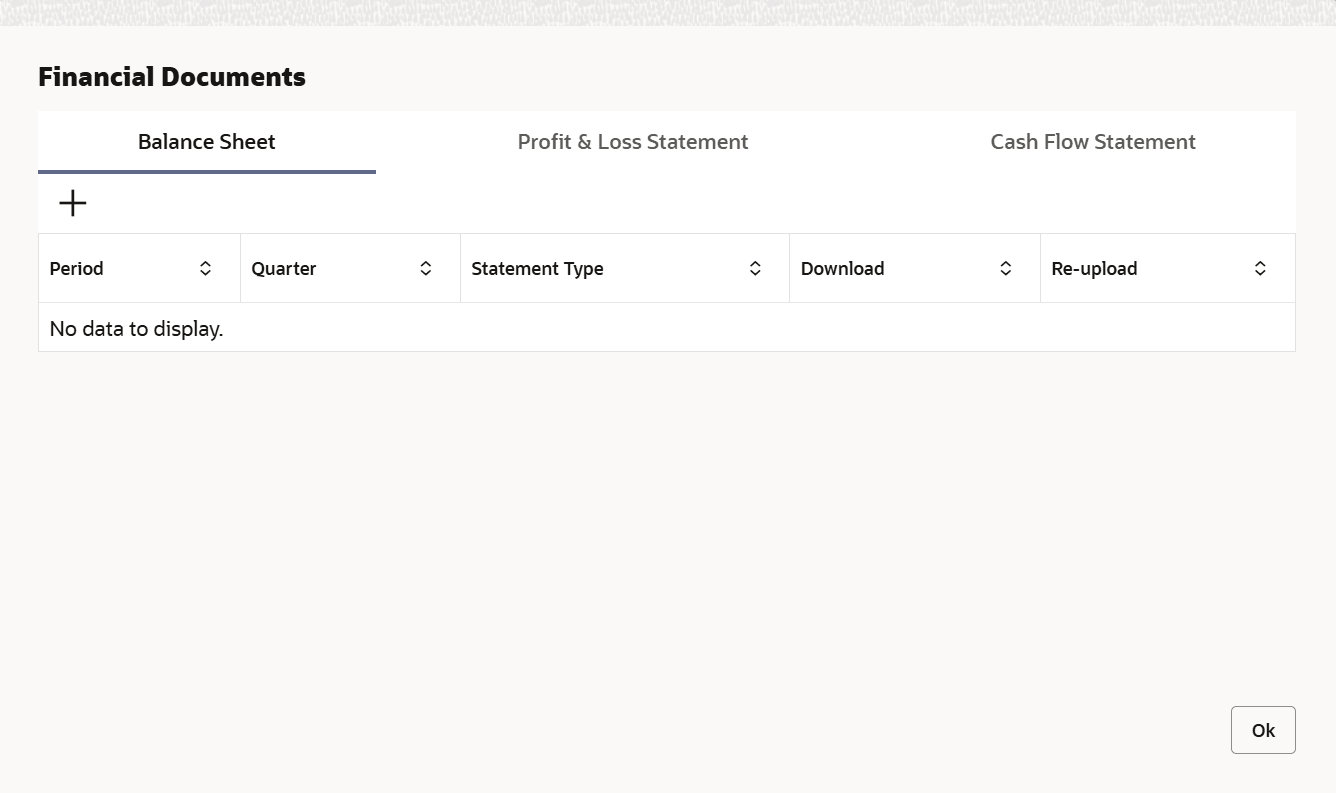
Financial documents are mandatory for the system to perform financial analysis. It must be uploaded before performing the financial analysis in Enrich and Analyze stage.
- Click
 at the top right corner of any page. The Financial Documents screen is displayed.
 - To upload a specific financial document, click on the corresponding tab and
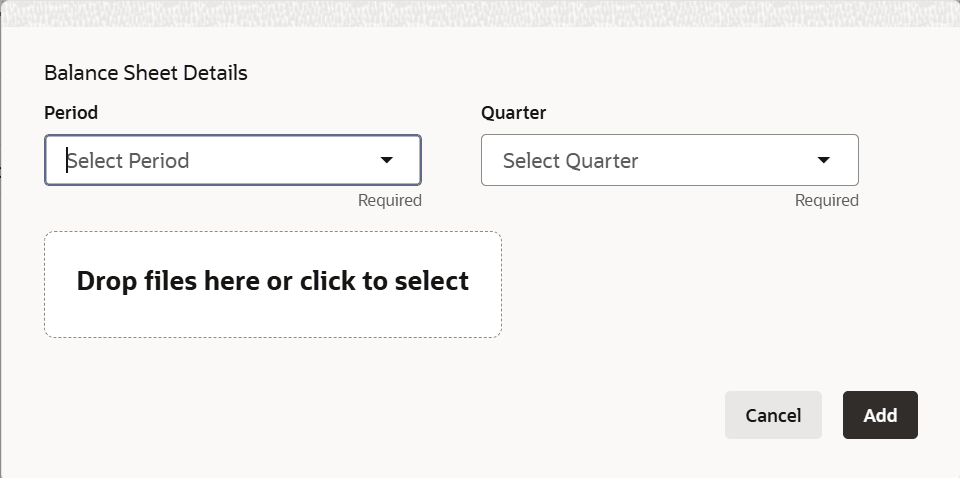
then click Add.The Document Upload window is displayed.
For information on fields in the Balance Sheet Details screen, refer the below table.
Table 7-1 Balance Sheet Details
Fields Description Period and Quarter Select the Period and Quarter for which you want to upload financial documents. Drop files here or click to select In the Drop files here or click to select section, click and upload or drag and drop the required document. Current selected files count is updated to display the number of documents added. Add Click Add. Document is uploaded and displayed in the Financial Documents window. Download To download the added document, click Download in the Download column. Reupload To upload the document again, click Reupload in the Reupload column. This will override the already uploaded document. Done To exit the Financial Documents window, click Done.