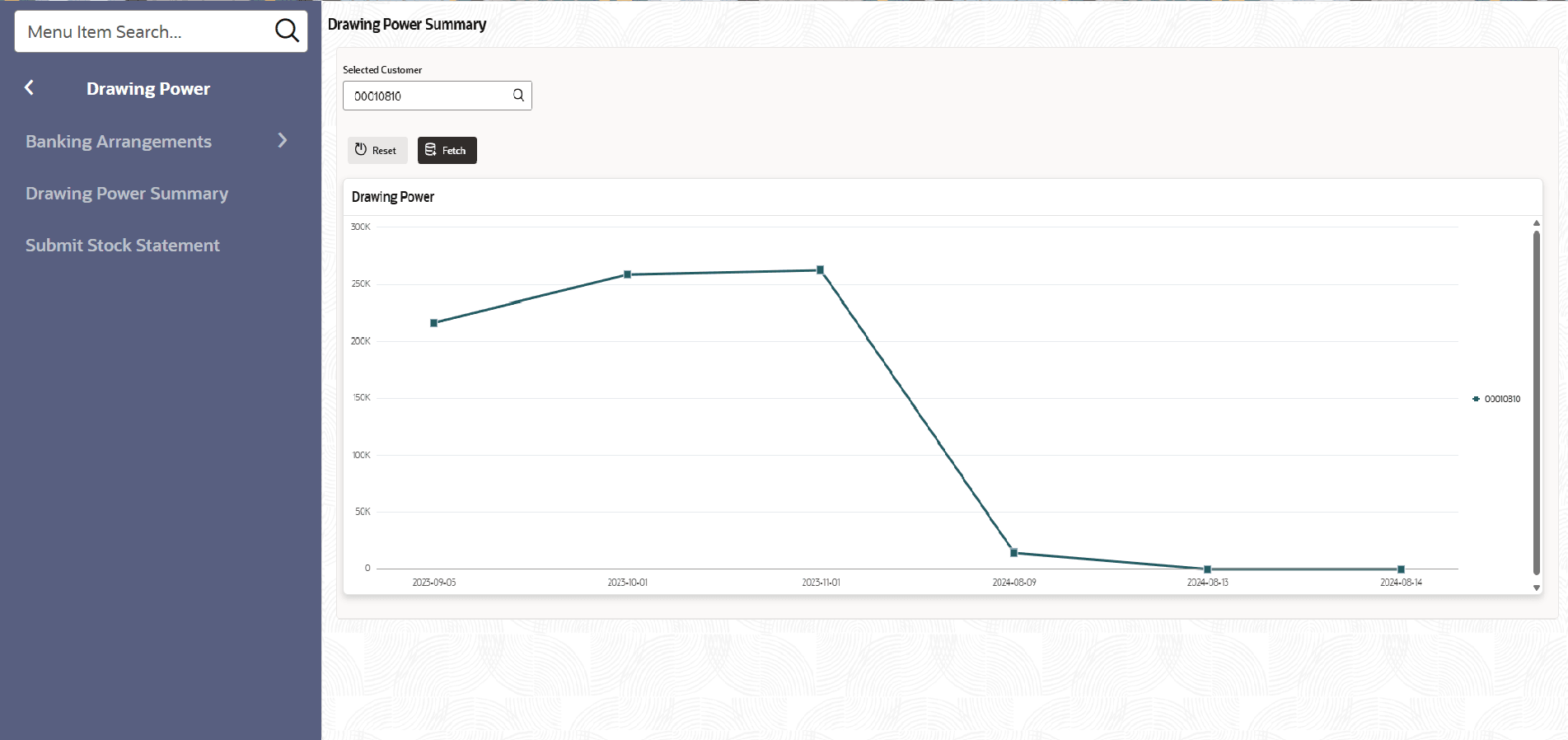
4 Drawing Power Summary
This topic describes about the Drawing Power Summary.
The Drawing Power Summary provides bank users with a comprehensive overview of a customer’s facilities that are based on drawing power. Through this summary page, users can retrieve customer details at any time and analyze how the drawing power for each facility has varied over a specified period. This visibility enables effective monitoring of each facility, ensuring that drawing power calculations remain appropriate for the customer’s financial profile. Additionally, the summary helps users determine if any adjustments to the facility structure are required to better align with the customer's needs or risk profile.
- On Home screen, click Drawing
Power. Under Drawing Power, click Drawing Power
Summary. The Drawing Power Summary screen displays.
For more information on fields, refer to the field description table below.
Table 4-1 Drawing Power Summary
Field Description Selected Customer Click Search icon and select the customer. Bank Arrangement Name Specify the Bank Arrangement Name. Reset Click Reset to reset the selected customer. Fetch Click Fetch to select the customer.