3.23 Create Facility without Template
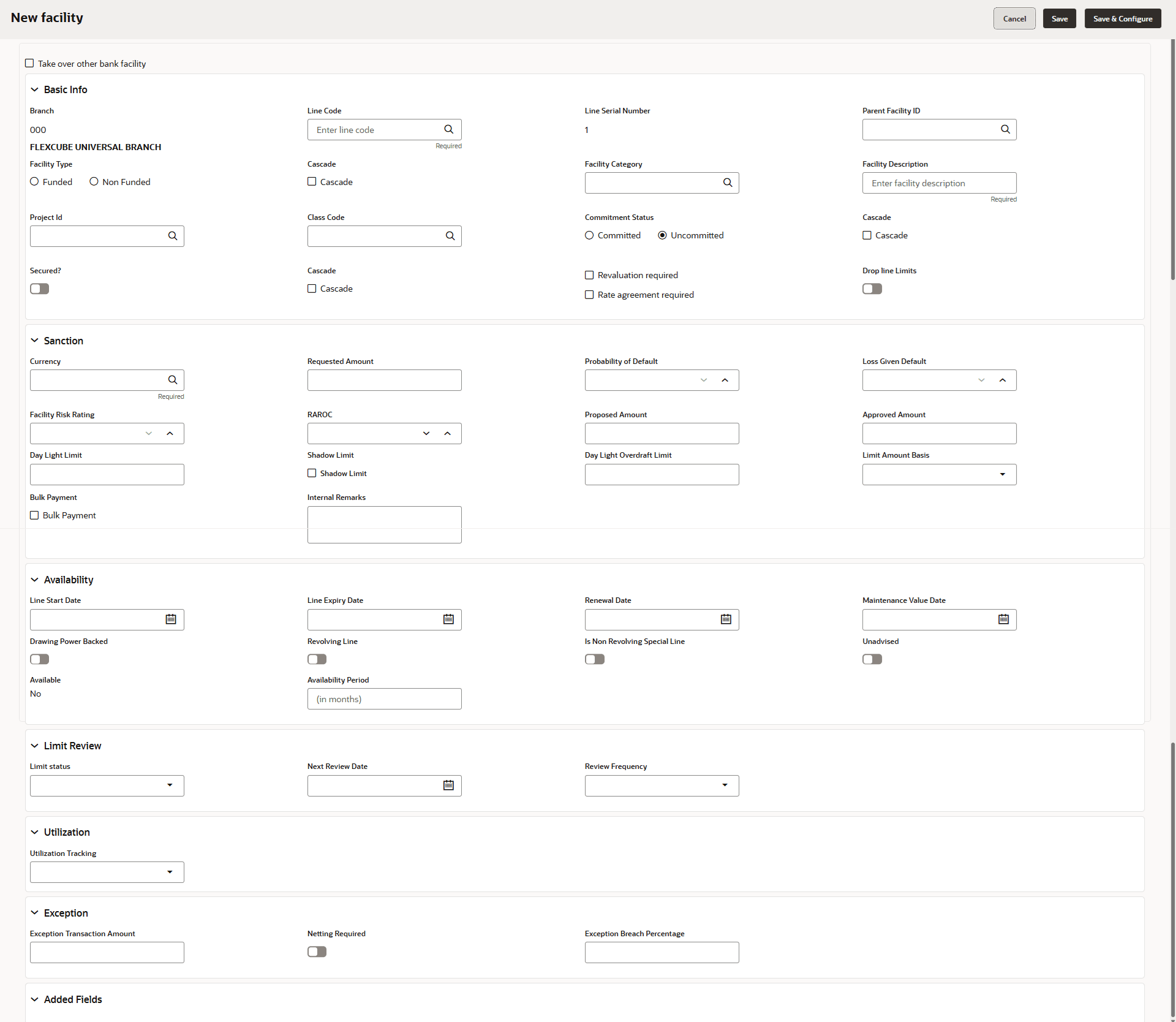
- To directly add the facility without using template, click the add icon.The New Facility window is displayed.
In the New Facility window, you can link the other bank facility and / or create new facility by adding the necessary information.
- To link the other bank facility with a facility, enable the Link existing
facility check box.
To add a new funding requirement:
Table 3-26 New Facility
Fields Description Line Code Enter the Line Code. Line Serial Number Enter the Line Serial Number. Facility Description Enter the Facility Description. Facility Id Select the Parent Facility Id from the drop-down list. Facility Type Choose the Facility Type. The options available are Funded and Non Funded. You can restrict creation of sub-facility of type other than the selected type by enabling the Cascade check box. For example, if the Facility Type is selected as Funded and the Cascade check box is enabled, the sub-facility of type Non Funded cannot be created.
Facility Category Select the Facility Category from the drop-down list. Currency Search and select the Currency in which the facility has to be offered. Requested Amount Specify the amount requested by the organization in Requested Amount field. Next Review Date Click the calendar icon and select the Next Review Date for the facility. Tenor Enter the Tenor for the facility. Line Expiry Date Select the Line Expiry Date. Commitment Status Choose the Commitment Status for the facility. The options available are Committed and Uncommitted. You can restrict creation of committed / uncommitted sub-facility for this facility by enabling the Cascade check box. For example, if the Commitment Status is selected as Committed and the Cascade check box is enabled, the uncommitted sub-facility cannot be created, and vice versa.
Secured? Enable the Secured? option, if collateral is available for the facility. You can restrict creation of unsecured sub-facilities for this facility by enabling the Cascade check box along with the Secured? option.
Revaluation Required Enable the Revaluation Required check box, if the facility has to be re-valuated during EOD batch process using the exchange rate maintained at the facility level. Rate Agreement Required Enable the Rate Agreement Required check box, if the exchange rate maintained at the facility level has to be applied in case of cross currency utilization and block transactions and revaluation. Save To save the details and exit the New Facility window, click Save. Save & Configure To add further details about the facility, click Save & Configure. Cancel To exit the New Facility window without saving the information, click Cancel.
Parent topic: Proposal Initiation