3.20 Purchase Breakup
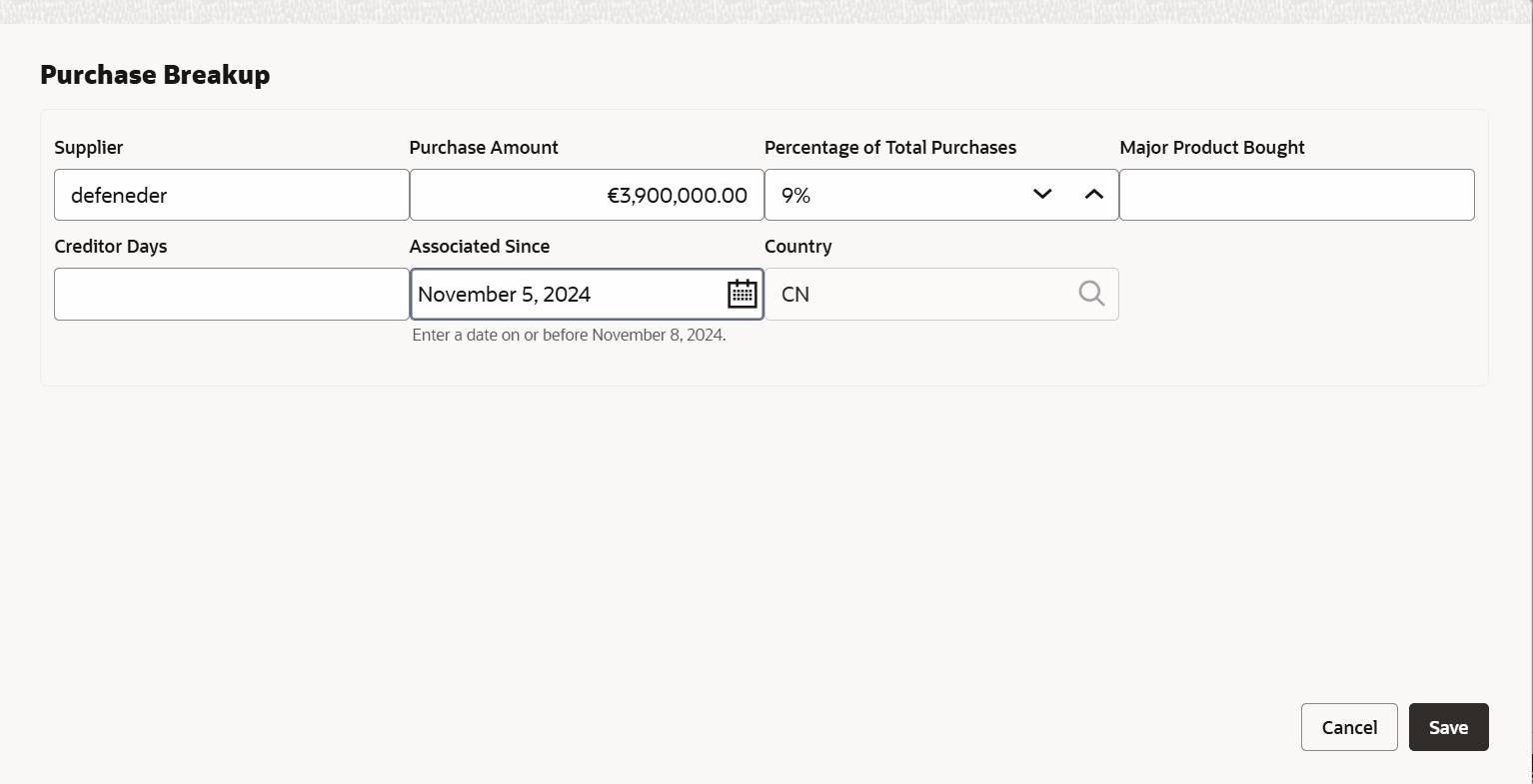
In this section, the user must capture details of all the entity’s suppliers in the selected country.
- Click the Add icon.The Purchase Breakup window is displayed.
For field level information refer the below table.
Table 3-17 Purchase Breakup
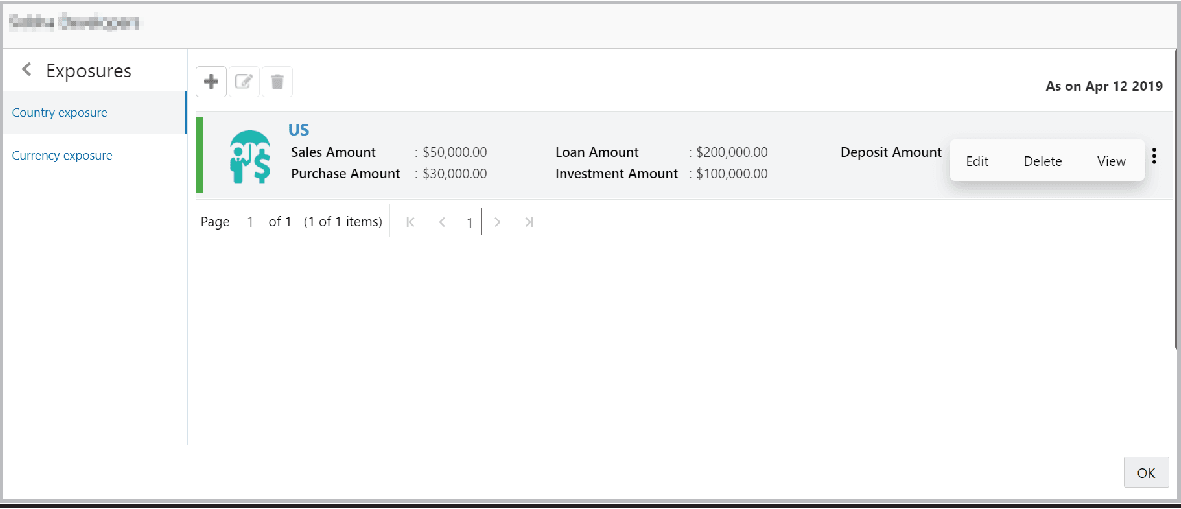
Fields Description Supplier Specify the name of Supplier. Purchase Amount In the Purchase Amount field, specify the amount of products / services purchased by the entity from the supplier. Percentage of Total Purchases Specify the Percentage of Total Purchases from the supplier. Major Product Bought Specify the Major Product Bought by the entity from the supplier. Creditor Days Specify the Creditor Days for the supplier. Associated Since In the Associated Since field, search and select the date on which association between the entity and its supplier is established. Save Click Save. Purchase breakup is added and displayed in the Purchase Breakup section. - In the Country Dependency Details window, click Save. The details
are added and displayed as shown below.
- To capture the currency dependency details, click the Currency Exposure
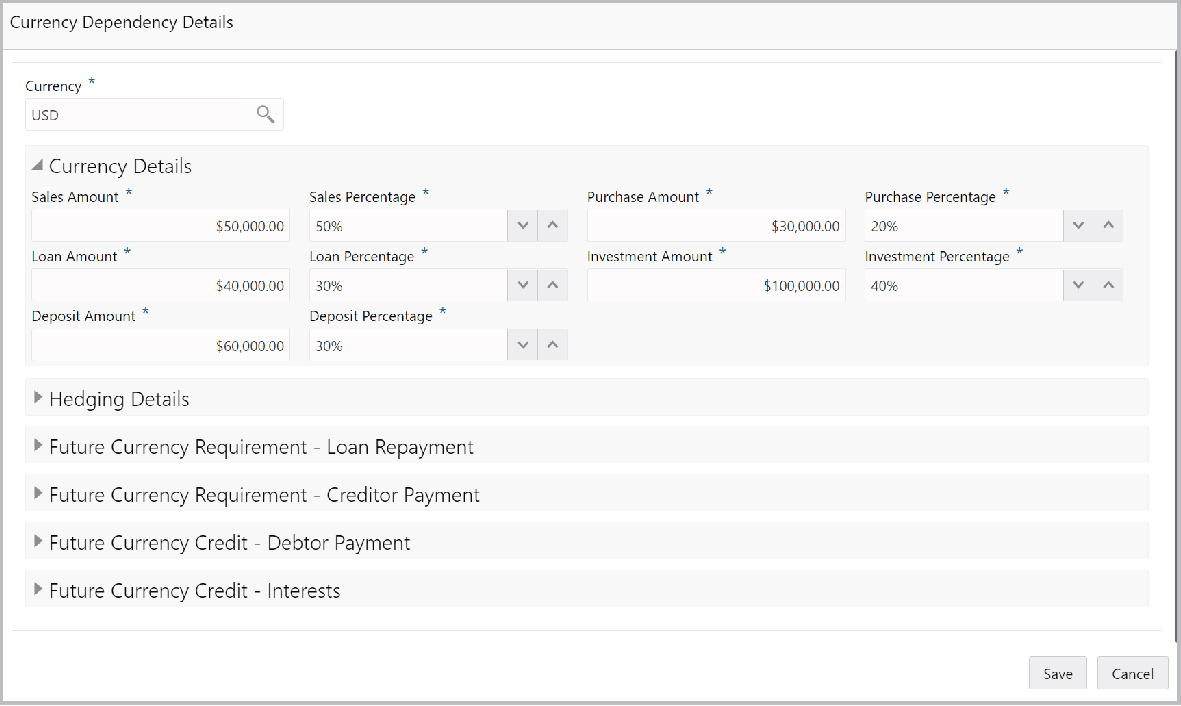
sub-menu.The Currency Dependency Details window is displayed.
- Search and select the Currency.
For field level information refer the below table.
Table 3-18 Currency details
Fields Description Sales Amount Specify your customer's Sales Amount in the selected currency. Sales Percentage Specify your customer's Sales Percentage with respect to the selected currency. Purchase Amount Specify your customer's Purchase Amount in the selected currency. Purchase Percentage Specify your customer's Purchase Percentage with respect to the selected currency. Loan Amount Specify the Loan Amount availed by your customer in the selected currency. Loan Percentage Specify your customer's Loan Percentage with respect to the selected currency. Investment Amount Specify your customer's Investment Amount in the selected currency. Investment Percentage Specify your customer's Investment Percentage with respect to the selected currency. Deposit Amount In the Deposit Amount field, specify the amount deposited by your customer in the selected currency. Deposit Percentage In the Deposit Percentage field, specify the percentage of amount deposited by your customer in the selected currency. Hedging Details
For field level information refer the below table.
Table 3-19 Hedging Details
Field Description Credit Outstanding Specify the Credit Outstanding amount in the selected currency. Debit Outstanding Specify the Debit Outstanding amount in the selected currency. Variance On entering the Credit and Debit Outstanding amounts, the system calculates and displays the Variance. Hedging required Enable the Hedging required option, if Hedging Analysis is required. Future Currency Requirement - Loan Repayment
Figure 3-41 Future Currency Requirement - Loan Repayment
For field level information refer the below table.
Table 3-20 Future Currency Requirement - Loan Repayment
Fields Description Outstanding Loan Amount Specify your customer's Outstanding Loan Amount in selected currency. Repayment in current year In the Repayment in current year field, specify the loan amount to be repaid in the current year. Repayment in Next 3 Years In the Repayment in Next 3 Years field, specify the loan amount to be repaid in next three years. Future Currency Requirement - Creditor Payment
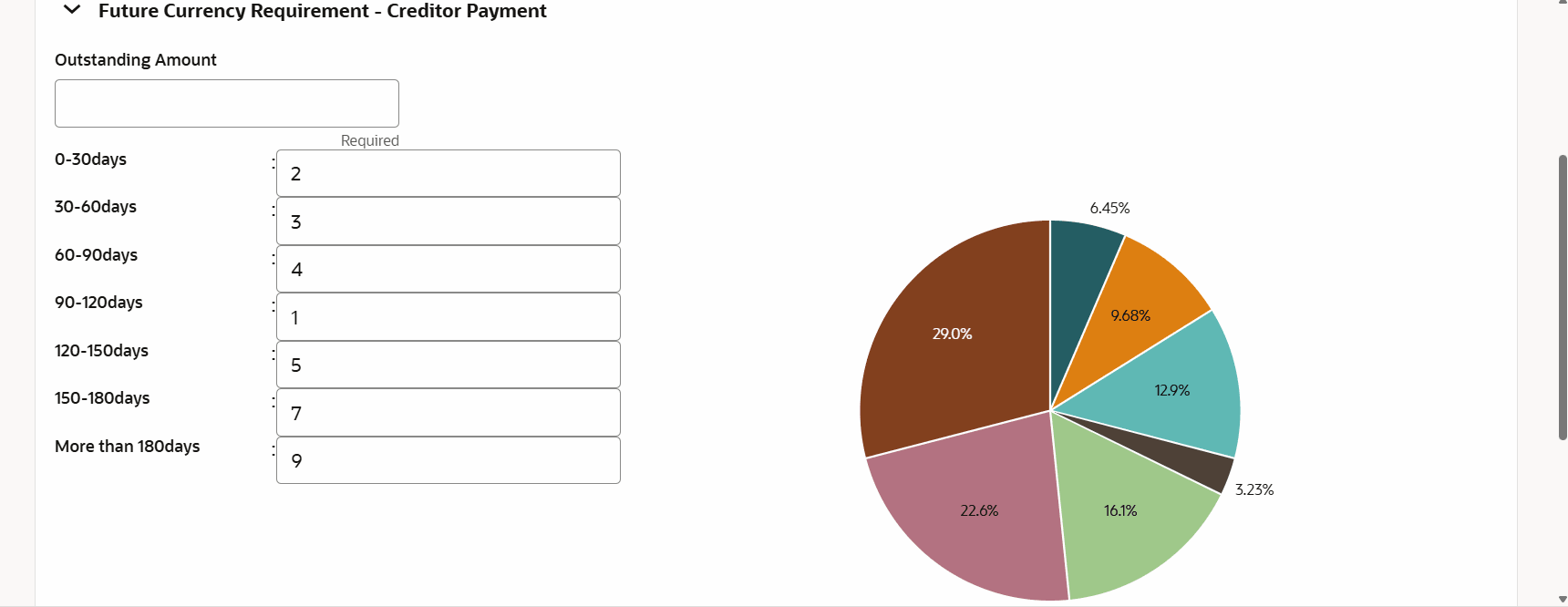
Figure 3-42 Future Currency Requirement - Creditor Payment
For field level information refer the below table.
Table 3-21 Future Currency Requirement - Creditor Payment
Fields Description Outstanding Amount Specify the Outstanding Amount to be paid by your customer to their creditor in selected currency. 0-30 days Specify the outstanding amount to be paid in 0-30 days. 30-60 days Specify the outstanding amount to be paid in 30-60 days. 60-90 days Specify the outstanding amount to be paid in 60-90 days. 90-120 days Specify the outstanding amount to be paid in 90-120 days. 120-150 days Specify the outstanding amount to be paid in 120-150 days. 150-180 days Specify the outstanding amount to be paid in 150-180 days. More than 180 days Specify the outstanding amount to be paid after 180 days in the More than 180 days field. Future currency credit - Debtor payment
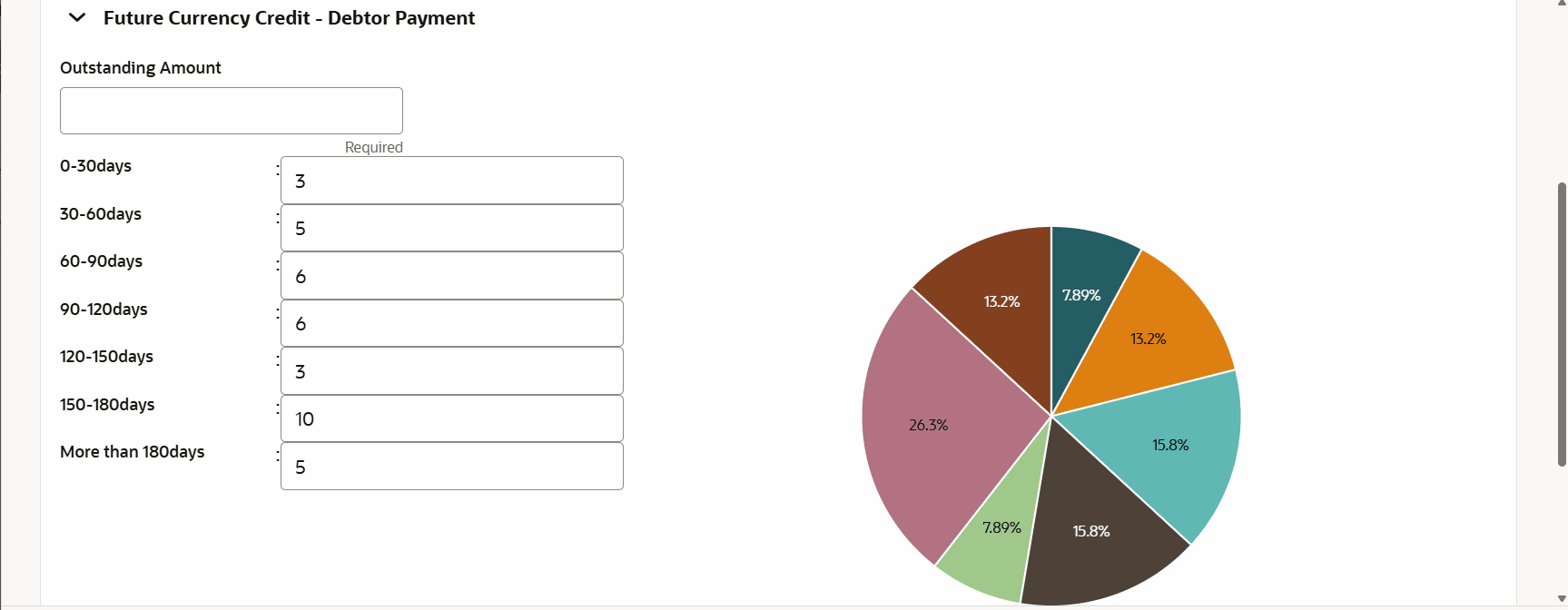
Figure 3-43 Future currency credit - Debtor payment
For field level information refer the below table.
Table 3-22 Future currency credit - Debtor payment
Fields Description Outstanding Amount Specify the Outstanding Amount to be paid by your customer’s debtor in the selected currency. 0-30 days Specify the outstanding amount to be received in 0-30 days. 30-60 days Specify the outstanding amount to be received in 30-60 days. 60-90 days Specify the outstanding amount to be received in 60-90 days. 90-120 days Specify the outstanding amount to be received in 90-120 days. 120-150 days Specify the outstanding amount to be received in 120-150 days. 150-180 days Specify the outstanding amount to be received in 150-180 days. More than 180 days Specify the outstanding amount to be received after 180 days in the More than 180 days field. Future Currency Credit - Interests
Figure 3-44 Future Currency Credit - Interests
For field level information refer the below table.
Table 3-23 Future Currency Credit - Interests
Fields Description Investment amount interests In the Investment amount interests field, specify the interest to be received for the amount invested in selected currency. Interest expected in current year In the Interest expected in current year field, specify the interest to be received in the Current year. Interest expected in next 3 years In the Interest expected in next 3 years field, specify the interest to be received in the next 3 Years. Save Click Save in the Currency Dependency Details window. The details are saved and displayed in Currency Dependency Details page. Edit, Delete and View To Edit, Delete and View the added currency exposure details, select the record and click the respective icons or click the hamburger icon and select the corresponding option. Ok Click Ok in the Party Details window. List View To change the layout of the Customer info page to list view, click the List View icon at the right corner. Table View To change the view of the Customer Info page to table view, click the Table View icon at the top right corner.



Parent topic: Proposal Initiation