3.2 Liability Details
This topic provides systematic instructions about the Liability Details data segment in Group Concentration Limit Amendment process.
This data segment lists all the liabilities of the group entity added in
Group Concentration Limit Initiation process. The user can modify the liability
details in this data segment based on bank’s / entity’s requirement.
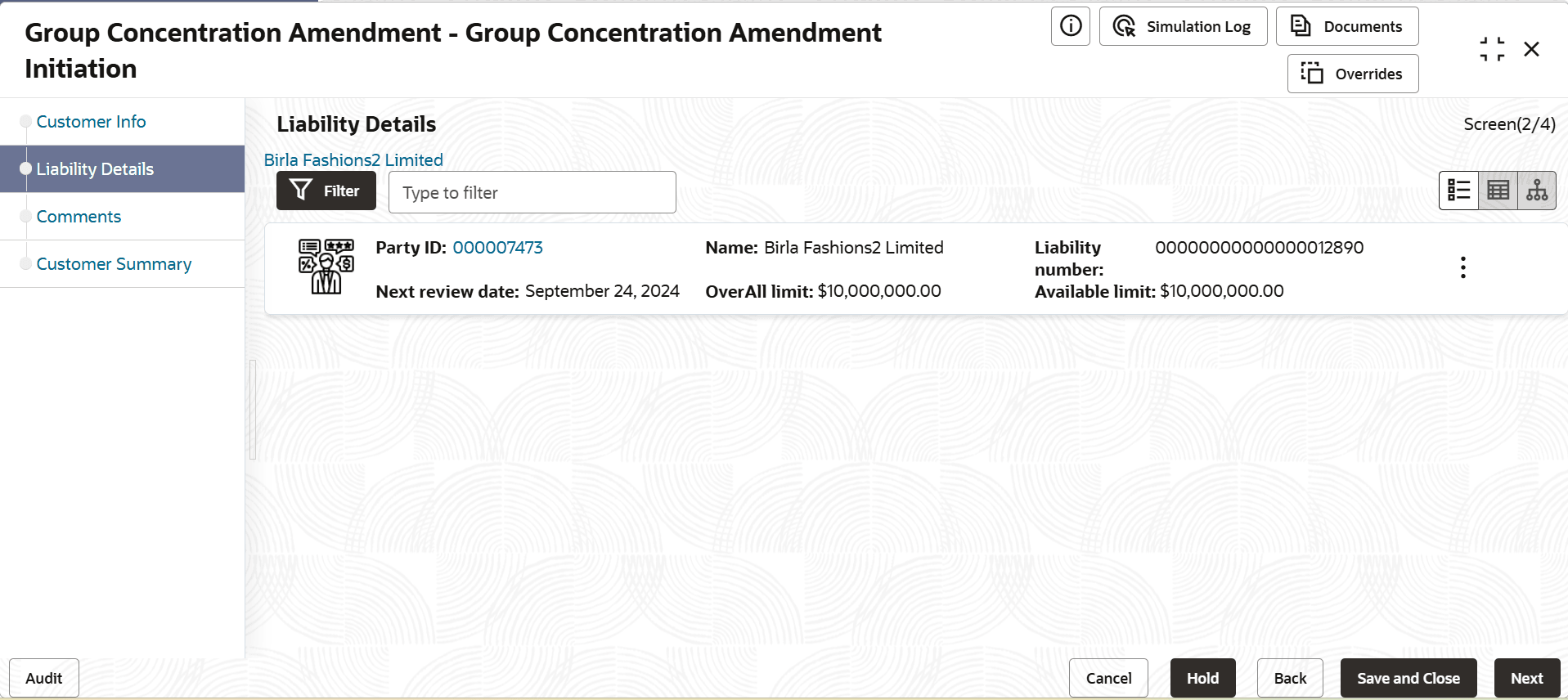
- To modify the liability details, click the Hamburger icon in corresponding
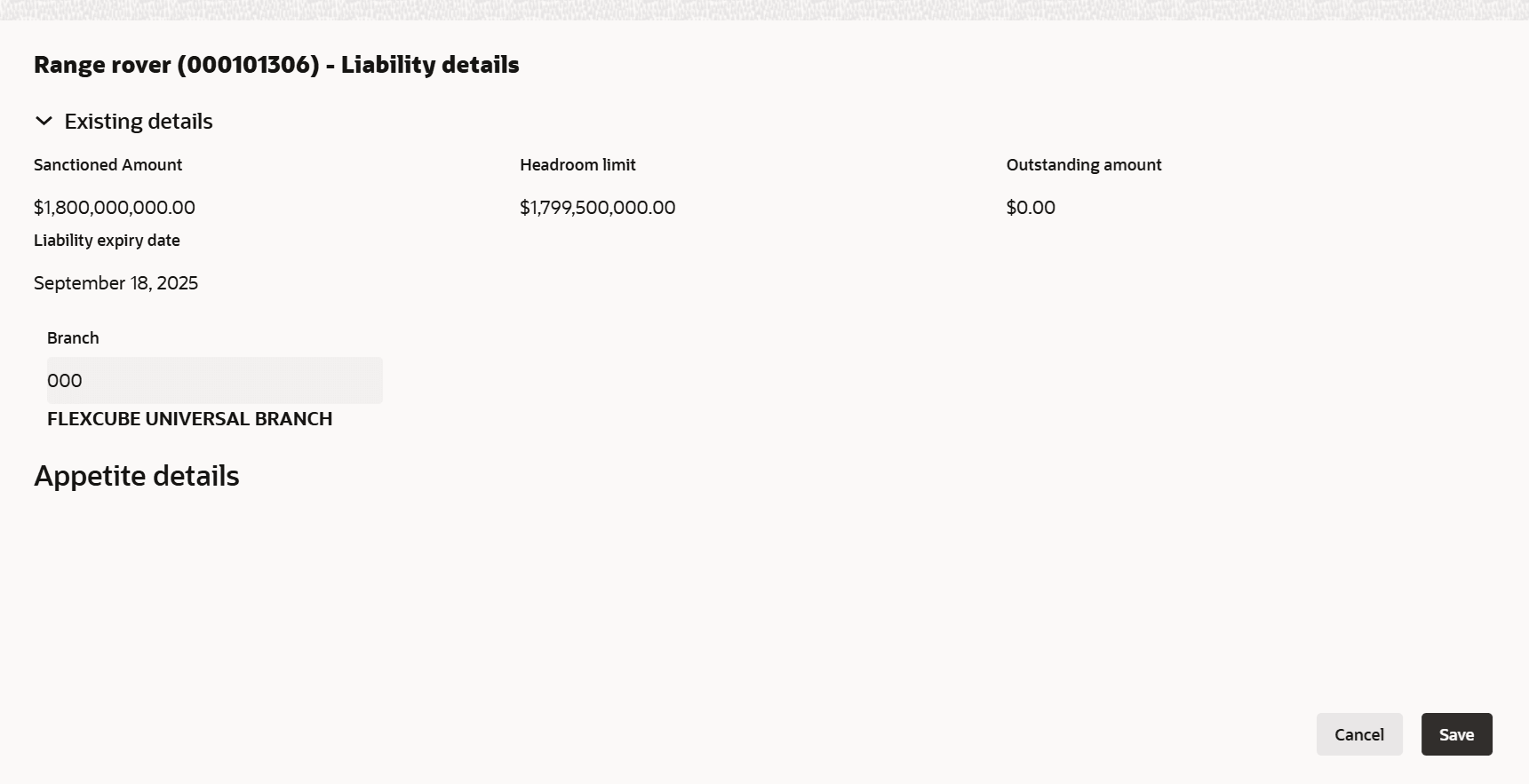
record and select Edit. The Liability Details window is displayed.In the Liability Details window, the Existing Details section displays the following details:
- Existing Amount
- Outstanding Amount
- Liability Expiry Date
For more information on fields, referto the field description table below.Table 3-4 Liability Details
Fields Description Sanctioned Amount Specify the sanctioned amount. Headroom Limit Displays the headroom limit. Outstanding Amount Specify the outstanding amount. Liability Expiry Date Specify the expiry date. Branch Specify the branch code. Save Click Save. The Liability Details page is updated with the modified details. Note:
For more information of fields, refer Field Configuration Parameters
Parent topic: Amendment Initiation