3.2 Property
This topic describes the information on the Property data segment in Collateral Release Request stage.
This data segment allows to modify collateral details added in the
perfection or review process, and manage insurance details, covenants, and documents for
the collateral.
Click Next in the Collateral
Release Request - Release Request screen, the Collateral Type data segment
is displayed based on the collateral selected for release.
Figure 3-4 Collateral Release Request - Property
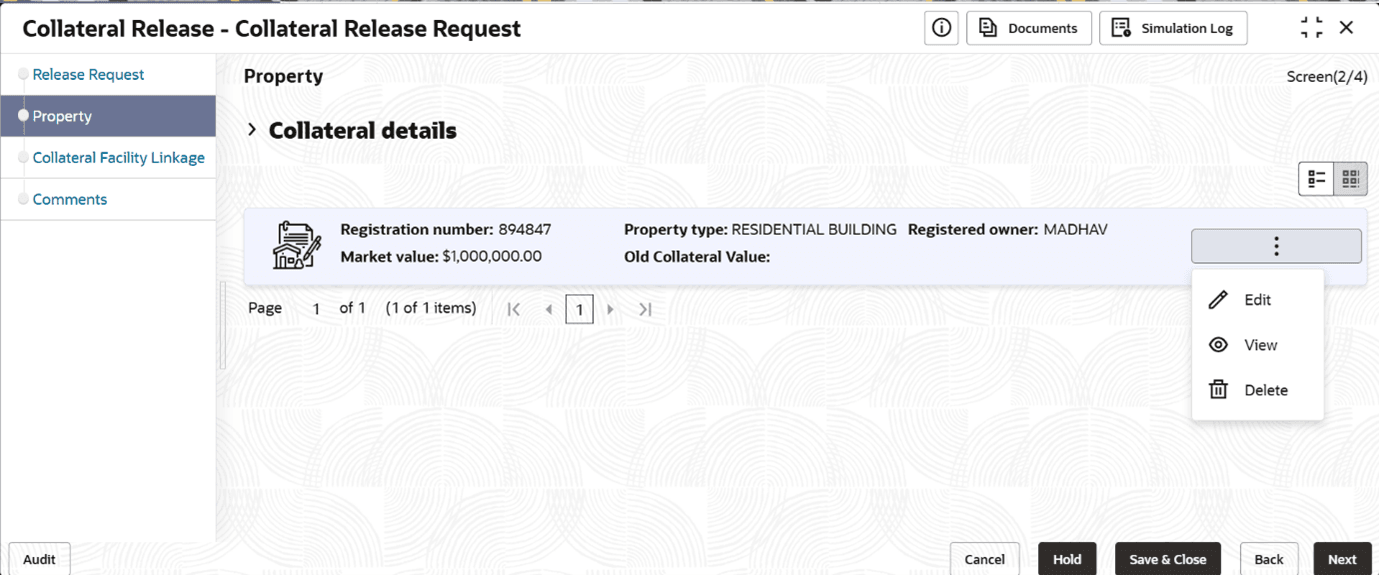
To modify the collateral details, click the action icon in the
collateral record and select Edit.
In the Event, if
there are multiple Child Collaterals available in the Collateral, then User will be
able to mark either one or more child record for release. However, in case of
Partial release, there will be a Validation that at least one Child record to be
present in the Collateral. This validation will not be applicable for Full Release
of Collateral.
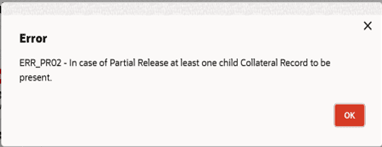
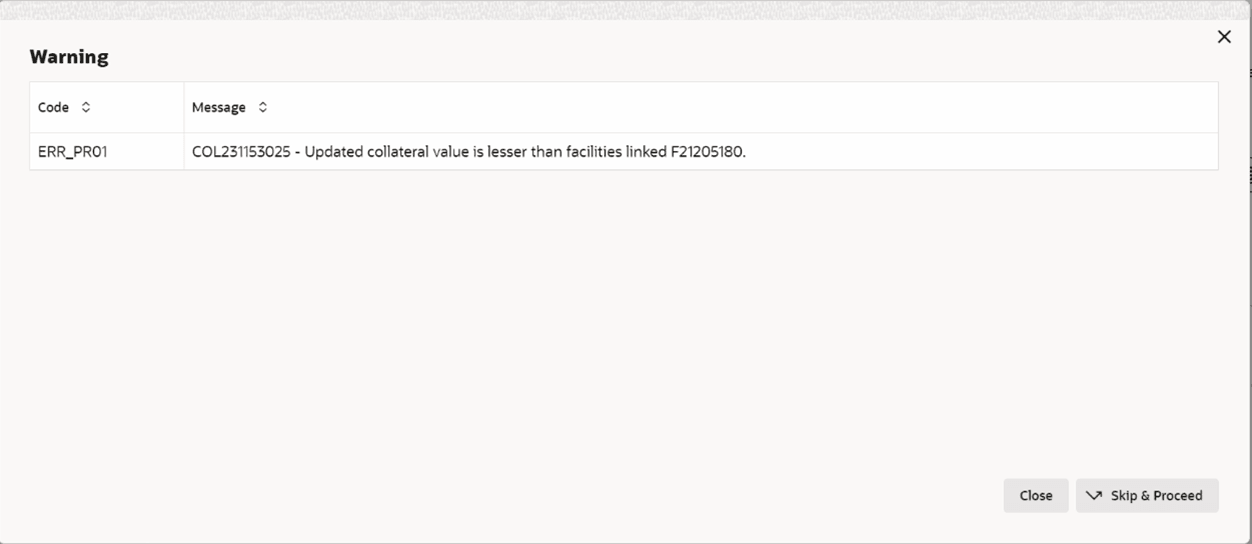
In case of Partial Collateral Release, if the Linked
Facility Amount is greater than the selected linked Collateral Amount either singly
or along with other Collateral, then system will provide a Warning message to the
User and the User should be able to take appropriate decision.
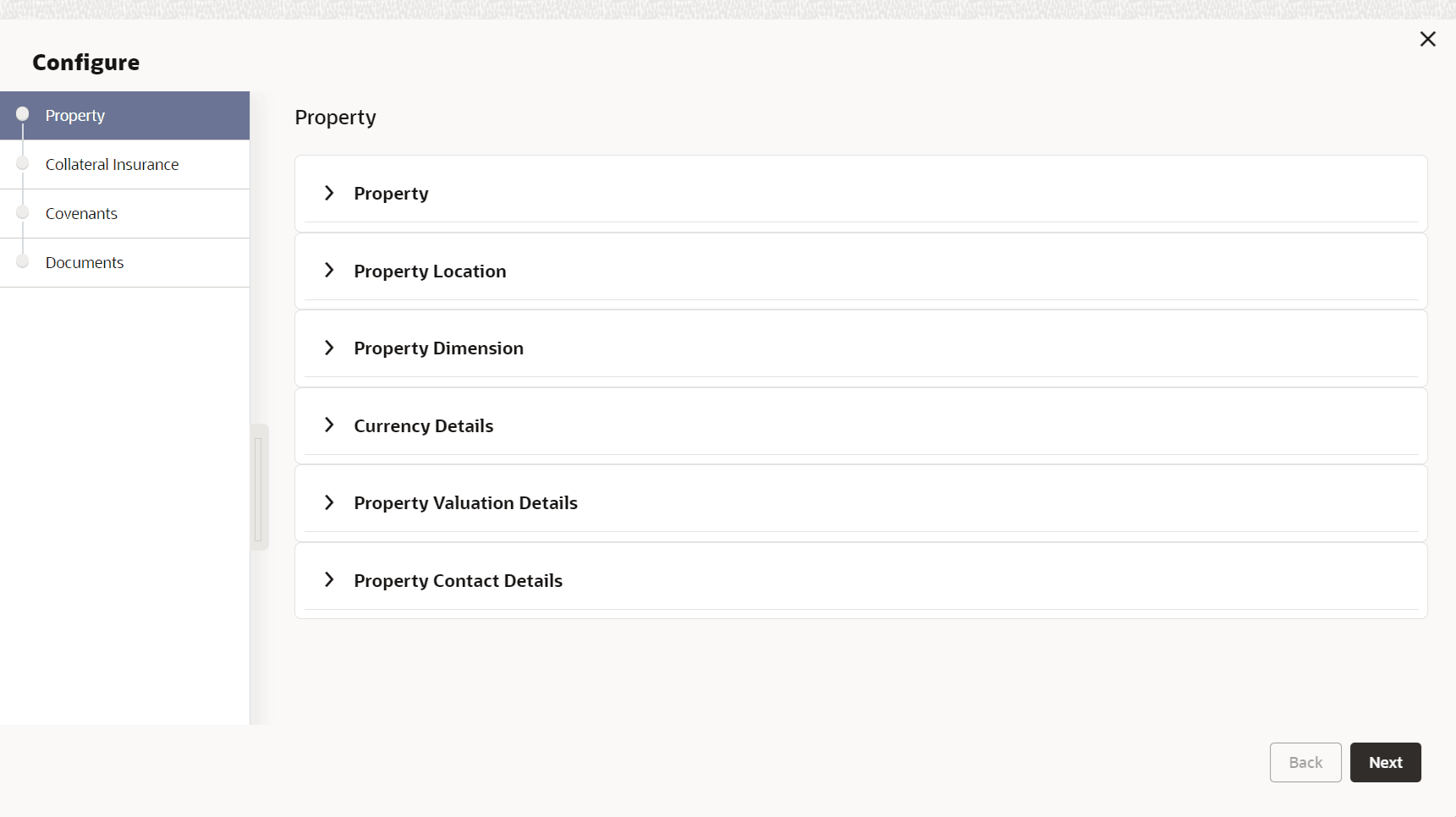
The Collateral Release Request - Configure - Property screen is
displayed.
Note:
For information on actions that can be performed in the above screen, refer Data Enrichment - Property topic in the Collateral Review User Guide.Note:
For full release of collateral, the User will not be able to Edit or Modify the Collateral record.
For partial release of collateral, the User will able to Edit or Modify the Collateral record.