3.1 Release Request
This topic describes the information on the Release Request data segment in the Collateral Release Request stage.
This data segment allows to capture the release details and the receiver
details for the collateral.
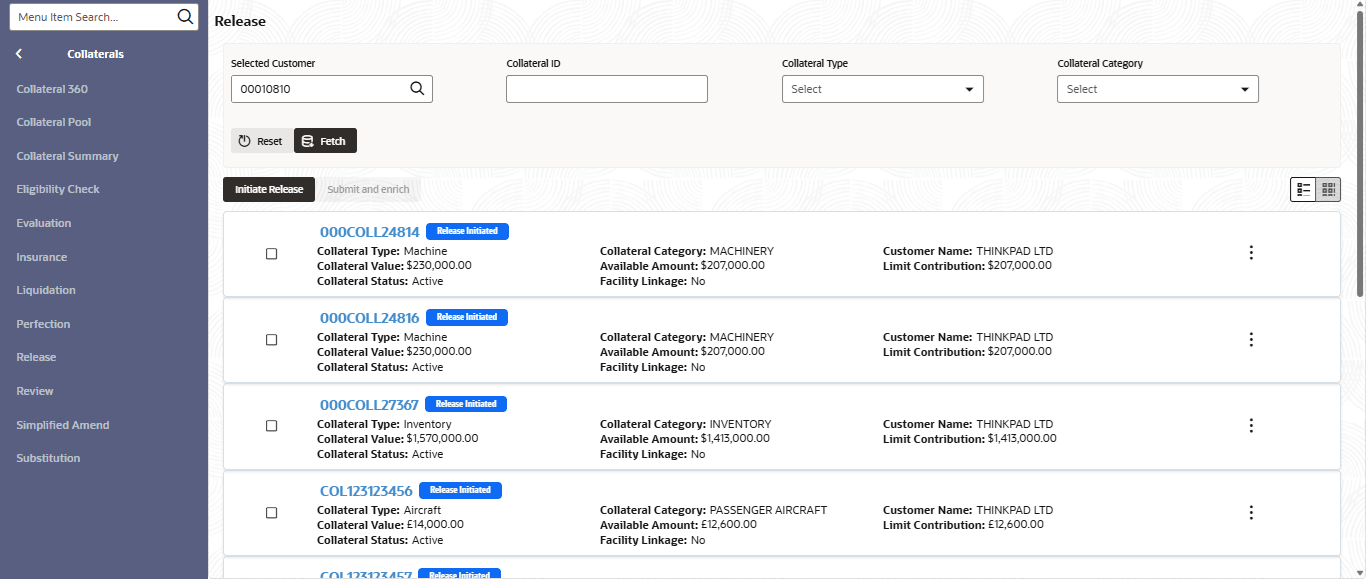
- From Home Menu screen, click
Collaterals. Under
Collaterals, click Collateral
Release.The Release Initiation screen is displayed.
- Fetch the required collateral.You can specify collateral details in any or all of the below fields to fetch the collateral record.
- Selected Customer
- Collateral ID
- Collateral Type
- Collateral Category
- Select the required collateral from search result and click Initiate
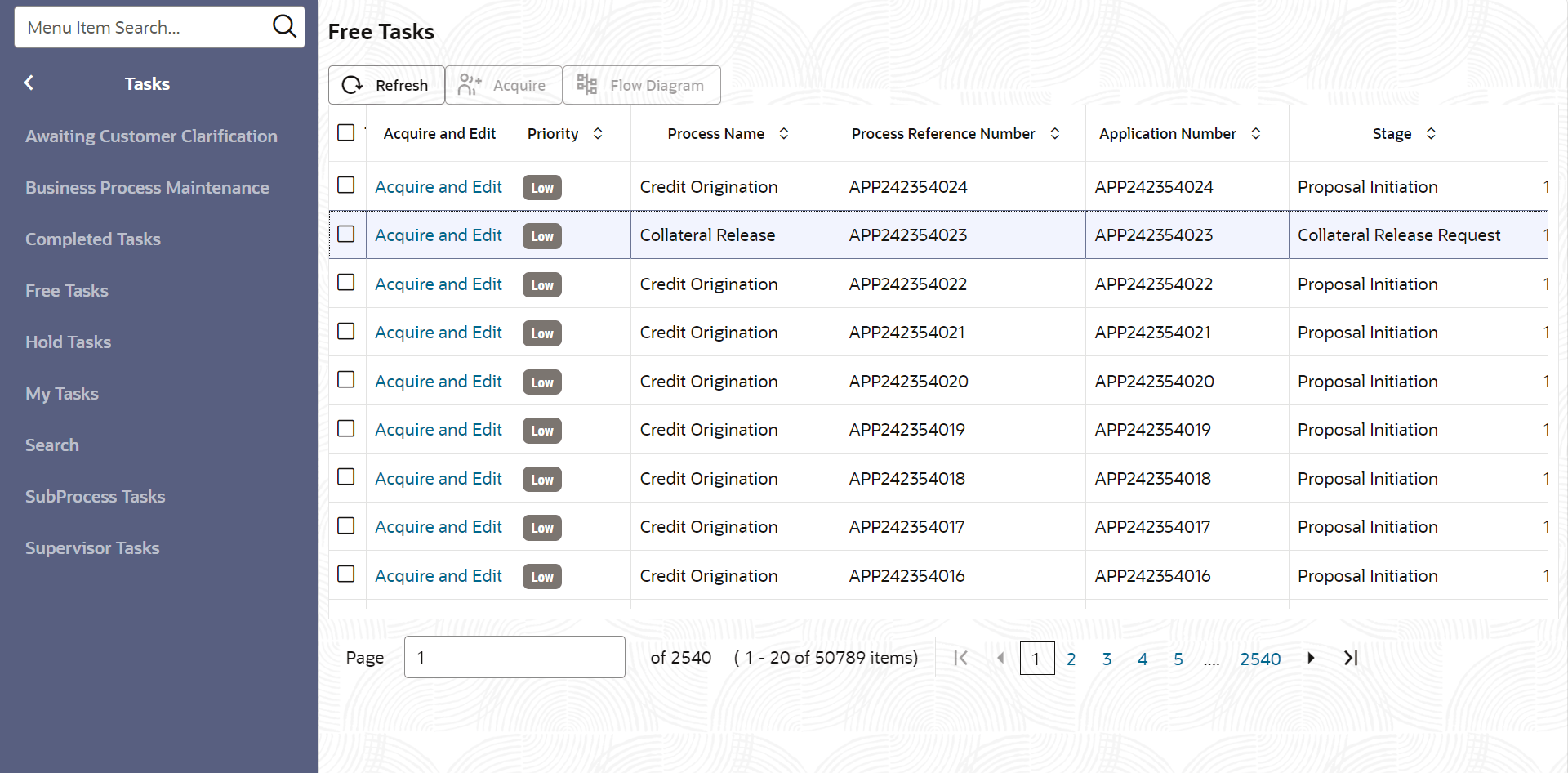
Release.The Collateral Release Request task is generated and listed in the Free Tasks queue.
- From Tasks, click Free
Tasks.
- Acquire & Edit the required Collateral Release
Request task.
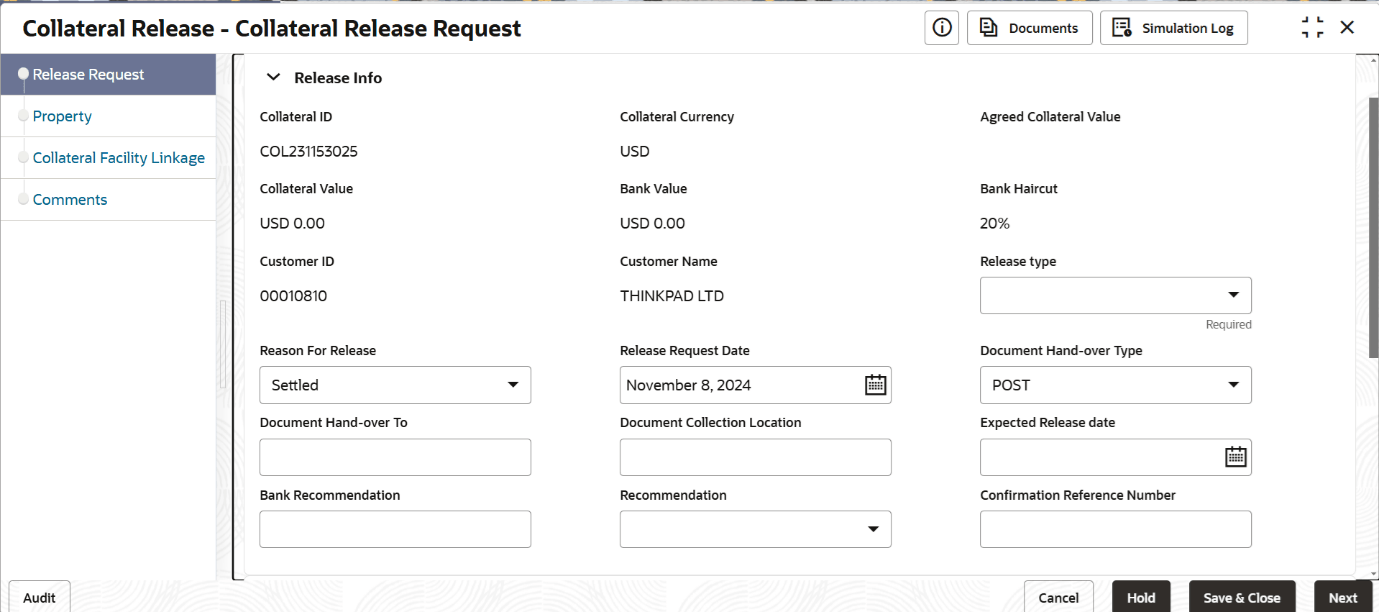
Figure 3-3 Collateral Release Request - Release Request
- Specify the Release Info and Receiver Details in respective
sections.
For more information on fields, refer to the field description table.
Table 3-1 Release Request - Release Info - Field Description
Field Description Collateral ID Specify the ID of the collateral selected for release is displayed. Collateral Currency Select the currency of the collateral selected for release is displayed. Collateral Value Display thevalue of the collateral selected for release. Customer ID Displays the customer ID to whom the collateral belongs. Customer Name Displays the name of the customer to whom the collateral belongs. Release Type Select the release type from the drop-down list. The available options are: - Full Release of Collateral
- Partial Release of Collateral
Reason for Release Select the Reason for Release from the drop down list. The options available include but are not limited to: - Collateral Delink
- Settled
- Release Only
Release Request Date Specify the collateral Release Request Date. Document Hand-over Type Select the Document Hand-over Type option from the drop down list. The available options are: - POST
- IN_PERSON
Document Hand-over To Specify the name of person to whom the collateral documents must be handed over. Document Collection Location Specify the Document Collection Location. Expected Release Date Specify the Expected Release Date for collateral. Bank Recommendation Capture Bank Recommendation for release, if any. Recommendation Select the release Recommendation from the drop down list. The available options are: - Reduced Facility
- Additional Collateral
- Additional Facility
- Waived Additional Facility
- Waived Additional Collateral
Table 3-2 Release Request - Receiver Details - Field Description
Field Description Receiver Name Specify the Receiver Name. House/Building Specify the receiver's House/Building name. Street Specify the Street name. Locality Specify the Locality . Landmark Specify the Landmark . Area Specify the Area . City Specify the City . State Specify the State . Zip-Code Specify the Zip-Code. Country Specify the Country. - Click Next.