3.6 Covenants
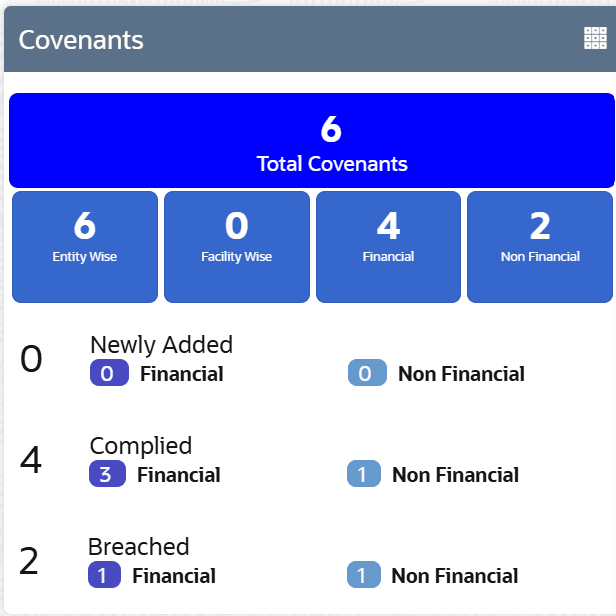
Information on Covenants tile in Credit 360 interface.
The Covenants tile displays information about the covenants set for the selected customer in the following categories along with the category-wise count of Newly Added, Met, and Breached covenants:
- Entity Wise
- Facility Wise
- Financial
- Non Financial
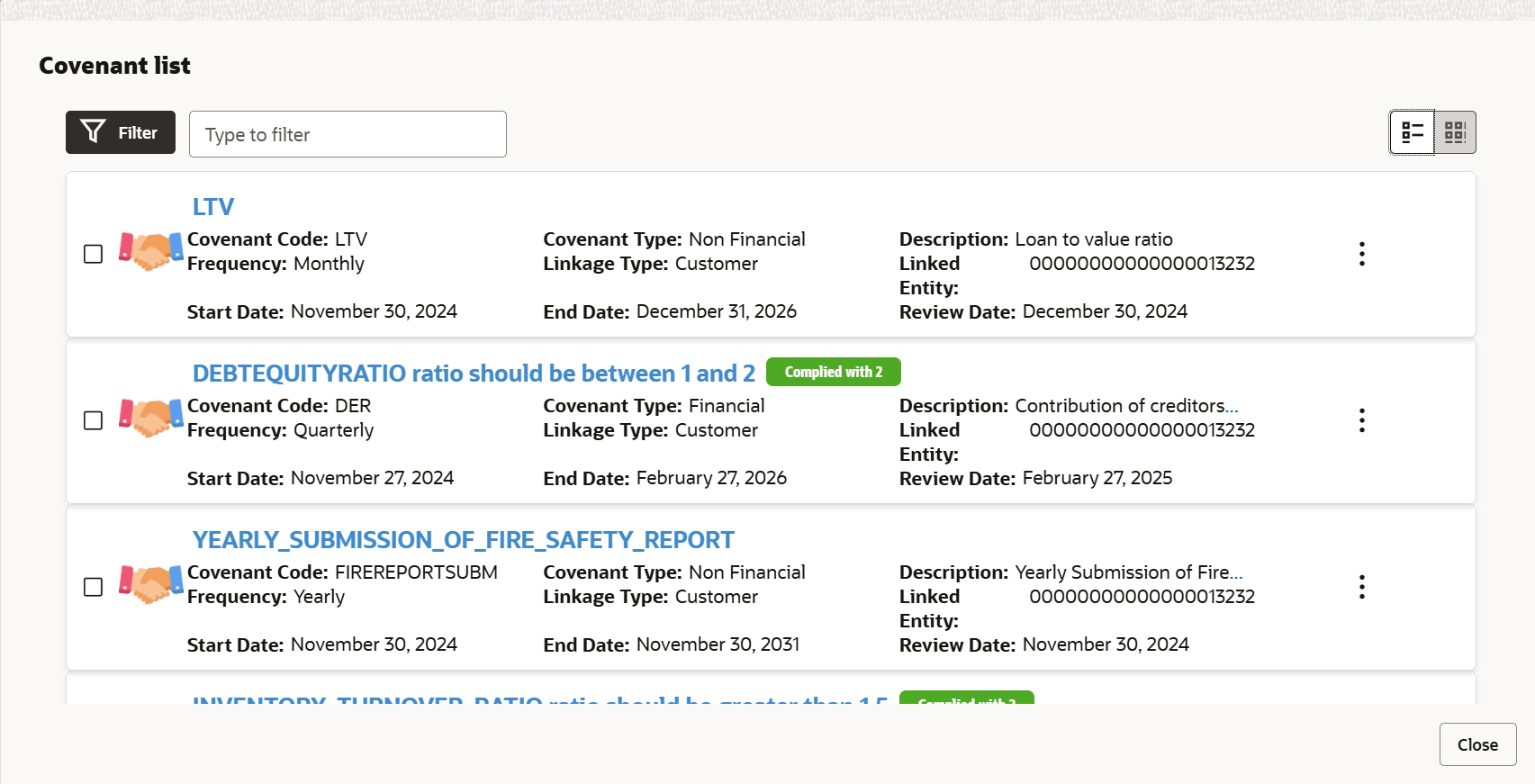
- To view the covenant list, click the Table View icon.The Covenant List window is displayed.
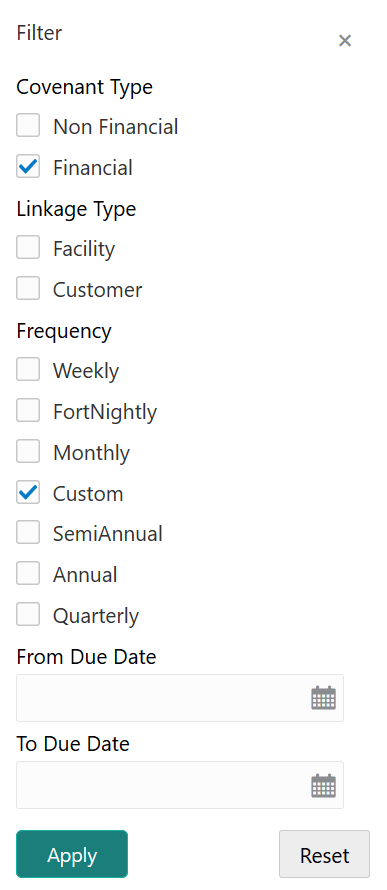
- To filter the required covenant, click the Filter icon
or directly type the first three characters of filter parameter in
Type to filter text box.Upon clicking the Filter icon, the Filter window is displayed as shown below.