3.3 Property
Information on the Property data segment in Data Enrichment stage.
This data segment allows to modify collateral details added in the perfection
process, and manage insurance details, covenants, and documents for the collateral.
Upon clicking Next in the Enrichment - Review
Initiation screen, the Collateral Type data segment is displayed based on
the collateral selected for review.
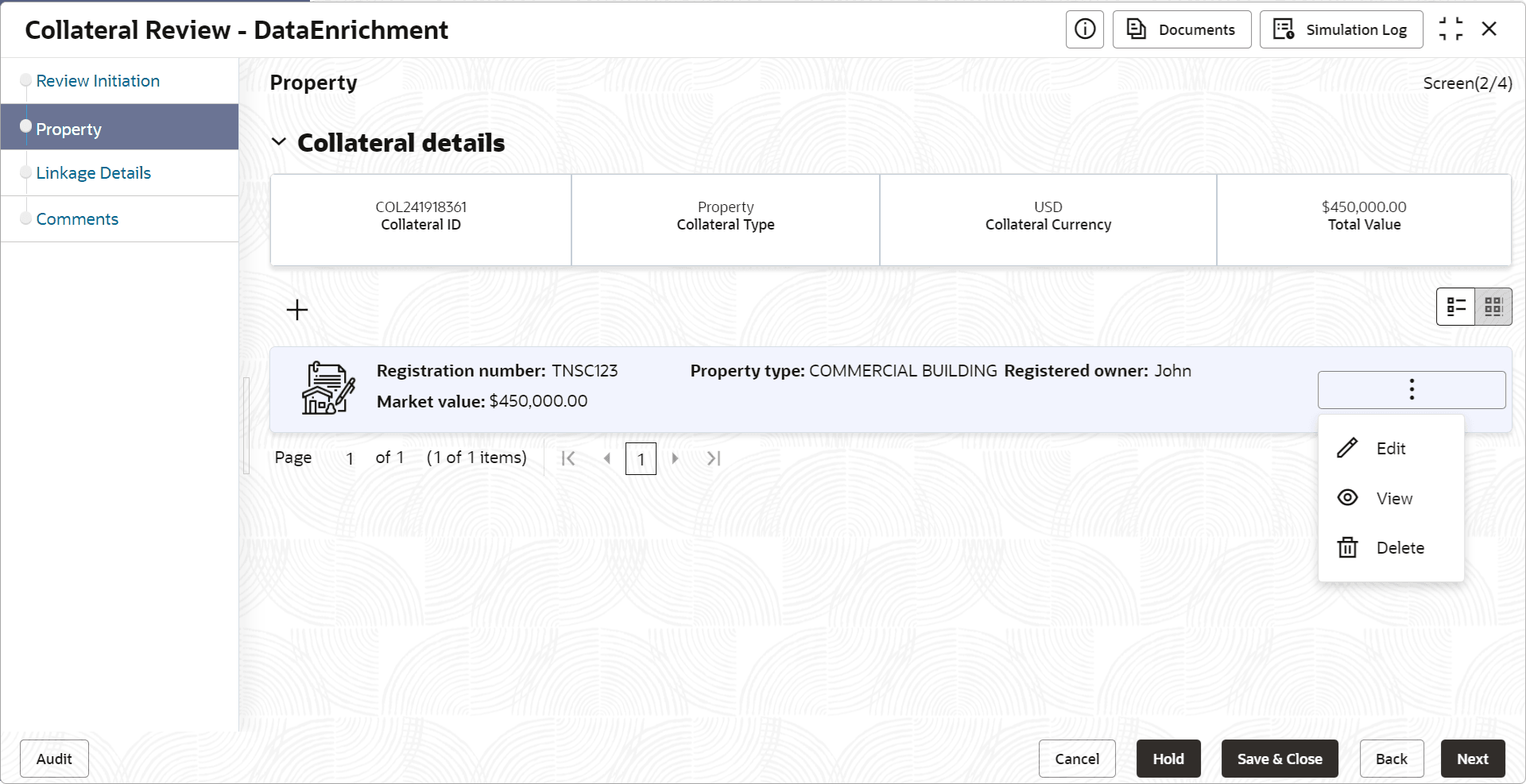
To modify the collateral details, click the action icon in the collateral
record and select Edit.
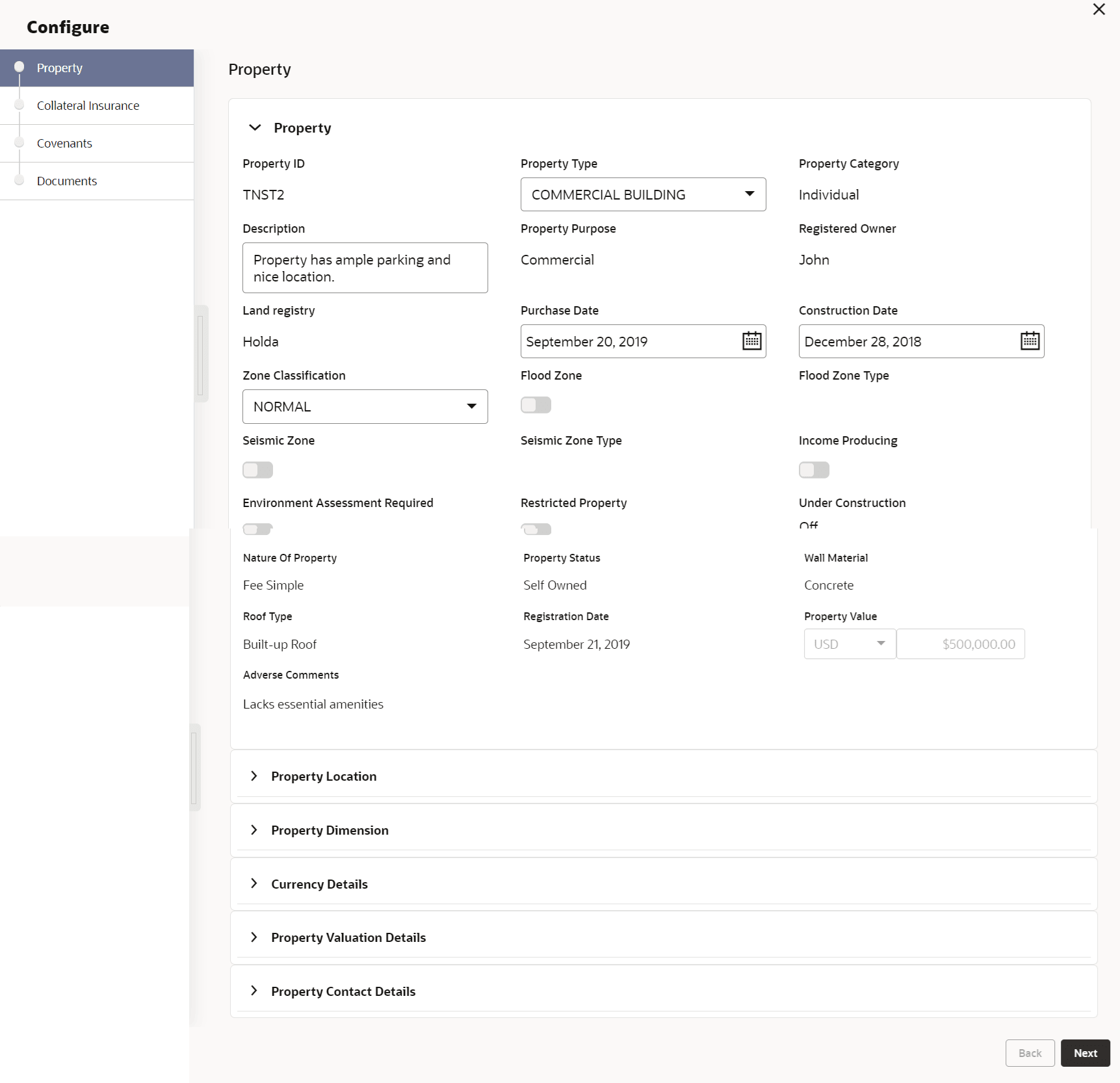
The Enrichment - Configure - Property screen is displayed.
Figure 3-5 Enrichment - Configure - Property
- Adding Property Details
Procedure to add/modify property details. - Managing Collateral Insurance Details
Procedure to add, edit, view and delete collateral insurance details. - Managing Covenants
Procedure to Add, Edit, and Delete covenants for the collateral. - Managing Collateral Documents
Procedure to Edit, Download, Delete, and Remove documents.