2.1.1.2 Bulk Invoice Creation
This topic provides systematic instructions to create Bulk invoices.
Using this option, corporates can create invoices in bulk by uploading
a file. The file must contain the invoice details and its commodity records in a
specific format and sequence.
User must have valid corporate login credentials.
To create invoices in bulk:
- Perform any of the following actions:
- From the Dashboard, click the Toggle Menu, then click Receivables/Payables, Receivables/Payables Management, and Create Receivables/Payables.
- From the Dashboard, click the Toggle Menu, then click Supply Chain Finance, Overview, Quick Links, and Create Invoice.
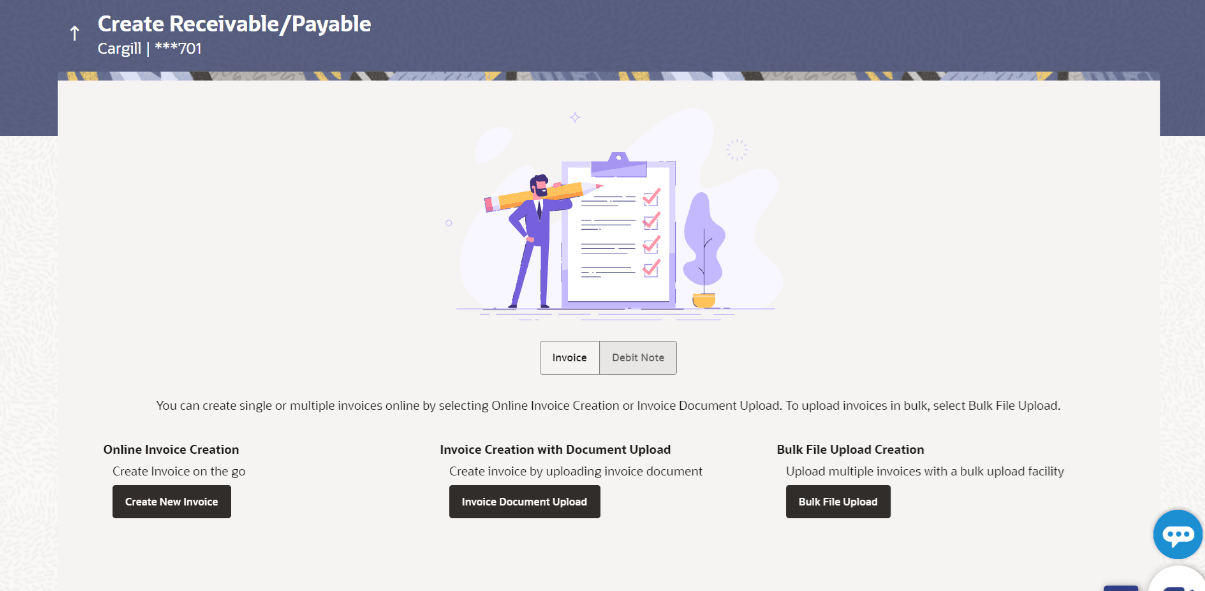
The Create Receivables/Payables screen appears.Table 2-12 Field Description
Field Name Description Party Name & ID Displays the name and ID of the logged-in corporate party. Invoice/Debit Note Select the Invoice option. Online Invoice Creation Indicates the option to create invoice records by manual entry of invoice details. Invoice Creation with Document Upload Indicates the option to create an invoice record by uploading the actual invoice document image. Bulk File Upload Creation Indicates the option to create bulk invoice records through file upload.
- Bulk Invoice File Template
This topic provides systematic instructions to upload bulk invoices. - Bulk Invoice File Template(Link Purchase Order to Invoice)
This topic provides systematic instructions to upload Bulk invoices.
Parent topic: Invoices