8.4.4 Delete Reconciliation/Allocation Rule
This topic provides systematic instructions to delete a reconciliation / allocation rule.
This option lets the user delete the recon/allocation if the delete role is
assigned by the bank administrator to stop unauthorized actions. The user can only
delete recon/allocation rules that are based on corporate recon criteria. The delete
link appears in recon details only for corporate based recon/allocation rules.
To delete a reconciliation/allocation rule:
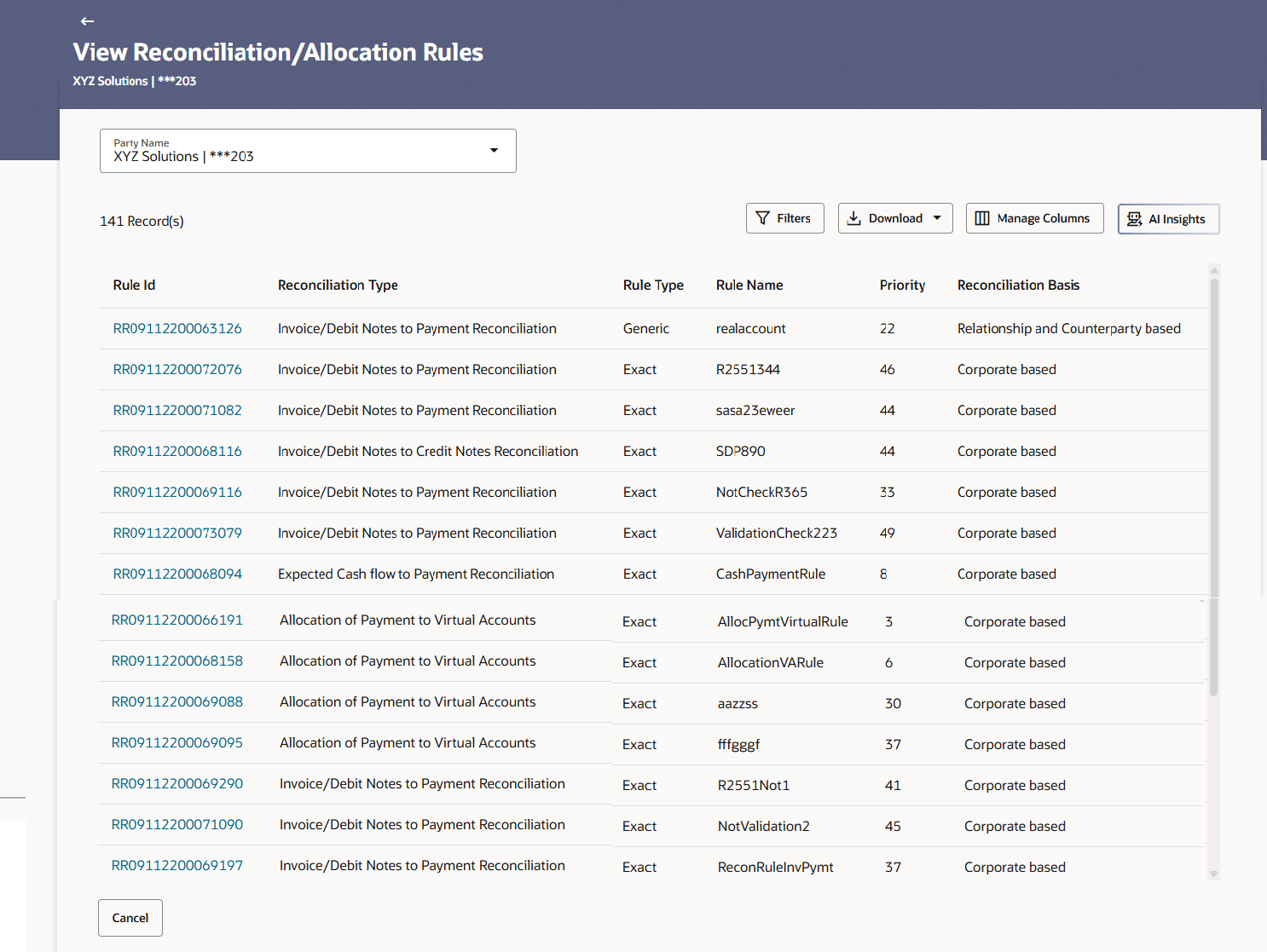
- In the View Reconciliation/Allocation Rule screen, click the filter
options or use search field to search the reconciliation rule.The View Reconciliation/Allocation Rule screen with search results appears.
Figure 8-57 View Reconciliation/Allocation Rule
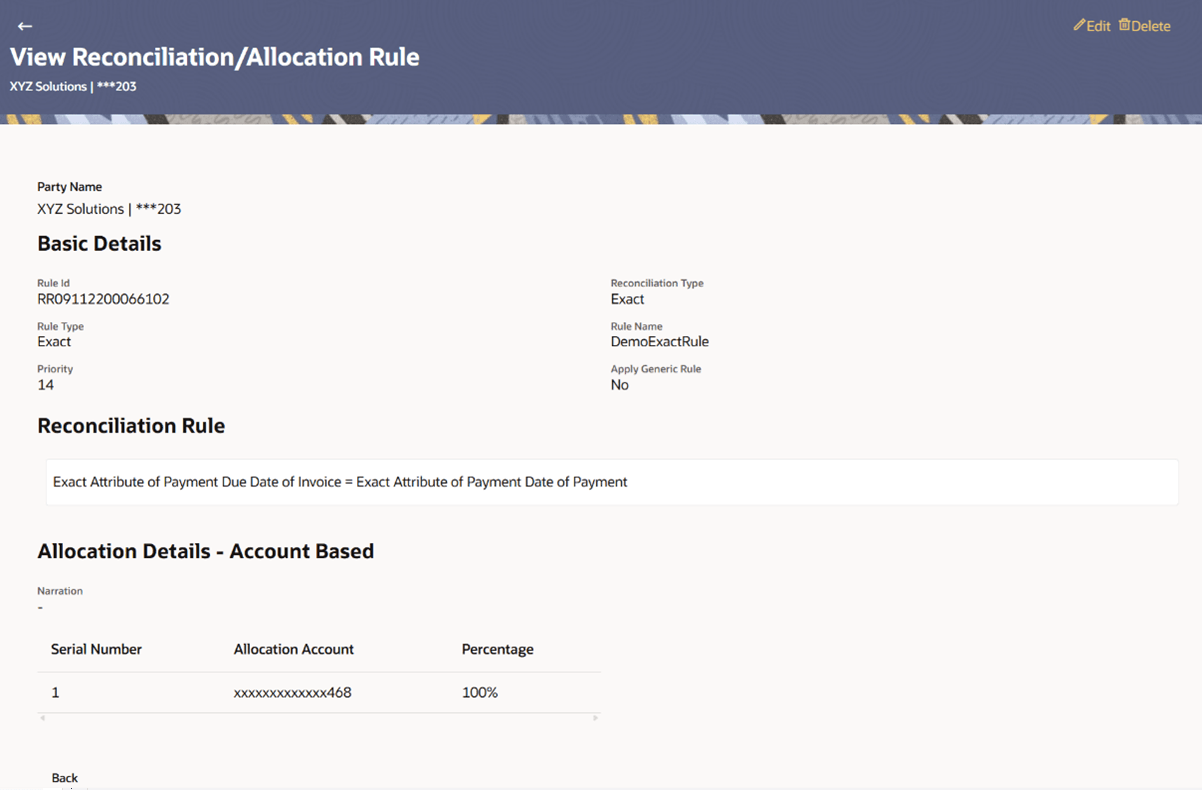
- Click the Delete link of the rule to to delete the
reconciliation/allocation rule. An alert message displays, if the user tries to delete recon/allocation rule that is the only rule of rule decisioning.
Figure 8-58 Delete Reconciliation/Allocation Rule
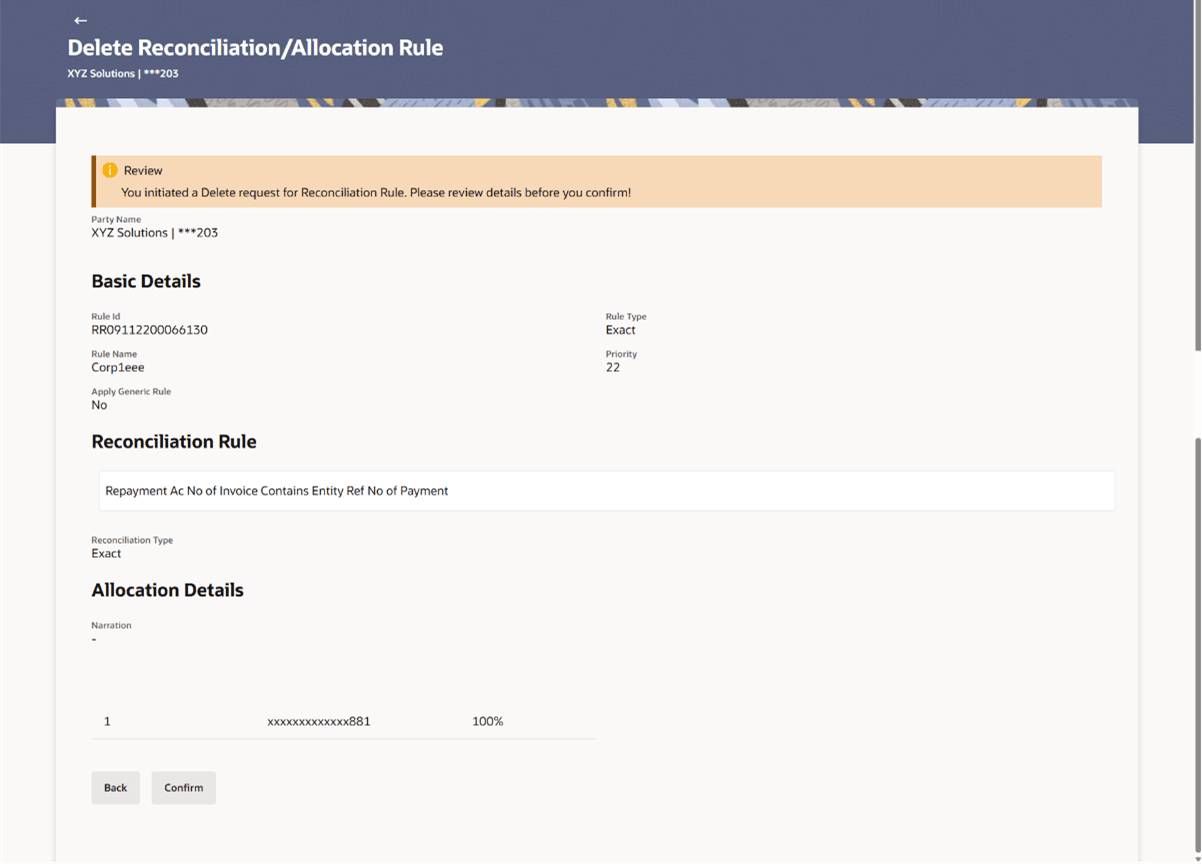
- Click Delete to proceed with the deletion process.For a corporate-defined rule the Delete Reconciliation/Allocation Rule – Review screen appears.
Figure 8-59 Delete Reconciliation/Allocation Rule – Review
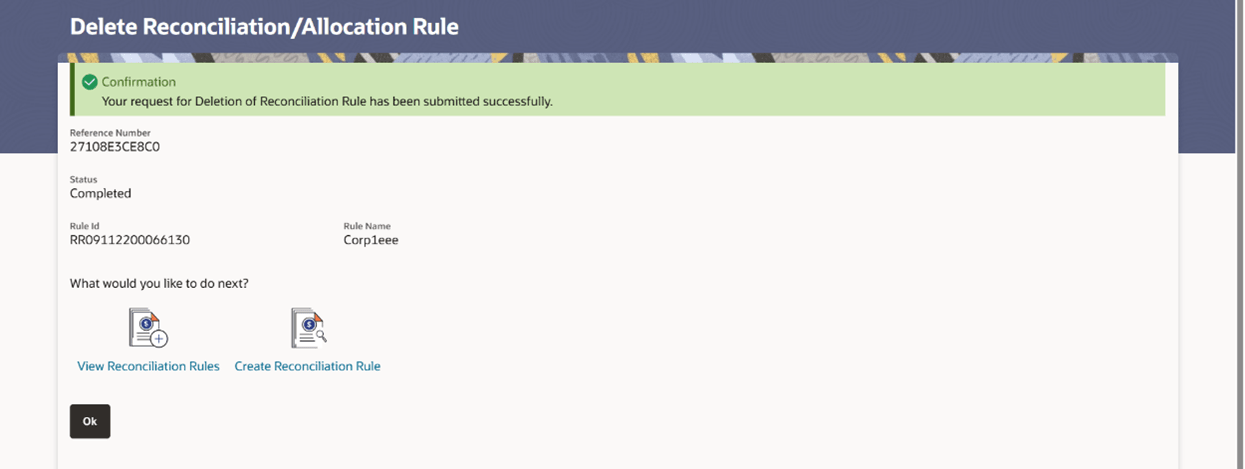
- Click Confirm. The Delete Reconciliation/Allocation Rule screen with the successful rule deletion message appears.
Figure 8-60 Delete Reconciliation/Allocation Rule – Confirmation
Parent topic: View/Edit Reconciliation/Allocation Rule