9 Mobile Touchpoints
Note:
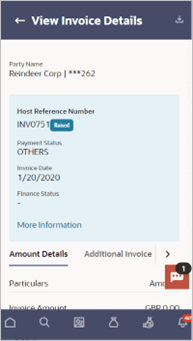
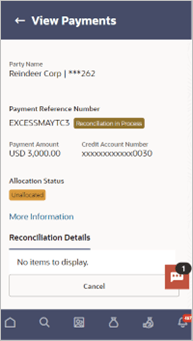
Functionality and Information displayed in each widget (columns, links, Graphs, charts, etc.,) depends on the access to Real Accounts user has. All features available on a web browser on desktop computers, such as, hyperlinks, search filters, download option, and so on, are also available on the mobile device. The details displayed on each program card are also the same as that on the web browser.The below screens gives an idea how the data in widget will be shown on mobile screen:
View Associated Parties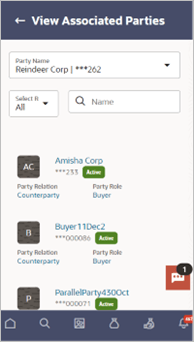
Description of the illustration view-associated-parties_mobile.png
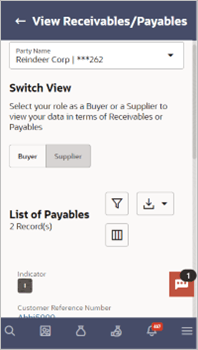
View Invoice Details
View Payment Details
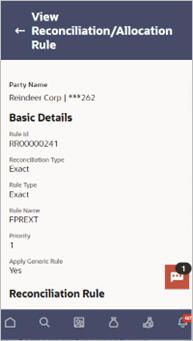
View Reconciliation Rule
The below list of transactions are enabled on mobile application:
Table 9-1 Screen Name and Transaction Type
| Screen Name | Transaction Type |
|---|---|
| Purchase Order Management Dashboard | Purchase Order Status Summary
Upcoming Shipments Top 10 Associated Parties Quick Links Overdue Finances |
| Transaction screens | View Associated Parties
View Associated Party Details View Receivables/Payables View Invoice Details View Debit Note Details View Credit Note View Credit Note Details View Payments View Payments Details View Reconciliation Rule View Reconciliation Rule Details Onboard Associated Party Edit Purchase Order Accept/Reject Purchase Order View Discount Offers |
The below list of transactions are not supported on mobile application:
Table 9-2 Screen Name and Transaction Type
| Screen Name | Transaction Type |
|---|---|
| Transaction screens | KYC Documents Upload
Create Receivables/Payables Manage Receivables/Payables Create Credit Note Create Purchase Order Create Reconciliation Rule Create Allocation Rule Edit Reconciliation Rule Manual Reconciliation Manual Allocation De-Reconciliation Create Discount Offers |