2.1.2.1 Online Debit Note Creation
This topic provides systematic instructions to create the Online Debit Note.
Post submission of the debit note, an option is provided to save the content as a Template. The template can be reused for creating debit notes for the same program and associated corporate party.
Once the user creates debit notes, they must be approved by an approver (if the approval flow has been set). The designated corporate approver is notified. The approver can either approve or reject the transaction. In case of rejection, the approver can send the transaction back to the corporate user (maker) to make the required modifications and re-submit it for approval.
- From the Dashboard, click the Toggle
Menu, then click Receivables/Payables,
Receivables/Payables Management, and
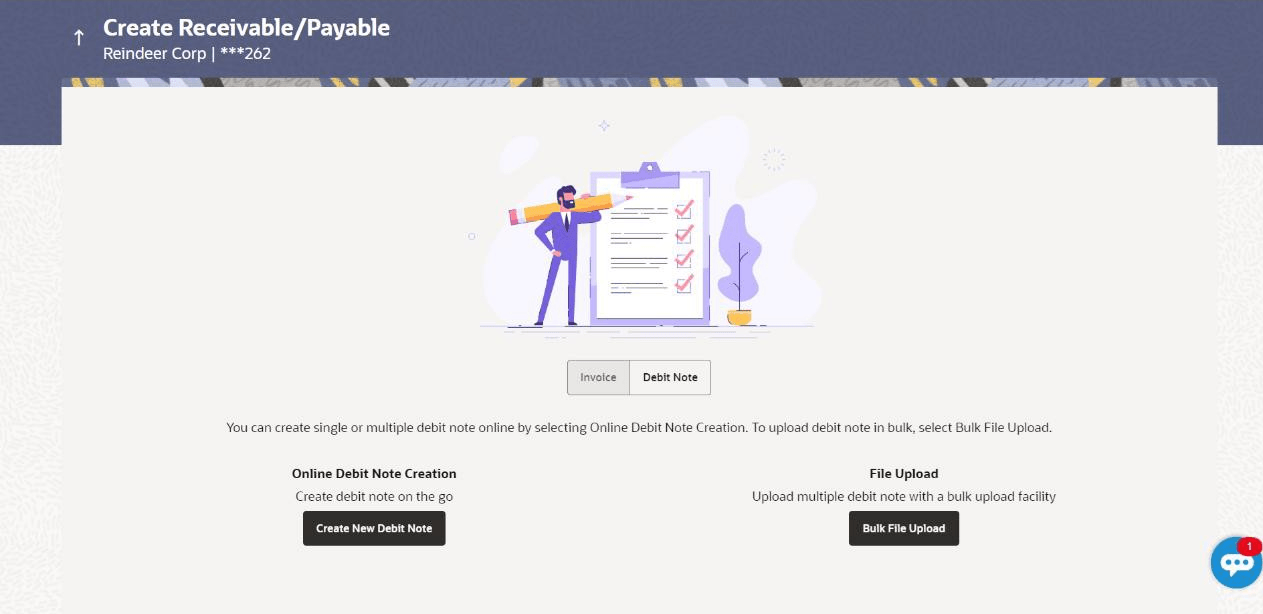
Create Receivables/Payables.The Create Receivable/Payable screen appears.
Figure 2-20 Create Receivable/Payable - Create New Debit Note
Table 2-15 Field Description
Field Name Description Party Name & ID Displays the name and ID of the logged-in corporate party. Invoice/Debit Note Select the Debit Note option. Online Debit Note Creation Indicates the option to create debit note records by manual entry of the details. Bulk File Upload Creation Indicates the option to create bulk debit note records through file upload.
- Create Online Debit Note (manual entry)
This topic provides systematic instructions to create the Online Debit Note manually. - Create Debit Notes using Templates
This topic provides systematic instructions to create Debit notes using saved templates.
Parent topic: Debit Notes