8.4.1 View Reconciliation Rules
This topic provides systematic instructions to view the reconciliation rules and the allocation rules that have been created. You can also edit these rules, if required.
- Navigate to the above path.The View Reconciliation Rules screen appears.
Table 8-13 View Reconciliation Rules - Field Description
Field Name Description Party Name Select the party name from the dropdown list to view the applicable list of reconciliation rules. By default, the primary party/gcif of the logged-in user is selected. Note: Only accessible parties are displayed to the user. Based on the party selection, the list of reconciliation rules is displayed.
Filter Click this icon to filter the reconciliation rule records based on certain criteria. For more details, refer to the fields in Filters (overlay window for View Reconciliation Rules) below. Download Indicates an option to download the reconciliation rules list in CSV format. Manage Columns Click this link to personalize the columns i.e., rearrange/remove columns in the search result grid. The Manage Columns overlay window appears. For more information, refer the Manage Columns (overlay window for View Receivables/Payables) section below. A list of reconciliation rules is displayed (based on search criteria) with the following fields.
AI Insights Click this button to view the Reconciliation Inquiry and get the instant assistance to locate specific rules and manage and apply them effectively. Rule Id Displays the unique ID of the rule. This is a hyperlink which when clicked displays the details of the reconciliation rule. For more information on the fields, refer the View Reconciliation Rule (details) section in this document. A label below Rule Id is displayed as "System defined" to inform the corporate user that the rule is defined by the bank. Reconciliation Type Displays the type of payment the reconciliation rule has been created for. Rule Type Displays whether the rule is Generic or Exact. Rule Name Displays the name of the rule. Priority Displays the priority of the rule. Reconciliation Basis Displays the reconciliation criteria like Corporate based, Relationship based, Counterparty based, Program based, Relationship and Counterparty based, Program and Counterparty based or Default.
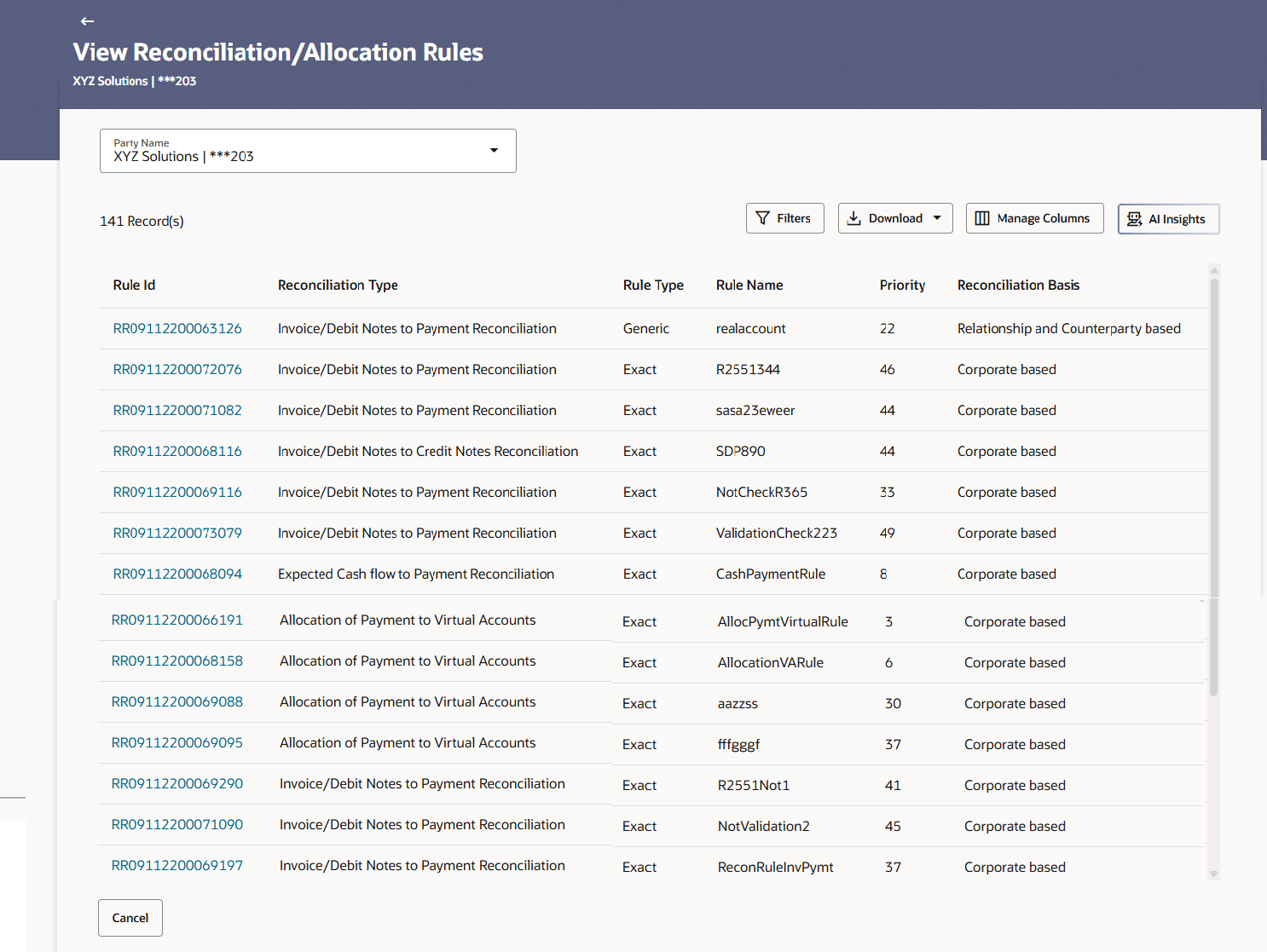
Figure 8-30 View Reconciliation Rules
- Filter - Generic
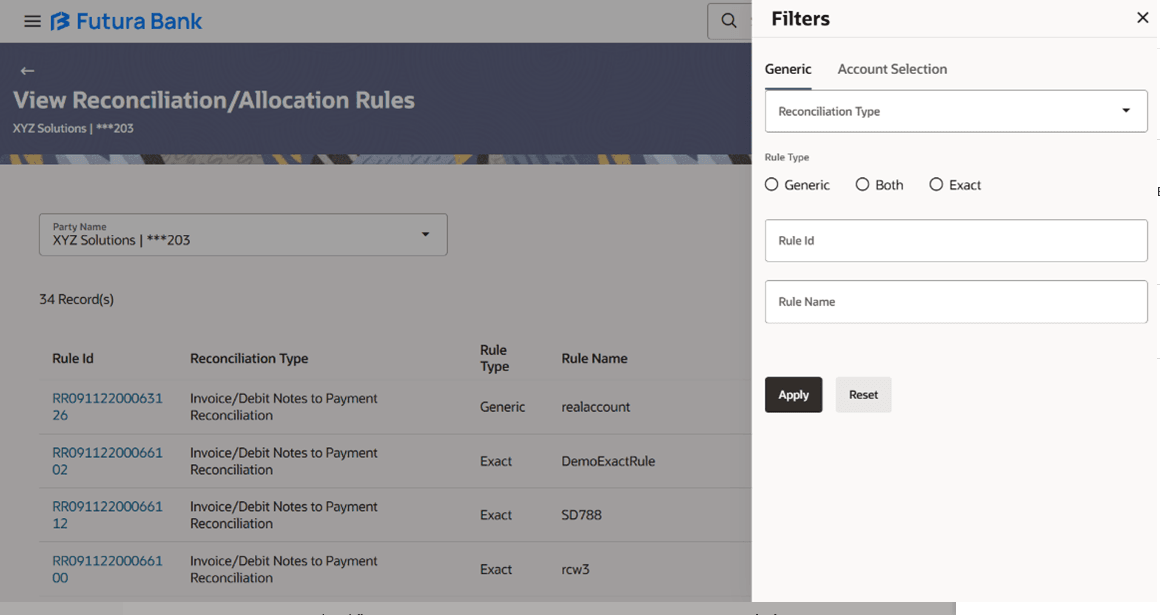
This window appears on clicking  in the View Reconciliation Rules screen.
Table 8-14 View Reconciliation Rules - Field Description
| Field Name | Description |
|---|---|
| Filters - Generic | The user can filter the records using Generic filter criteria as below: |
| Reconciliation Type | Indicates an option to filter the rules by the
type of reconciliation. The options are:
|
| Rule Type | Indicates an option to filter the rules based on
rule type. The options are:
|
| Rule Id | Indicates an option to filter the rules by ID. |
| Rule Name | Indicates an option to filter the rules by name. |
Figure 8-31 View Reconciliation Rules - Filter - Account Selection
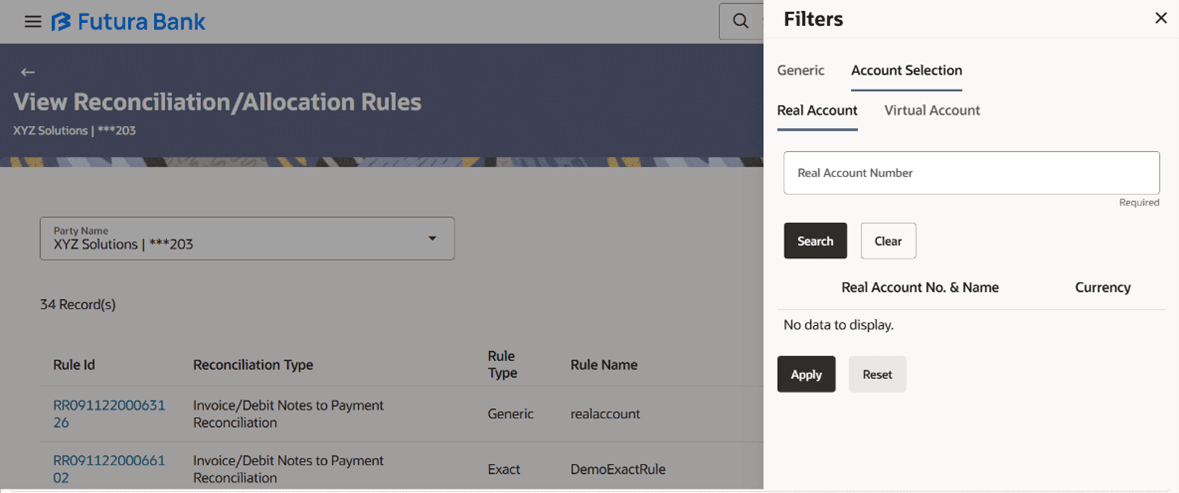
Table 8-15 View Reconciliation Rules - Filter - Account Selection - Field Description
| Field Name | Description |
|---|---|
| Filters - Account Selection | The user can filter the records using Account Selection filter criteria as below: |
| Account Selection | Indicates an option to filter the
recon/allocation rule by Real /Virtual account. The options
are:
Note:
|
| Real Account Number | Specify the real account number to filter the
rules based on Real Account Number.
This field appears if you select Real Account. |
| Real Account No. & Name | Displays the real account number and name.
This field appears if you select Real Account. |
| Currency | Displays the currency of the real account.
This field appears if you select Real Account. |
| Virtual Account Number | Specify the virtual account number to filter the
rules based on Virtual Account Number.
This field appears if you select VirtualAccount. |
| Virtual Account Name | Specify the virtual account holder name to
filter the rules based on Virtual Account Name.
This field appears if you select VirtualAccount. |
| Virtual Account No. & Name | Displays the Virtual account number and name.
This field appears if you select VirtualAccount. |
| Currency | Displays the currency of the virtual account.
This field appears if you select Virtual Account. |
- To narrow the search results, click the
 icon. The Filters overlay window appears.
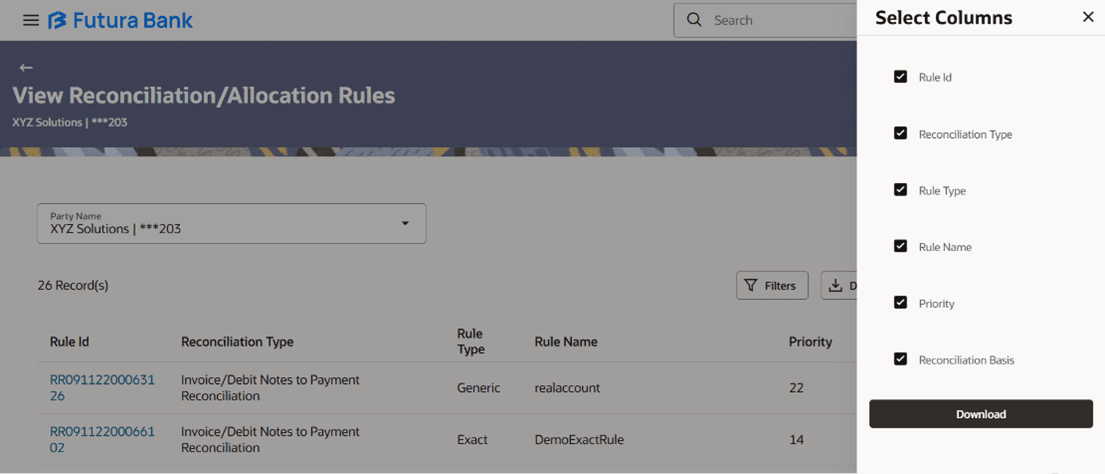
 - Click Download and select the file format to download
the reconciliation rules list. At present the CSV format is supported.The Select Columns overlay screen appears.
Figure 8-32 View Reconciliation Rule – Select Columns
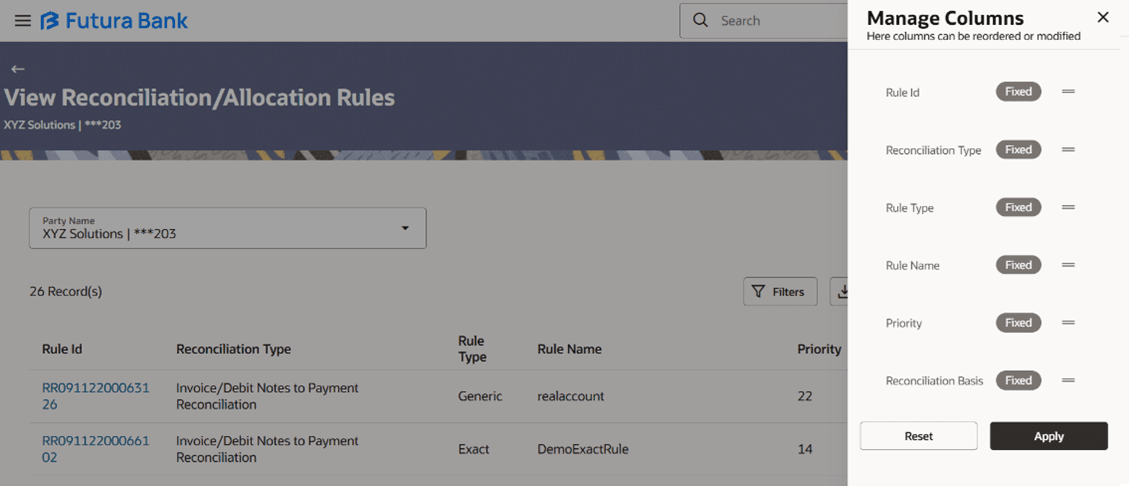
- Click Manage Columns to reorder or modify or save column preferences in
View Reconciliation Rule screen.
Figure 8-33 Manage Columns (overlay window for View Reconciliation Rule)
- Click Apply to apply the modified columns preferences.
- Click Reset to reset the columns preferences.
- View Reconciliation Rules
This topic provides systematic instructions to view the reconciliation details for all Recon criteria.
Parent topic: View/Edit Reconciliation/Allocation Rule