17.2.1 Bundled Product Application – View & Modify
This topic describes the options provided to the bank administrator to maintain the prioritization of single/individual product categories within a bundled application workflow.
To view and/or modify the bundled application workflow:
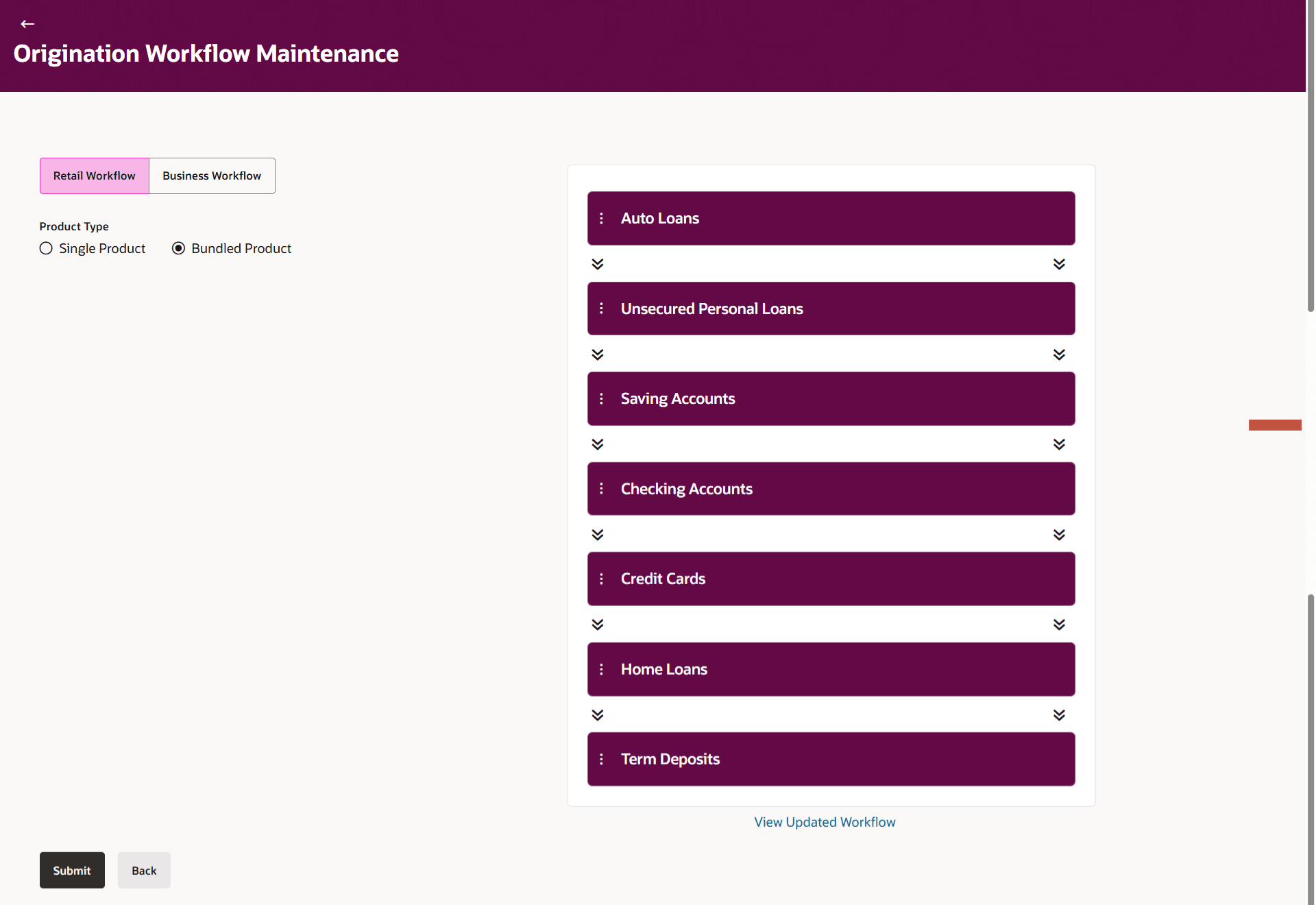
- Select the product type as Bundled Product.On making the above selections, the Bundled Product Workflow appears.
Figure 17-2 Origination Workflow Maintenance
Note:
The fields which are marked as Required are mandatory.For more information on fields, refer to the field description table.
Table 17-3 Origination Workflow Maintenance - Bundled Product - Field Description
Field Name Description Product Priority for Bundled Application Information specified in the fields below are related to product priority for bundled applications. Current Workflow Displays the current product category prioritization applicable for a bundled application form. The bank administrator can change the product category priority as per their requirements.
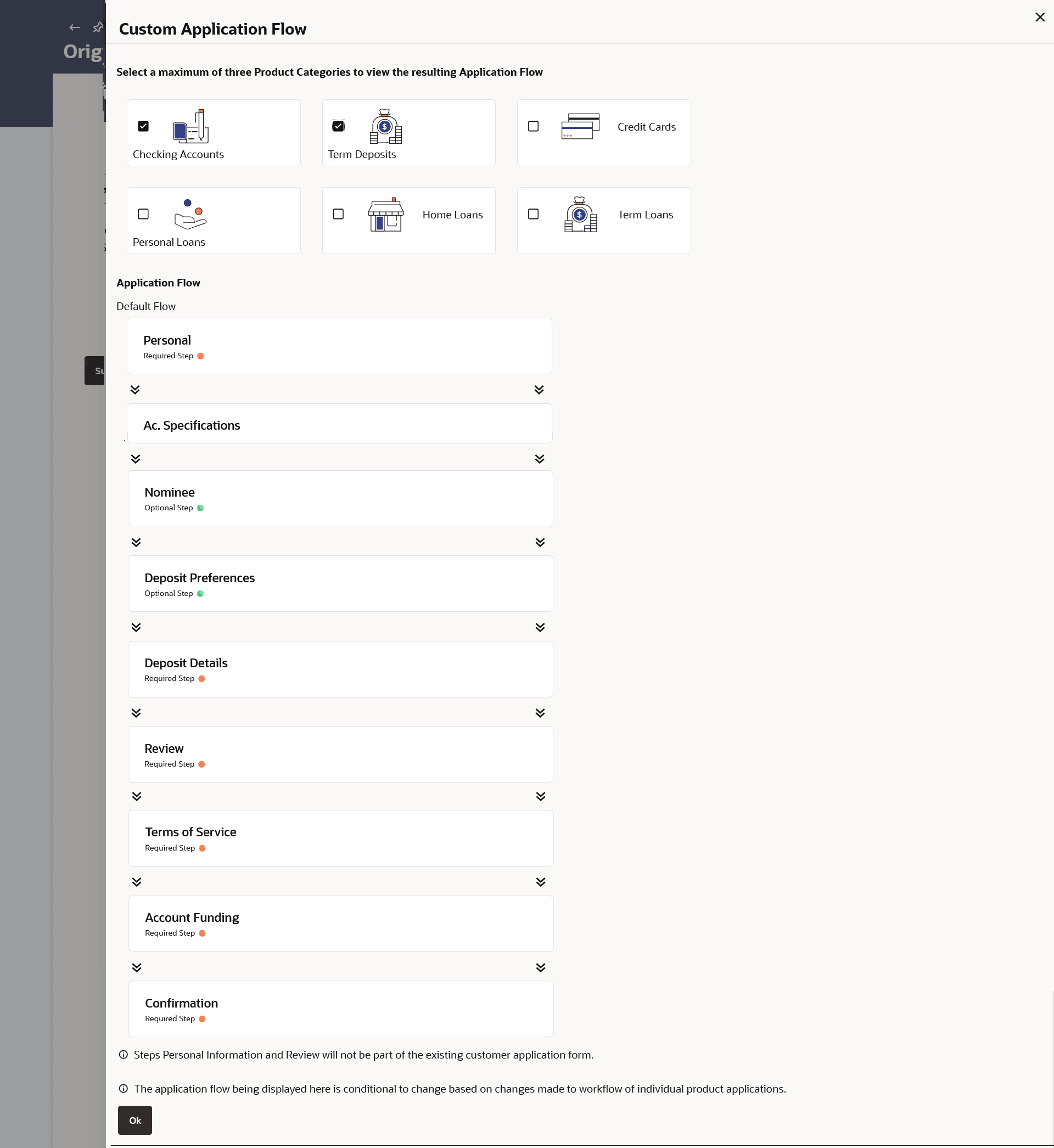
View Updated Workflow Clicking on this option opens an overlay layer on which the administrator can select products to identify the sequence in which the sections of a bundled application will flow, if those products are part of a bundled application. The Bank Administrator can select any 3 product categories to view sequence of the bundled application form steps.
Note: The maximum products allowed to be selected in a bundled application is 3 products).
- Perform one of the following action:
Note:
The fields which are marked as Required are mandatory.For more information on fields, refer to the field description table.
Table 17-4 Bundled Application Flow - Field Description
Field Name Description Product Categories Displays the product categories offered by the bank in card form. The User can select the product categories to view the sequence in which the sections of the bundled application form will appear if these products are selected by the customer in the bundled application.
The user can select maximum of 3 product categories.Application Flow Displays the default application flow for the bundle application that comprises of the selected product categories. - In the Select Product Categories to see Application Flow field, select the checkbox against the product category card which you wish to add in Bundle application, and whose application workflow to configured.
- Click OK to add the product categories to bundle application.
Parent topic: Bundled Product Application - View & Modify