4.2 Loans Summary
This topic provides systematic instructions to filter and view the summary of all the loans between the lender and the borrower parties.
To view the summary of all the loans.
- From Menu, click Liquidity
Management, and then click Intercompany
Loan.From Intercompany Loan, click
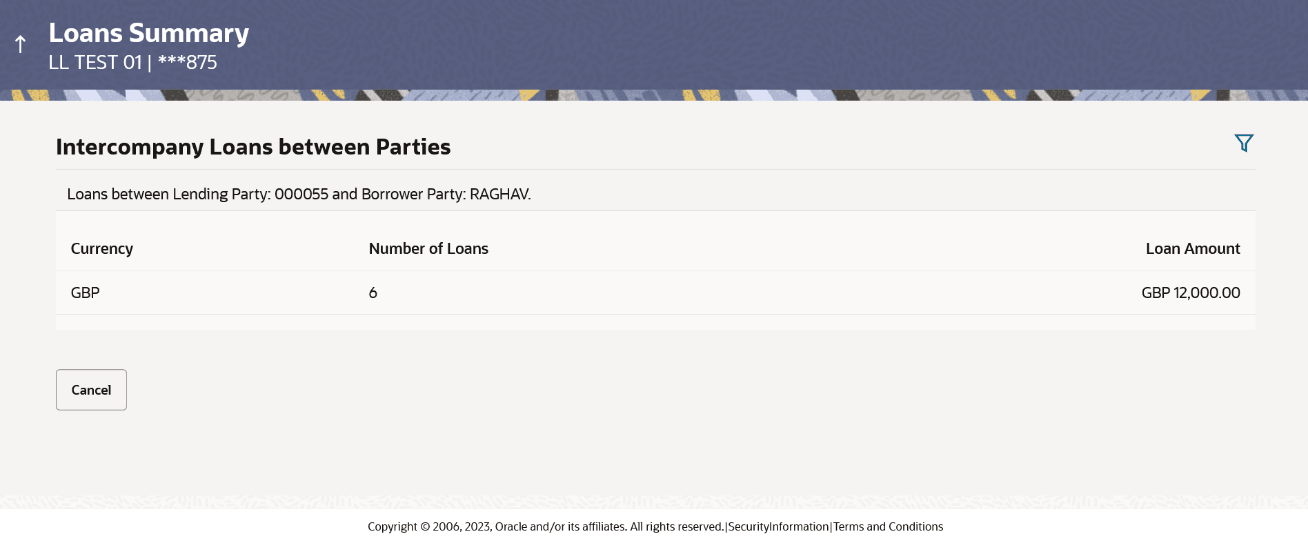
Loans Summary screen.The Loan Summary screen displays. For more information on fields, refer to the field description table.
Table 4-8 Loans Summary – Field Description
Field Description Intercompany Loans between Parties Displays the lending party and borrower party names between which the intercompany loans are created. Note: All available parties are displayed to the user.
Currency Displays the currency of the intercompany loans. Number of Loans Displays the number of the active loans between the specified lending and borrower parties. Loan Amount Displays the loan amount between the specified lending and borrower parties. - Click
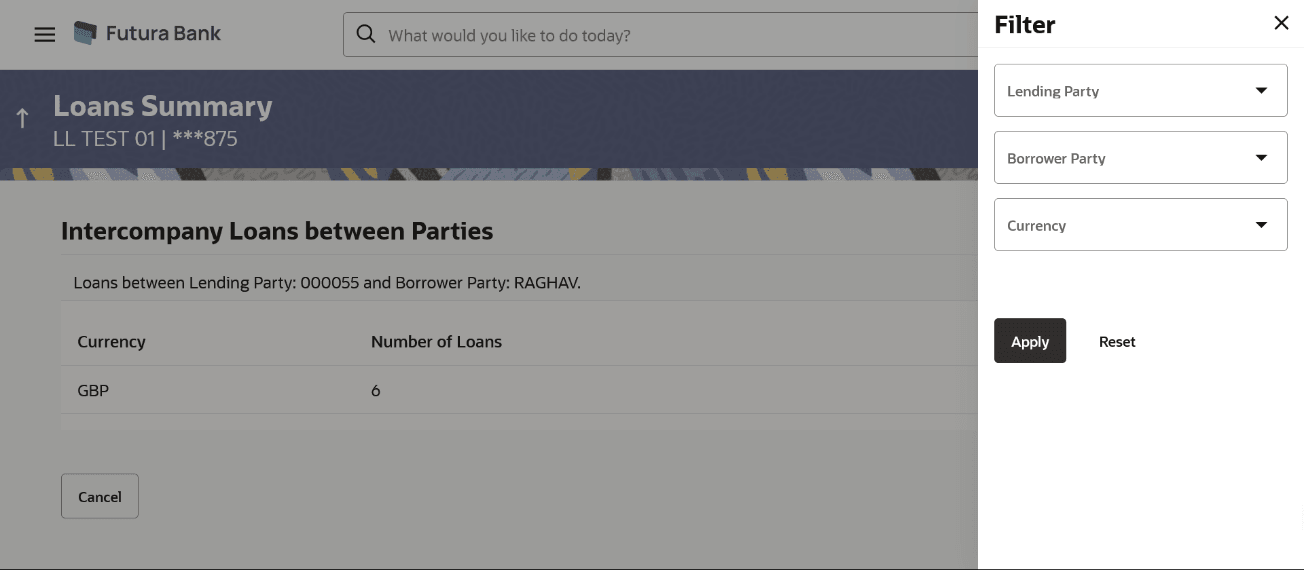
 to filter the loan details with the various criteria. The Loans Summary – Filter pop-up screen displays. For more information on fields, refer to the field description table.
Table 4-9 Loans Summary - Filter
Field Description Lending Party Select the lending party to filter the loans. Note: All available parties are displayed to the user.
Borrower Party Select the borrower party to filter the loans. Note: All available parties are displayed to the user.
Currency Select the currency to filter the loan details.
Parent topic: Intercompany Loan