3.1 Simulation Structure
This topic describes the information about Simulation Structures.
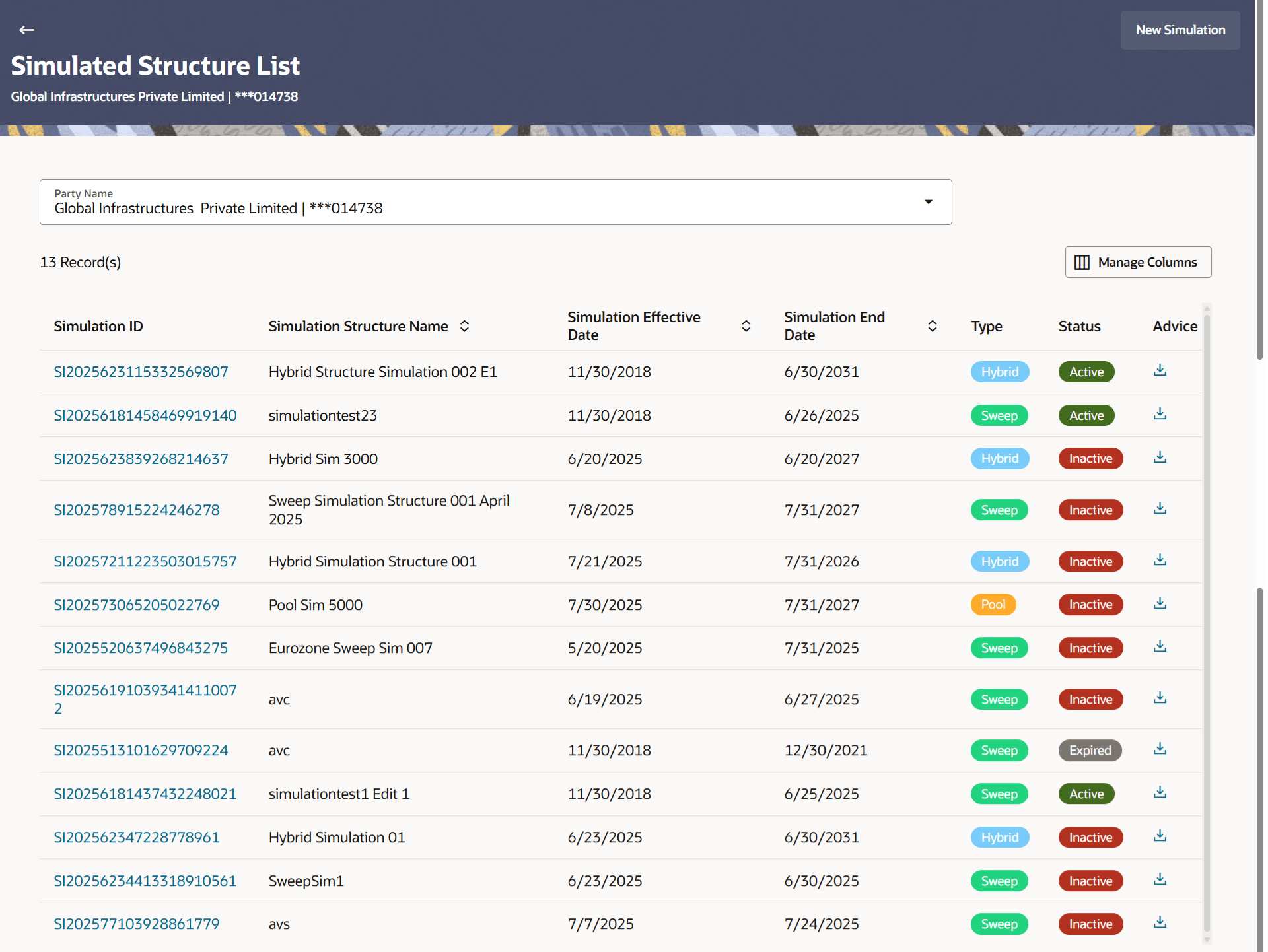
Different types of structures (sweep, pool and hybrid) and status (active, inactive, paused and closed) are depicted in different colors for easy identification. An option is also provided on the screen to search the specific structure with the name associated with it. The user can also choose to create a new structure from the screen.
Note:
As Simulation is just a what-if analysis without involving any financial transactions (there is no real Structure being created here), the approval aspect is not enabled for simulation transactions out of the box.- From Dashboard, click Menu,
click Liquidity Management, and then click
Simulation. The Simulated Structure List screen displays. For more information on fields, refer to the field description table.
Table 3-1 Simulation Structures - Field Description
Field Description Party Name Select the party name and ID from the drop-down list to view the applicable simulation structures. By default, the primary party of the logged-in user is selected.
Note:- Only accessible parties are displayed to the user.
- Based on the party name selection, the simulation account structures are displayed.
Search Specify the search criteria allows the user to search the simulation by entering partial or full simulation details in the table and displays the simulation that contains those values in the fields. In case of no matching simulation as per the search criteria provided is available, then an image with the specific result and an option to create new simulation is provided on the screen.
Simulation ID Displays the unique ID associated to each simulation structure. Note: Click on the Simulation ID hyperlink to view structure simulation details.
Simulation Structure Name Displays the name of the simulation structure. Simulation Effective Date Displays the effective date from simulated structure will start. Simulation End Date Displays the end date till when the simulated structure will be valid. Type Displays the type of simulation structure. The available options are:- Sweep - Funds moved physically with in the simulation structure.
- Pool - Notional movement of funds, the account balances are notionally consolidated and interest computations carried out on such notional balances.
- Hybrid – A simulation structure is a combination of sweep and pool instructions.
Status Displays the status of account structure. The available options are:- Active
- Inactive
Advice Click  to download the advice of simulation
structure.
to download the advice of simulation
structure.
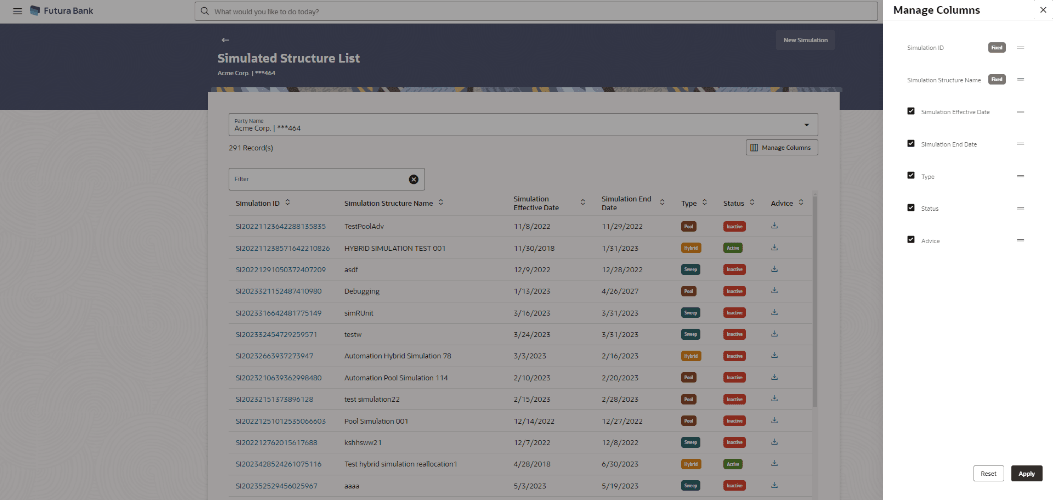
- Click Manage Columns to reorder or modify or save column
preferences in simulation structures screen.
The Simulation Structure - Manage Columns overlay screen displays.
- Click Apply to apply the modified columns preferences.
- Click Reset to reset the columns preferences.
Parent topic: Simulation Structure Maintenance