43.3 Persona Maintenance - Create
This topic describes the systematic instruction to Persona Maintenance - Create option.
Using this option, System Administrator can create new persona for a
user type ‘Retail’.
To create the Persona:
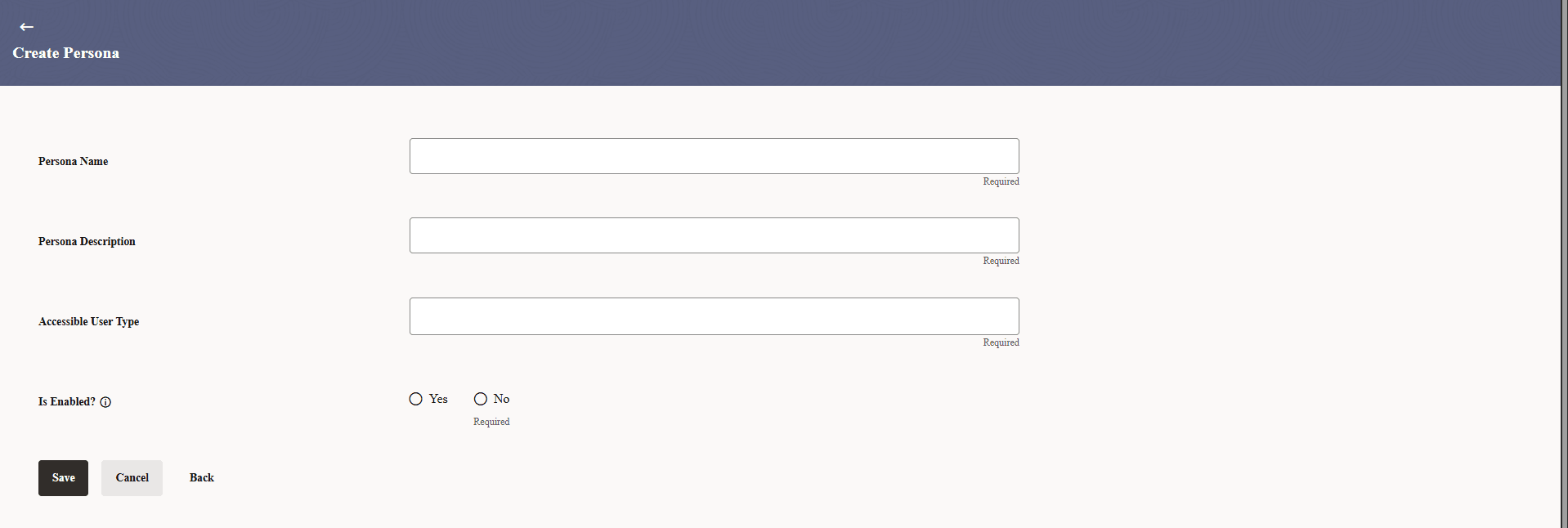
- Click Create.The Persona Maintenance - Create screen appears.
Note:
The fields which are marked as Required are mandatory.For more information on fields, refer to the field description table.
Table 43-4 Persona Maintenance - Create - Field Description
Field Description Persona Name Specify the unique name of the persona. Persona Description Specify a brief description of the persona’s purpose. Accessible User Type Select the user type from the drop-down list. The options are:- Corporate User
- Administrator
- Retail & Business User
Is Enabled? Indicates whether the persona is active (Yes) or inactive (No) in the system and is a mandatory selection.
Parent topic: Persona Maintenance