43.1 Persona Maintenance - Search
This topic describes the systematic instruction to Persona Maintenance - Search option.
Using this option, System Administrator user can search the user
segments maintained for retail users. The search result displays matching results based
on search criteria entered.
System Administrator can view details of a specific segment by selecting the segment ID to get required details for a segment.
To search Personas:
- Perform anyone of the following actions:
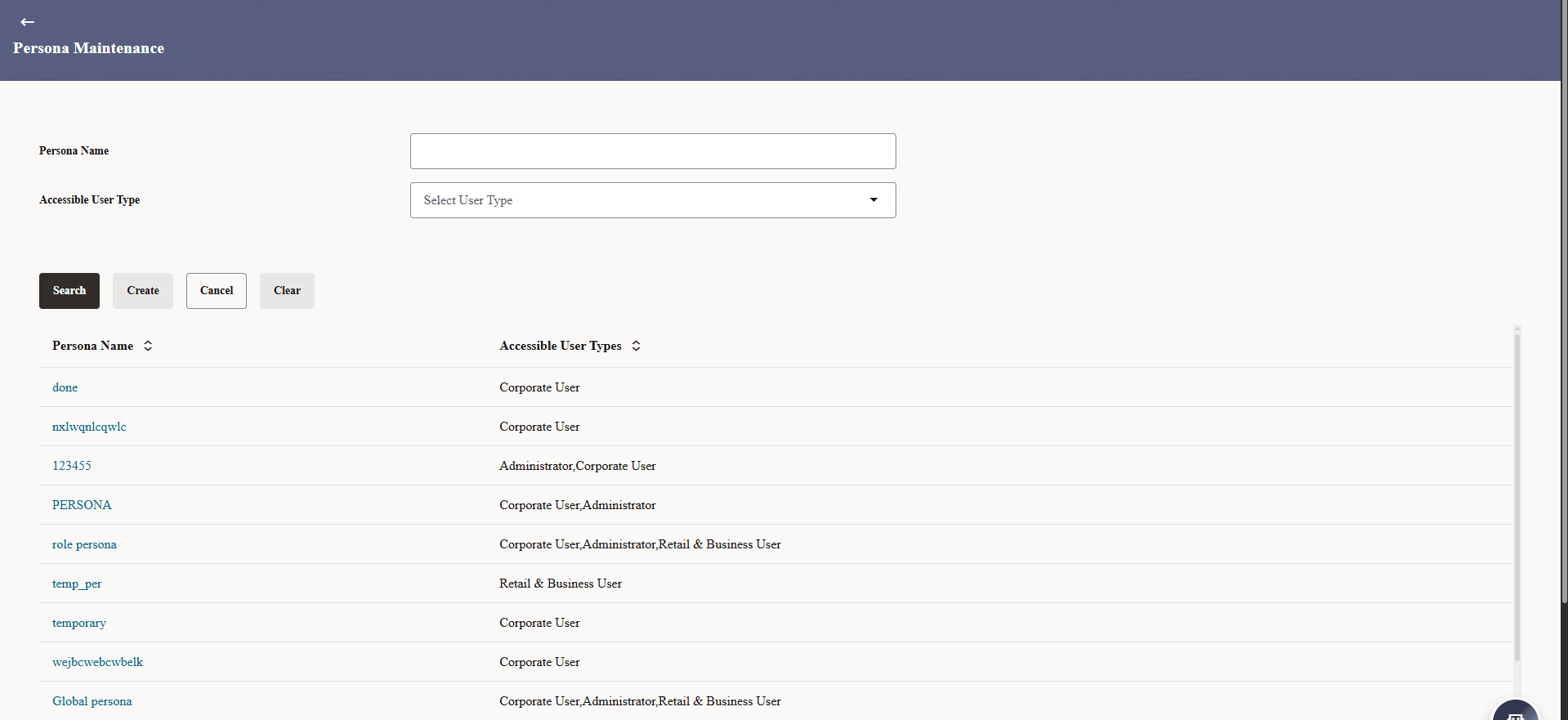
- Click Search. The search results appear on the Persona Maintenance screen based on the search parameters.
- Click Clear to reset the details.
- Click Cancel to cancel the transaction.
Figure 43-1 Persona Maintenance - Search Result
For more information on fields, refer to the field description table.
Table 43-1 Persona Maintenance- Search Result - Field Description
Field Name Description Search Parameters Information specified in below fields are related to Search Parameters. Persona Name Enter the persona name that needs to be searched. User Type Select the user type for which segment details needs to be searched Search Result Information specified in below fields are related to Search Result. Persona Name System displays the name of the persona based on the search criteria input. User Type System will display the user type i.e. Retail / Corporate / Administrator against each of the search result. - Click the Persona Name link of the record for which you
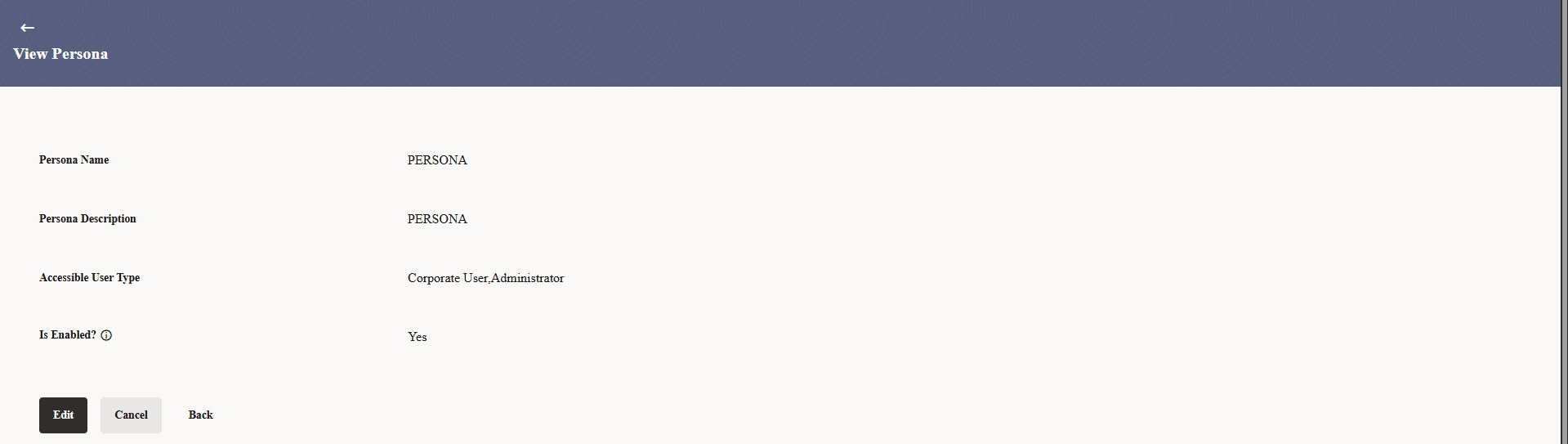
want to view the Persona details.The Persona Maintenance - View screen appears.
For more information on fields, refer to the field description table.
Table 43-2 Persona Maintenance- View - Field Description
Field Name Description Persona Code System displays the Persona Name that was selected to view details. Persona Description System displays the description of the persona that was selected to view details. Accessible User Type System displays the user type of the segment that was selected to view the details. Is enabled System displays the toggle status is enabled or not.
Parent topic: Persona Maintenance