3.1.15 Supply Chain Finance and Cash Management
This topic provides information on supply chain finance and cash management.
- In the Global Configuration screen, click
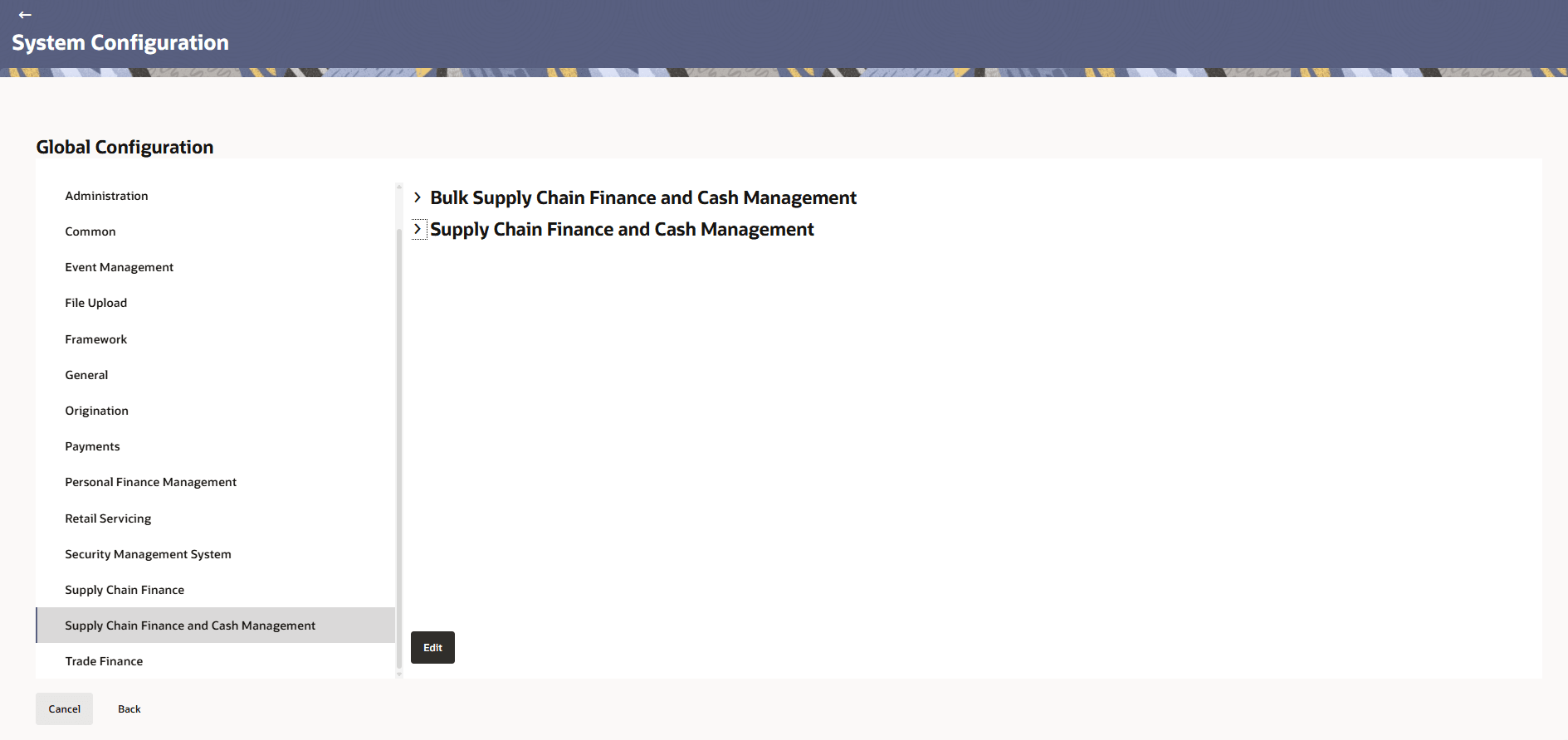
Supply Chain Finance and Cash Management.The Supply Chain Finance and Cash Management screen is displayed.
Figure 3-72 Supply Chain Finance and Cash Management
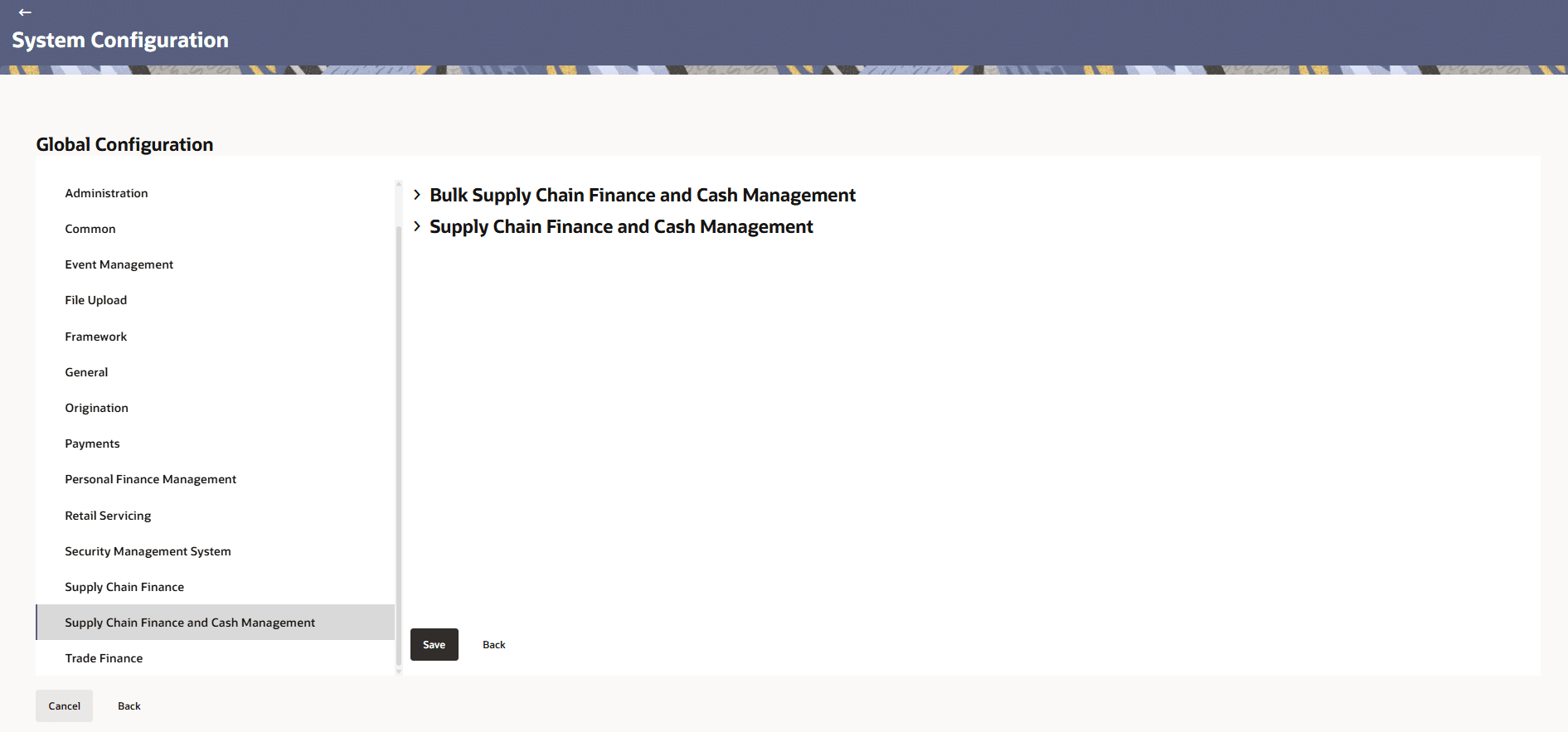
- Click Edit to specify the details under account.The Supply Chain Finance and Cash Management - Edit screen is displayed.
Figure 3-73 Supply Chain Finance and Cash Management - Edit
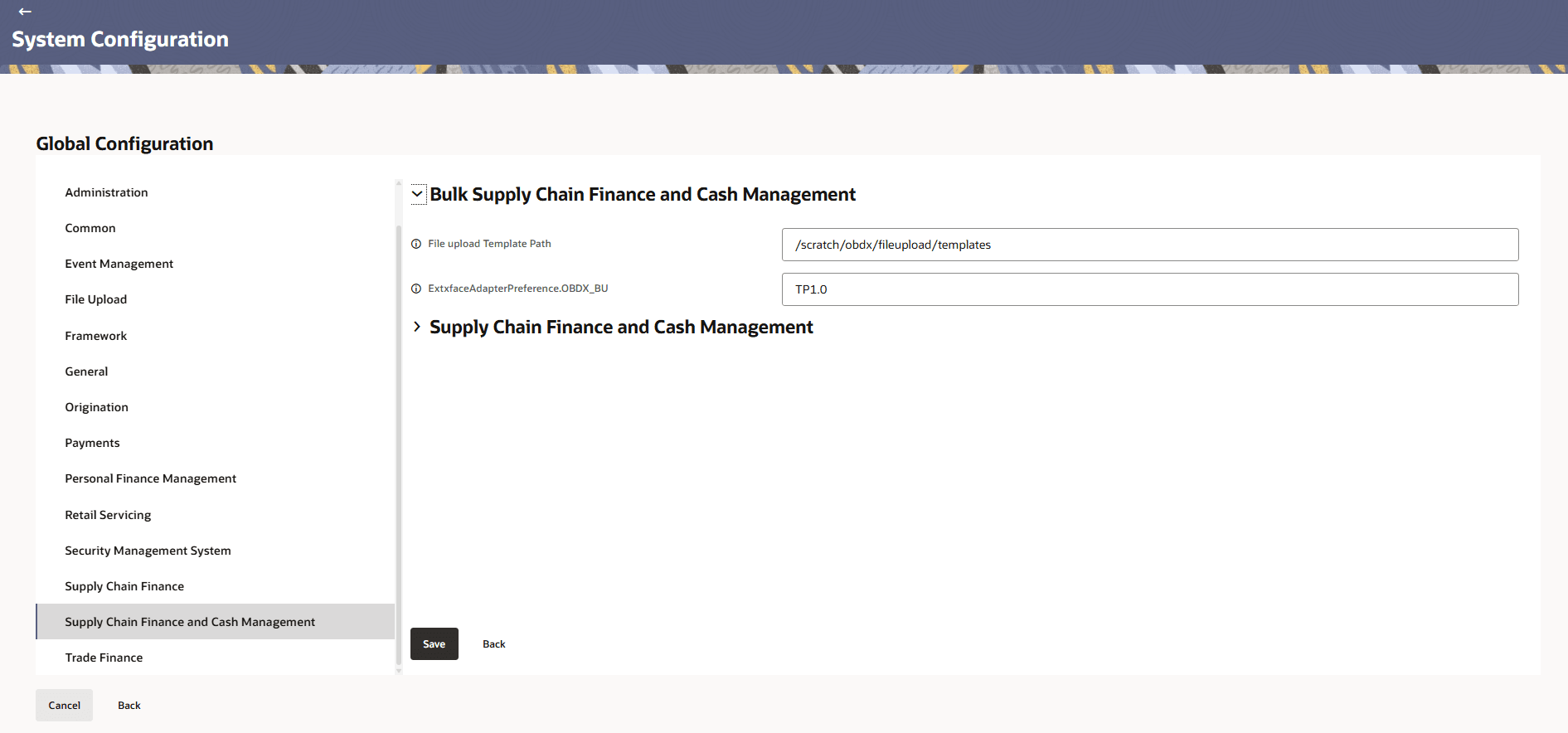
- Click expand and specify the details.
Figure 3-74 Bulk Supply Chain Finance and Cash Management
Note:
The fields marked as Required are mandatory.For more information on fields, refer to the field description table.
Table 3-41 Bulk Supply Chain Finance and Cash Management - Field Description
Field Name Description File upload Template Path Specifies the file path location where upload templates are stored. ExtxfaceAdapterPreference.OBDX_BU Configuration parameter for Extxface Adapter specifying the OBDX business unit preferences. Figure 3-75 Supply Chain Finance and Cash Management
Note:
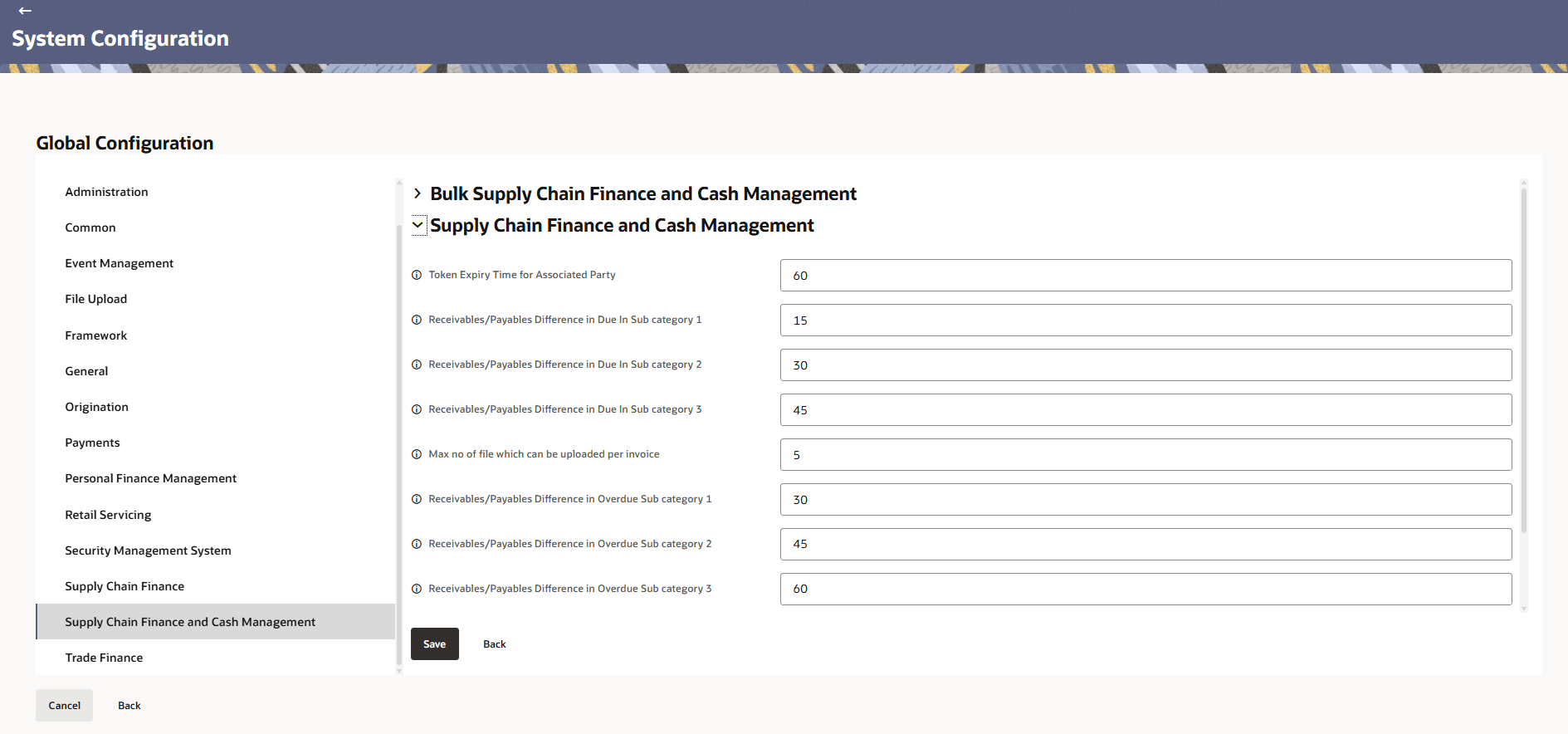
The fields marked as Required are mandatory.For more information on fields, refer to the field description table.
Table 3-42 Supply Chain Finance and Cash Management - Field Description
Field Name Description Token Expiry Time for Associated Party Specifies the expiration time for authentication or session tokens associated with a linked party. Receivables/Payables Difference in Due In Sub category 1 Specifies the difference amount in the first subcategory of due receivables/payables for reconciliation purposes. Receivables/Payables Difference in Due In Sub category 2 Specifies the difference amount in the second subcategory of due receivables/payables for reconciliation purposes. Receivables/Payables Difference in Due In Sub category 3 Specifies the difference amount in the third subcategory of due receivables/payables for reconciliation purposes. Max no of file which can be uploaded per invoice Defines the maximum number of files allowed to be uploaded for a single invoice. Receivables/Payables Difference in Overdue Sub category 1 Specifies the difference amount in the first subcategory of overdue receivables/payables for reconciliation purposes. Receivables/Payables Difference in Overdue Sub category 2 Specifies the difference amount in the second subcategory of overdue receivables/payables for reconciliation purposes. Receivables/Payables Difference in Overdue Sub category 3 Specifies the difference amount in the third subcategory of overdue receivables/payables for reconciliation purposes. Document Upload Service Configuration for NLP Specifies the configured service (NLP) used to process and analyze uploaded documents through natural language processing. Maximum Number of Records Fetch in Receivables/Payables Module Inquiry Defines the maximum number of records that can be retrieved in a single inquiry request within the receivables or payables module to maintain system performance.
Parent topic: Global Settings