16 Modify Collection - Islamic
This topic provides the systematic instructions to modify the export Collection.
Using this option, you can modify the details of existing Export Collection in the application. You can search the required export Collection using different search criteria and download the Export Collection list in different file formats.
Pre-requisites
- User must have a valid corporate party Id and login credentials in place
- At least a single export Collection should exist for the party ID and party must having view rights for it
- From the Dashboard, click Menu, then click Trade Finance, and then
click Collection. Under Collection, click Export Collection, then
click Modify Collection - Islamic, and then click Modify Islamic
Collection.The Modify Islamic Collection screen appears.
This topic contains following sub-topics:
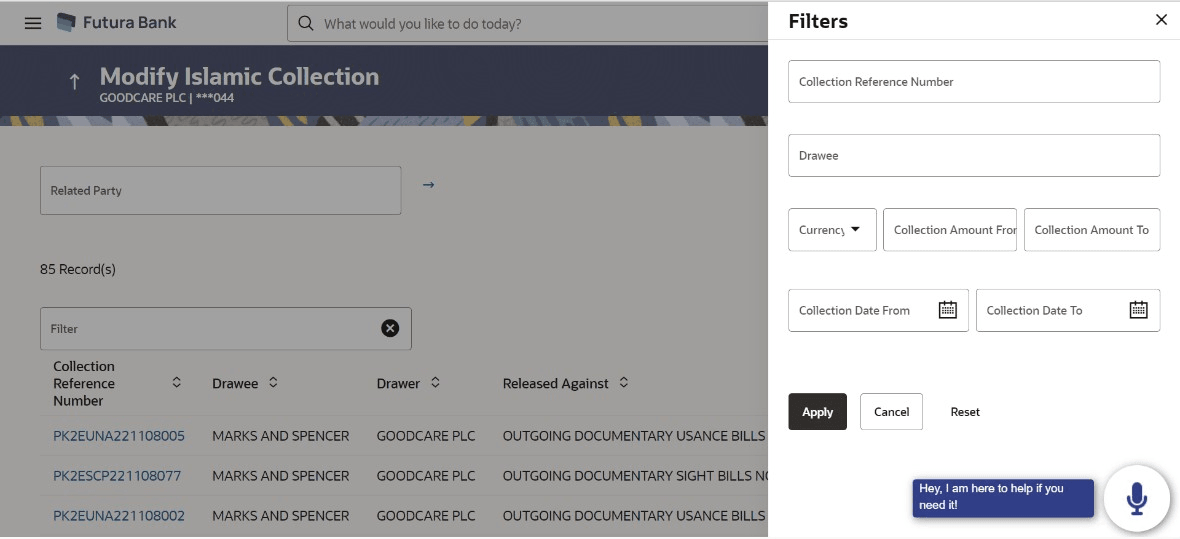
- Modify Collection Islamic - Search
This topic provides the systematic instructions to search an view the existing Export Collection. - Modify Islamic Collection - Discount
This topic provides the systematic instructions to modify the Discount details in the application. - Modify Islamic Collection – Forex Deals
This topic provides the systematic instructions to view and link the forex deals in Modify Islamic Collection in the application. - Modify Islamic Collection - Charges
This topic provides the systematic instructions to view the Charges details in the application. - Modify Islamic Collection - Attachments
This topic provides the systematic instructions to capture the Attachments details in the application.