19 Lodge Claims Islamic
This topic provides the systematic instructions to Islamic lodge claim in the application.
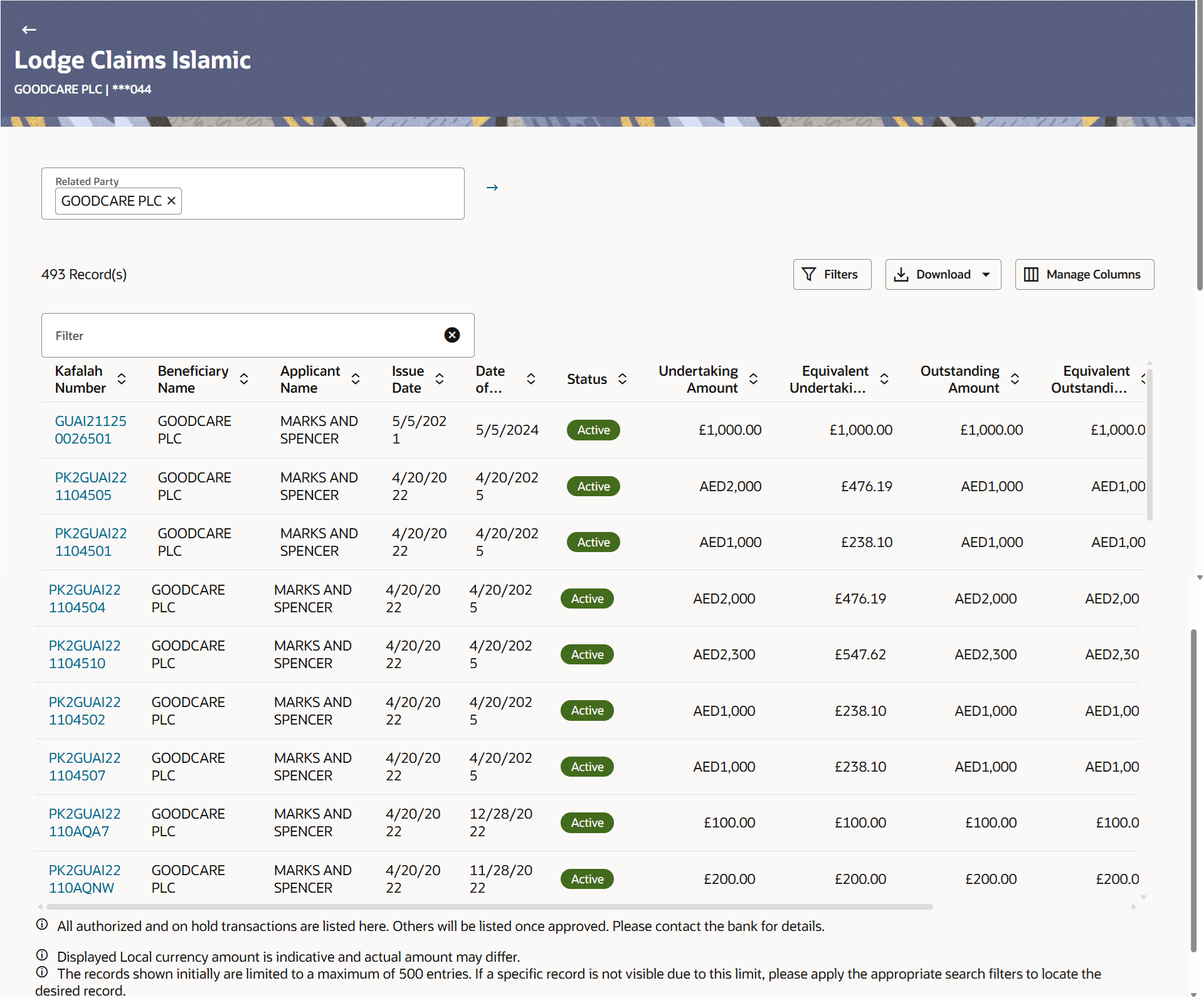
This option allows the user to lodge a claim on received Bank Guarantee from Oracle Banking Digital Experience. User can search the Islamic BG against which he wants to lodge a claim. The user has to provide the details required to lodge a claim. Facility to attach documents will also be available.
The user can also send the application to his bank (Oracle Banking Trade Finance Process Management).
Pre-requisites
- User must have a valid corporate party Id and login credentials in place.
- From the Dashboard, click Menu, then click Trade Finance, and then
click Bank Guarantee/Stand By LC. Under Bank Guarantee/Stand By LC, click
Inward Bank Guarantee/Stand By LC and then click Initiate Inward Kafalah Claim
Lodgement - Islamic .The Lodge Claims Islamic screen appears.
This topic contains following sub-topics:
- Islamic Lodge Claims - Search
This topic provides the systematic instructions to search the bank guarantee for lodging the claim. - Islamic Lodge Claims - Details
This topic provides the systematic instructions to capture the details required for a claim that is to be lodged against the issued guarantee in the application.