6.2 View Remittance ID
This feature allows the corporate user to view Remittance ID.
To view Remittance ID:
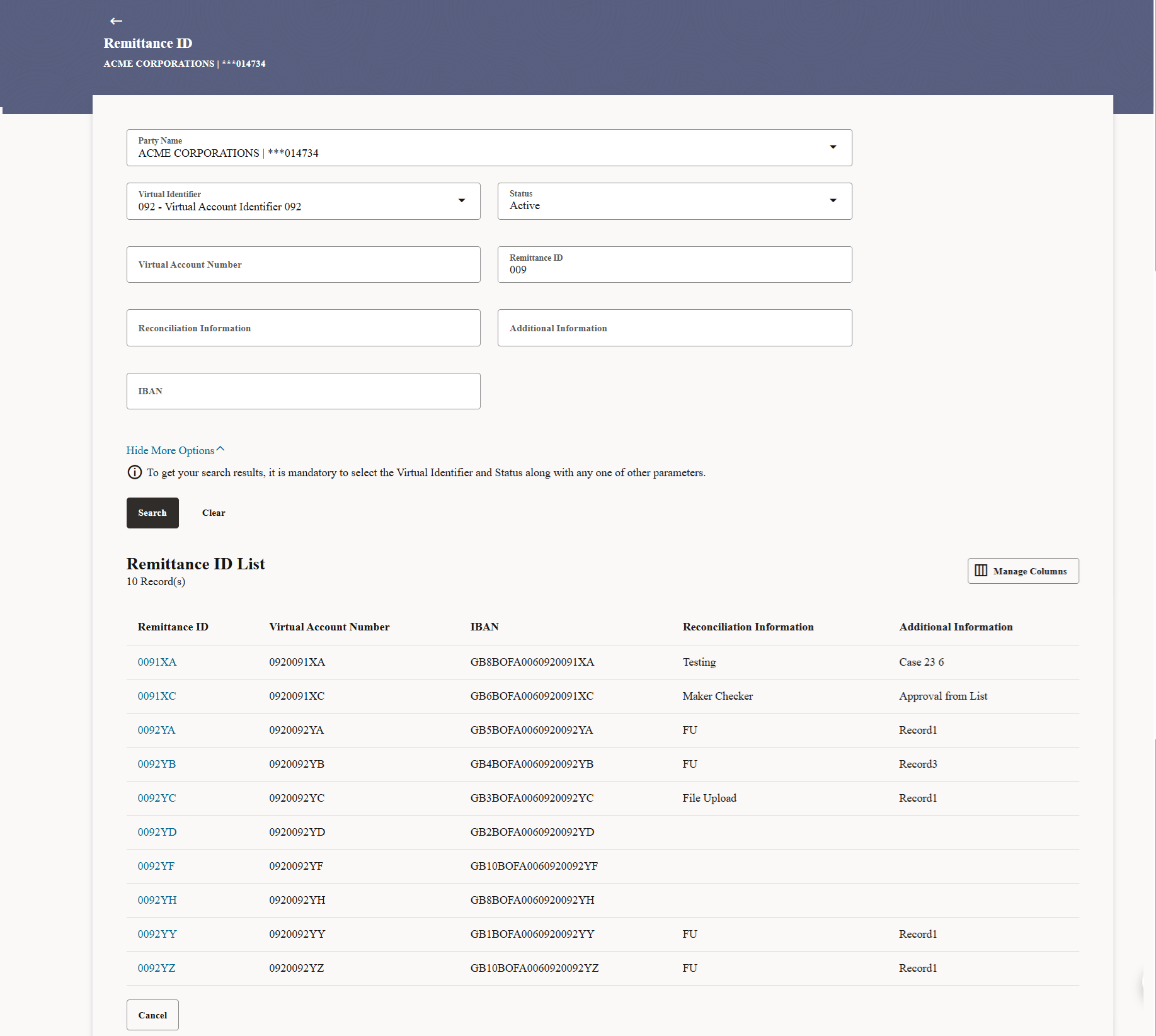
- Perform any one of the following actions:
- Click Search to view Remittance
ID.
The search result corresponding to the search criteria are displayed.
- Click Clear to clear the search criteria.
- Click Cancel to cancel the transaction.
Figure 6-3 View Remittance ID
Table 6-2 Remittance ID - Field Description
Field Description Party Name Select the party name and ID from the drop-down list in which the Remittance ID must be created. By default, the primary party of the logged-in user is selected.
Note: Based on the party name selection, the mapped Remittance IDs are displayed.
Virtual Identifier Select the Virtual Identifier from the drop-down list. Note: User can view the Virtual Identifiers for which he has access to.
Status Select the status of Remittance ID. Virtual Account Number Specify the Virtual Account Number. Remittance ID Specify the Remittance ID. Show More Options Fields specified below appears if you click Show More Options link. Reconciliation Information Specify the reconciliation information of the Remittance. Additional Information Specify the additional information of the Remittance ID. IBAN Specify the IBAN of the Remittance ID Remittance ID List Fields specified below appears if you click Serach Total Count of Records Displays the total count of records based on the search criteria. Remittance ID Displays the Remittance ID. Virtual Account Number Displays the Virtual Account Number corresponding to the Remittance ID. IBAN Displays the IBAN number corresponding to the Remittance ID. Reconciliation Information Displays the reconciliation information of the Remittance. Additional Information Displays the additional information of the Remittance ID. - Click Search to view Remittance
ID.
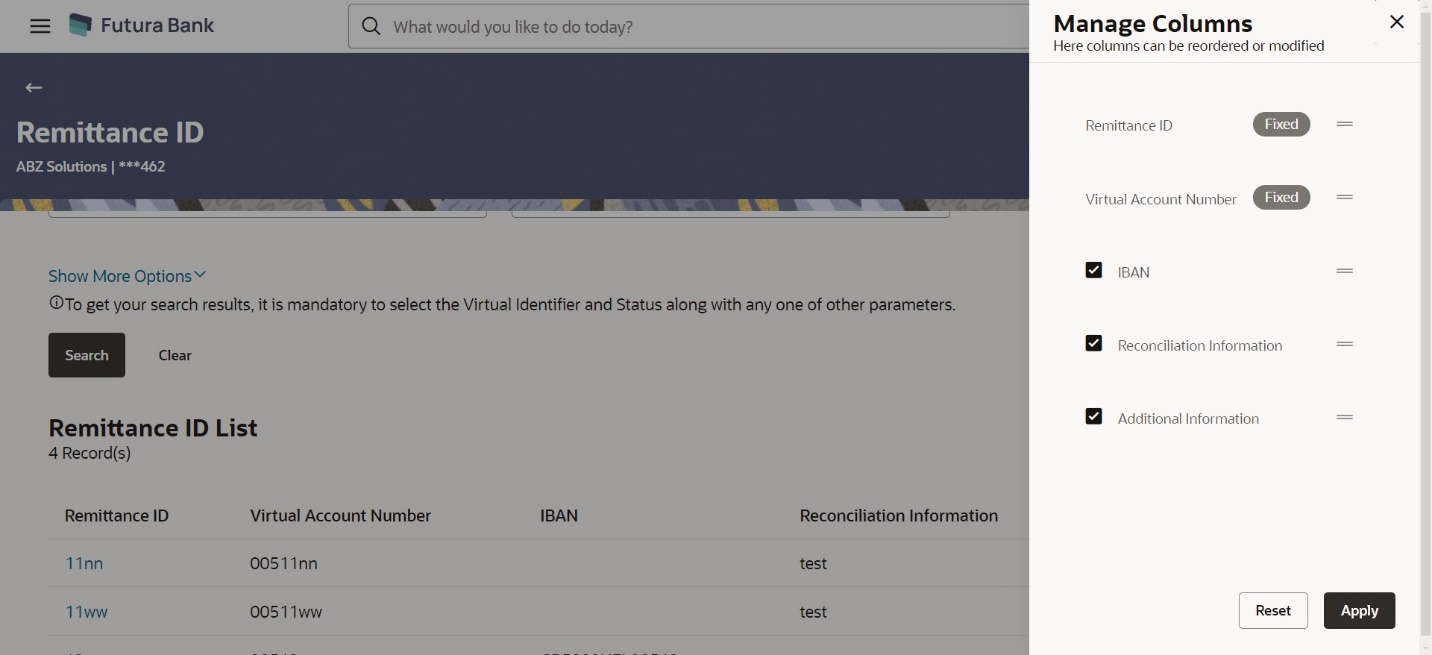
- Click Manage Columns to reorder or modify or save column preferences in
remittance ID screen.
View Remittance ID – Manage Columns overlay screen appears.
Figure 6-4 View Remittance ID – Manage Columns
User can perform any one of the following action:
- Click Apply to apply the modified columns preferences.
- Click Reset to reset the columns preferences.
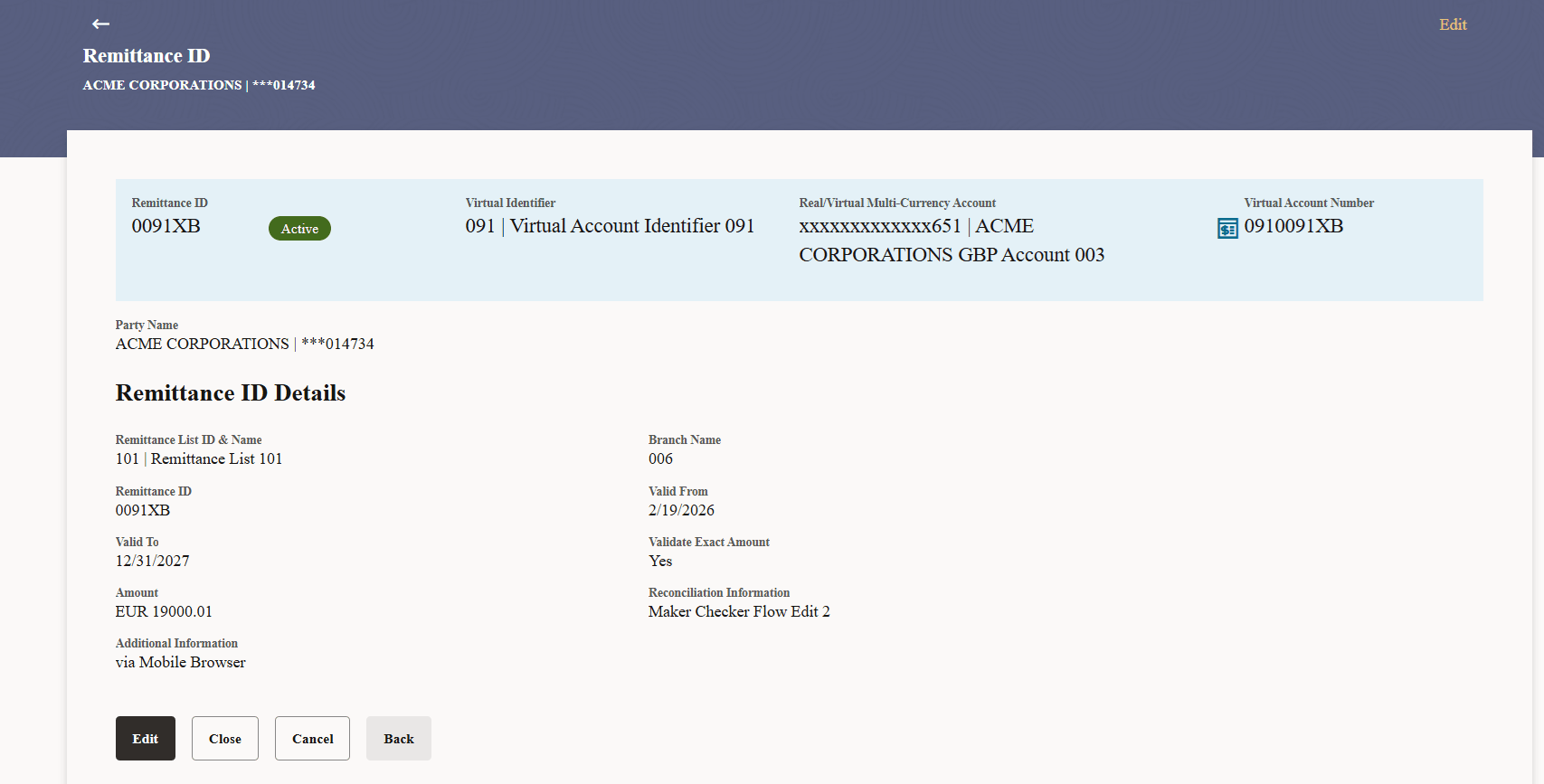
- Click the Remittance ID link to view the remittance details.The Remittance ID Details screen appears.
Table 6-3 Remittance ID - Field Description
Field Description Remittance ID Displays the Remittance ID. Virtual Identifier Displays the Virtual Identifier ID & Name. Real/Virtual Multi-Currency Account Number Displays the Real/Virtual Multi-Currency Account Number along with the available balance. This field appears only if the user has access to Real/Virtual Multi-Currency Account Number.
Virtual Account Number Displays the Virtual Account Number. Party Name Displays the party name and ID mapped to the selected Remittance ID. Remittance ID Details This section displays the Remittance ID details. Remittance List ID & Name Displays the Remittance List ID & Name. Branch Name Displays the branch name. Remittance ID Displays the Remittance ID. Valid From Displays the validity start date of the Remittance list ID and name. Valid To Displays the validity end date of the Remittance list ID and name. Validate Exact Amount Displays the option, whether to validate the exact remittance amount. Currency Displays the currency that was maintained during creation of remittance ID. This field appears if Validate Exact Amount option was enabled during creation.
Amount Displays the amount that was maintained during creation of remittance ID. This field appears if Validate Exact Amount option was enabled during creation.
Reconciliation Information Displays the reconciliation information of the Remittance. Additional Information Displays the additional information about the Remittance. IBAN Required Displays the IBAN number. This field appears only if the IBAN Required toggle is enabled while Remittance ID Creation.
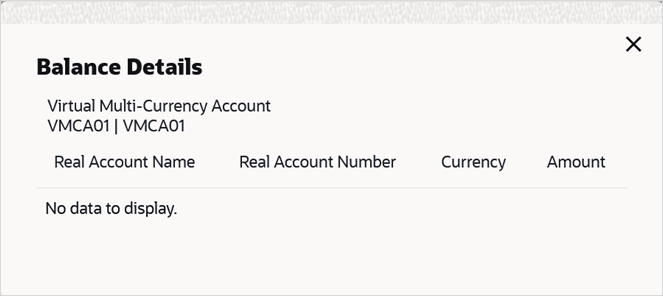
- Click View Balance to view the available balances of the
Real Accounts linked to the Virtual Multi-Currency Account.Balance Details screen appears
Parent topic: Remittance ID