1.1.9.1 View Fungibility Rule
This topic describes the systematic instructions to view the Fungibility Rule.
- Under Maintenances, select Fungibility. Under
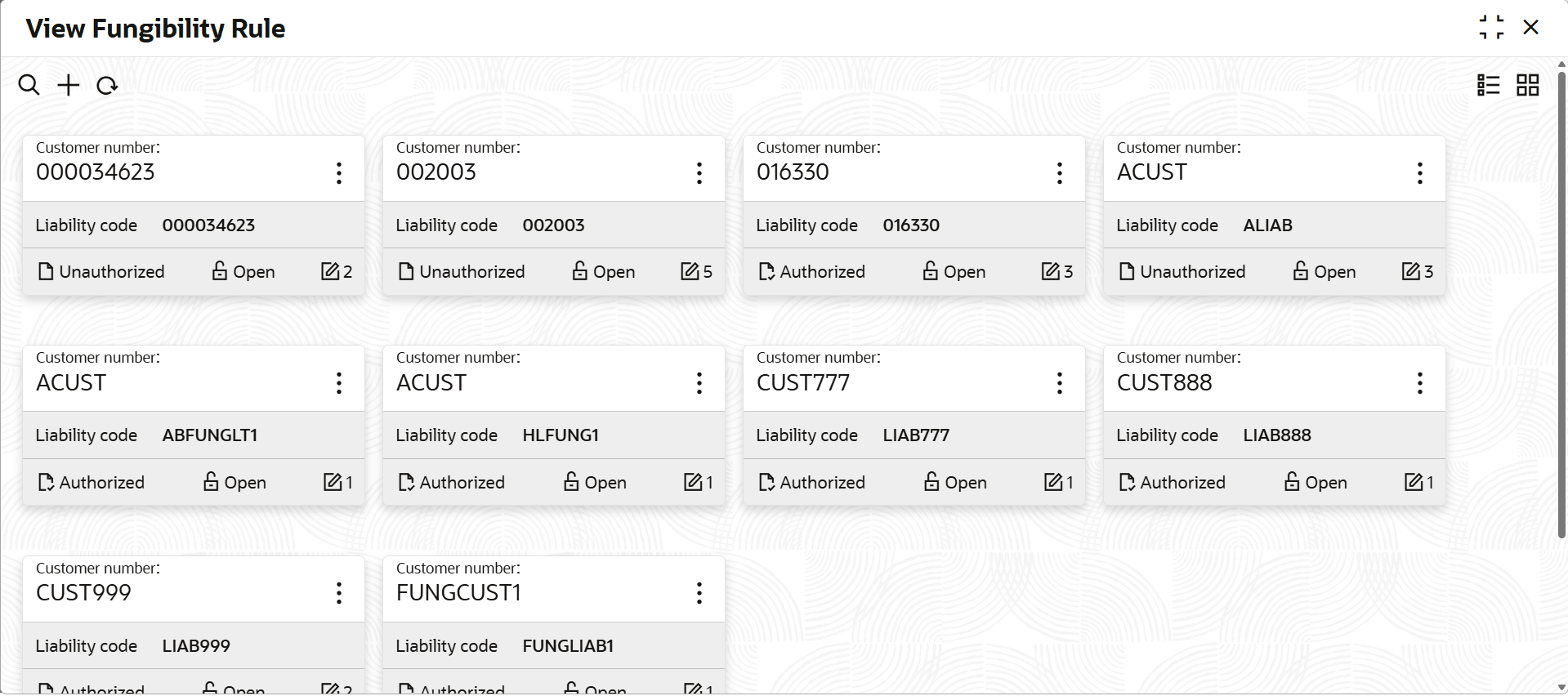
Fungibility, select View Fungible Rule.The View Fungible Rule screen displays.For more information on fields, refer to the field description table.
Table 1-66 View Fungible Rule
Fields Description Customer Number Displays the customer number. Liability Code Displays the liability code. Authorization Status Displays the authorization status of the record.The available options are: - Authorized
- Rejected
- Unauthorized
Record Status Displays the status of the record.The available options are: - Open
- Closed
Modification Number Displays the number of modification performed on the record. - On View screen, select the
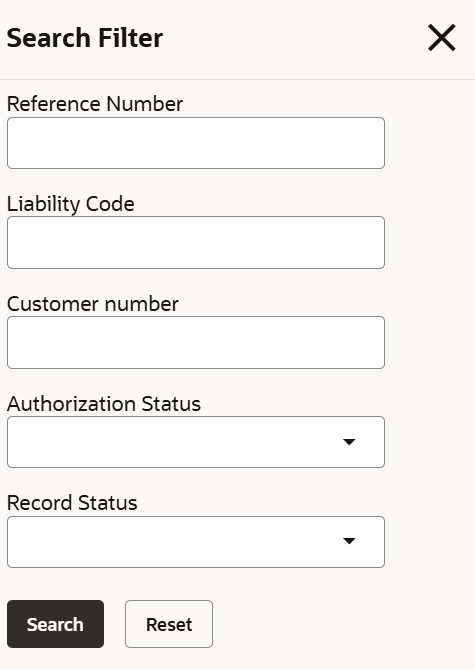
 icon.The View Fungible Rule - Search screen displays.
Parent topic: Fungibility Rule Maintenance