5.9.1 Create Customer Parameters
This topic describes the systematic instructions to configure the customer parameters.
- On Home screen, click Liquidity Management. Under Liquidity Management, click Maintenance.
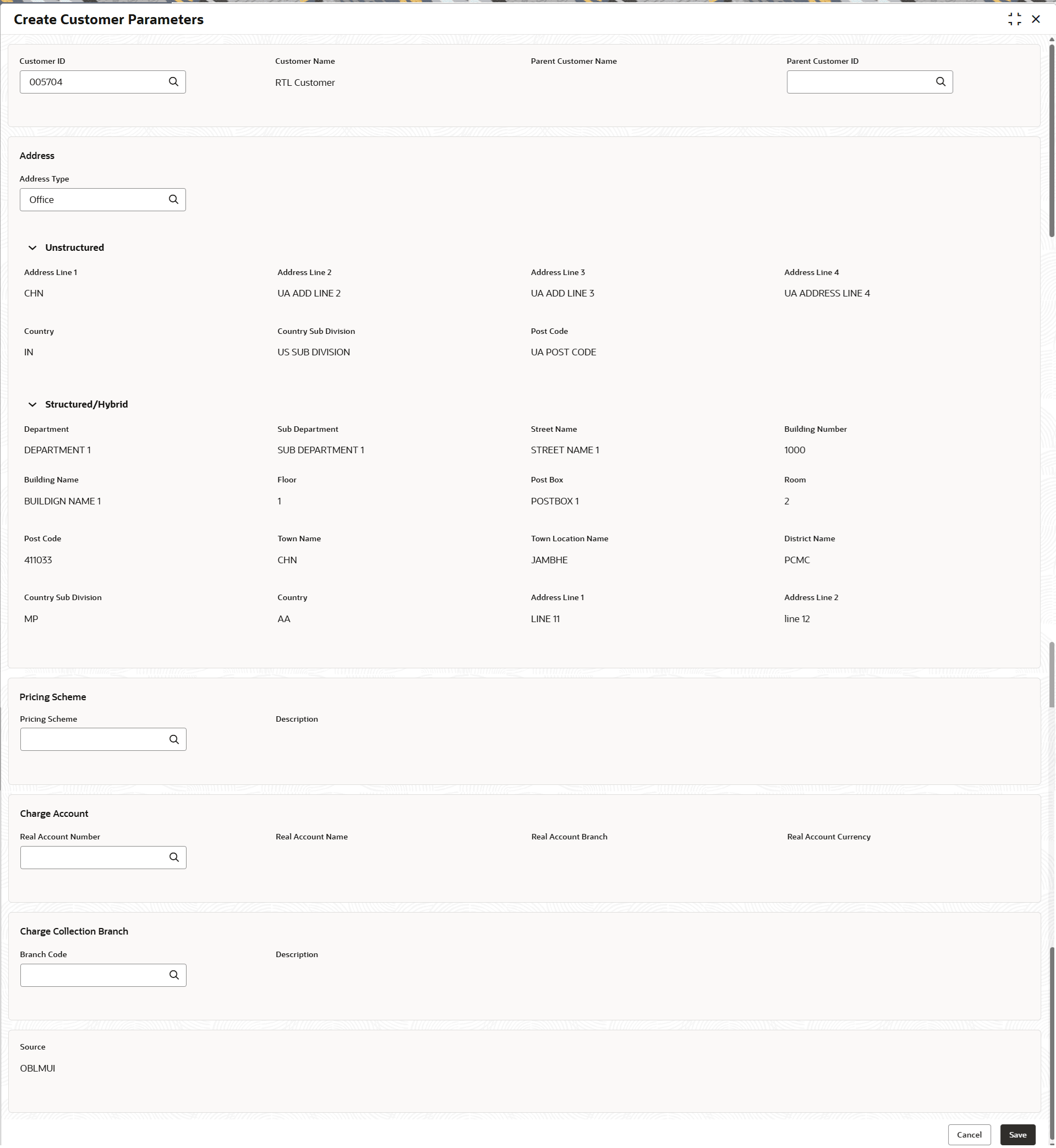
- Under Maintenance, click Customer Parameters. Under Customer Parameters, click Create Customer Parameters.The Create Customer Parameters screen displays.
- Specify the fields on Create Customer Parameters screen.For more information on fields, refer to the field description table.
Note:
The fields marked as Required are mandatory.Table 5-25 Create Customer Parameters – Field Description
Field Description Customer ID Click Search to view and select the customer ID (LOV details come from Common Core). Customer Name Displays the customer name based on the customer ID selected. Parent Customer Name Displays the parent customer name based on the parent customer ID selected. Parent Customer ID Click Search to view and select the parent customer of the new customer. Address This section displays the address type of the customer to be sent in the payment services. Address Type Click Search to view and select the address type. Unstructured This section displays the Unstructured address details of the customer based on the selected address type. Address Line 1 - 4 Displays the address of the customer. Country Displays the country of the customer. Country Sub Division Displays the country sub division of the customer. Country sub division the state or region of the country.
Post Code Displays the postal code of the customer address. Structured/Hybrid This section displays the Structured/Hybrid address details of the customer. Department Displays the department of the customer. Sub Department Displays the sub department or a sub-division of the customer's department. Street Name Displays the name of a street or thoroughfare. Building Number Displays the building number. Building Name Displays the name of the building or house. Floor Displays the floor number within a building. Post Box Displays the post box details. Room Displays the room number. Post Code Displays the post code details. Town Name Displays the town name. Town Location Name Displays the location name within the town. District Name Displays the district name within a country. Country Sub Division Displays the subdivision of a country such as state, region, county. Country Displays the country of the customer. Address Line 1 - 2 Displays the address line 1 and 2 of the in Hybrid Address of the customer. Pricing Scheme This section displays the Pricing Scheme related fields. Pricing Scheme Click Search to view and select the required pricing scheme. Note: If a pricing scheme linked to a customer is changed in the middle of a charge cycle, the charges configured for the updated pricing scheme will be applied for the entire charge cycle. Any pending event-based charges (Customer setup and Structure setup charges) will be calculated based on the existing pricing scheme. Any newly created structure will be charged based on the updated pricing scheme.
Description Displays the description of pricing scheme based on the selection. Charge Account This section displays the charge account details of the customer. Real Account Number Click Search to view and select the required real account number to collect the charges. Real Account Name Displays the real account name based on the Real Account Number selected. Real Account Branch Displays the real account branch based on the Real Account Number selected. Real Account Currency Displays the real account currency based on the Real Account Number selected. Charge Collection Branch This section displays the charge collection branch details of the customer. Branch Code Displays the real account name based on the Real Account Number selected. Description Displays the branch description based on the Branch Code selected. Source Displays the source defaulted from common core. Note:
Added Customer must be authorized by different user which has the authorization role assigned. - Click Save to save the details.
Parent topic: Customer Parameters