3.3.4.1 Repayment Schedule

This topic describes the loan repayment schedule.

The repayment details are pushed into the Host – APIs are provided – to ensure the seamless workflow in the lifecycle of the loan account at the Host.

To view the repayment schedule:

  1. Click Show Repayment Schedule on the Loan Repayment Details screen.

    The Repayment Schedule screen displays.
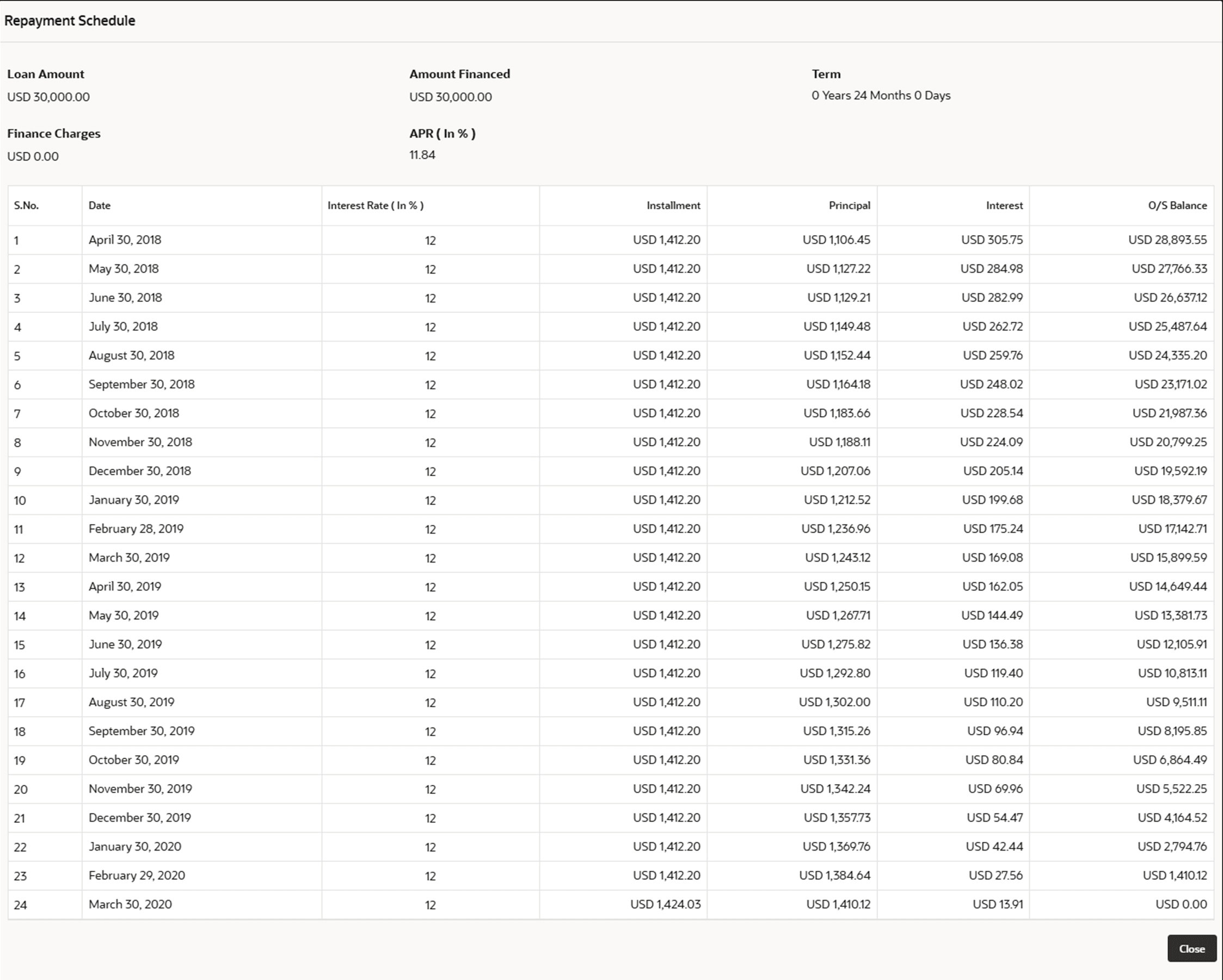
  2. Specify the details in the relevant data fields.

    For more information on fields, refer to the field description table below.

    Note:

    The fields which are marked as Required are mandatory.

    Table 3-31 Repayment Schedule – Field Description

    Field Description
    Loan Amount Displays the loan amount.
    Amount Financed Displays the loan amount.
    Term Displays the loan tenure in years, months and days.
    Finance Charges Displays the loan amount.
    APR (In %) Displays the Annual Percentage Rate.
    S. No. Display the serial number of the installment schedule table.
    Date Displays the installment date.
    Installment Displays the installment amount.
    Principal Displays the principal amount.
    Interest Displays the interest amount.
    O/S Balance Displays the outstanding balance amount.