3.3.4.2 User Defined Schedule
This topic describes the user defined schedule.
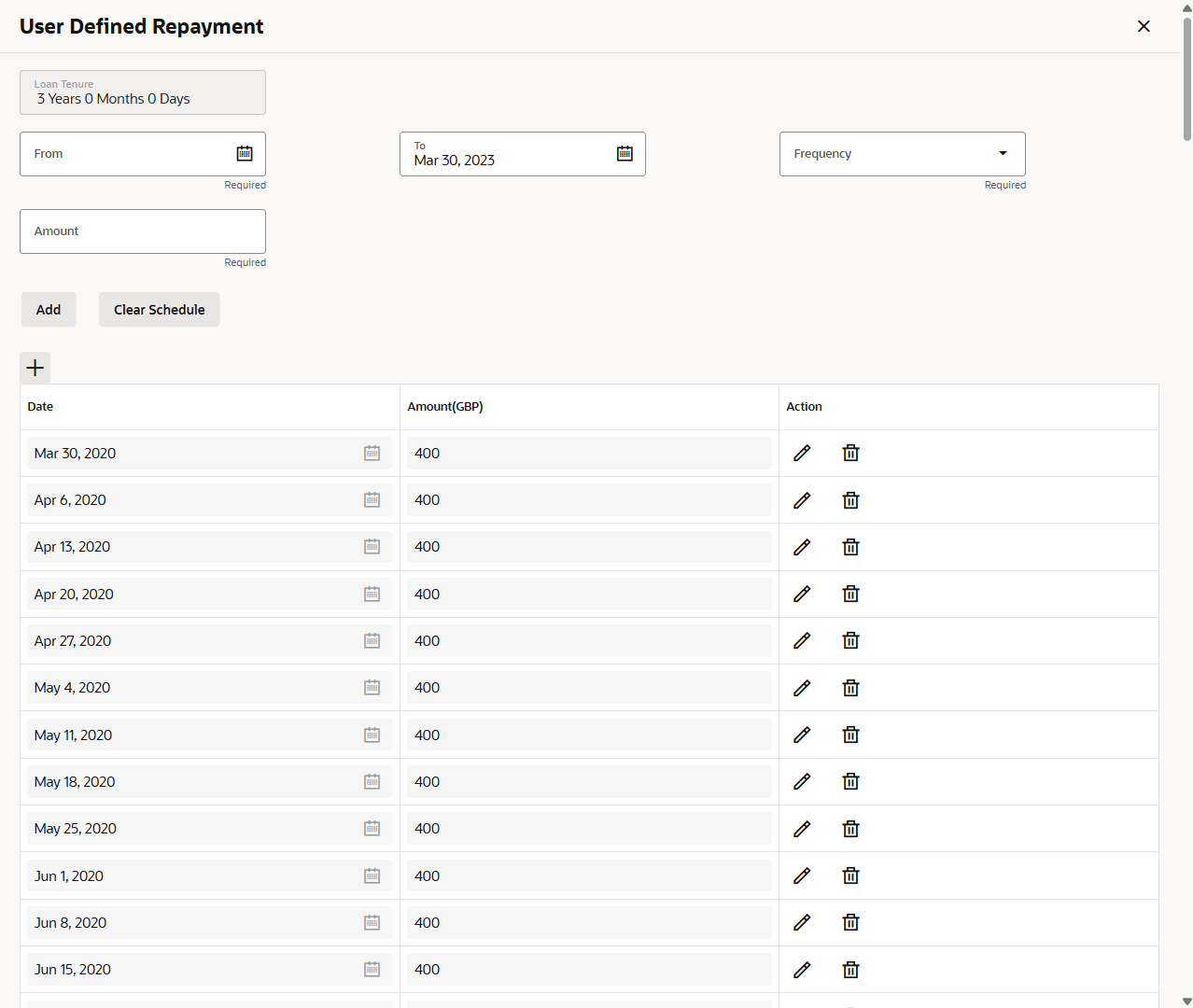
The User Defined Schedule is a new repayment option added to the loan Business Product Configuration, allowing users to set up and design personalized repayment plans based on their requirements.
To view the user defined schedule:
- Click User Defined Repayment.The User Defined Schedule screen displays.
- Specify the details in the relevant data fields. For more information on fields, refer to the field description table below.
Table 3-32 User Define Schedule - Field Description
Field Description Loan Tenure Displays the loan tenure. Frequency Select the frequency from the drop-down list. Add Click to add new record. Date Displays the installment date. Amount Displays the specified amount. Action - Click
 to edit the added records.
-
Click
 to delete the added records.
The user can define a schedule based on following combination:- Installment Amount and Frequency
- Installment Amount and Due Date
- Click
- Click
 to close the screen.
Parent topic: Loan Repayment Details