2.1.1.2 Additional Details Tab
This topic explains the Additional Details tab of the NEFT Outgoing Payment Transaction Input Detailed screen.
- Click the Additional Details tab in the main
screen.The Additional Details are displayed.
Figure 2-3 NEFT Outbound Transaction Input - Additional Details Tab
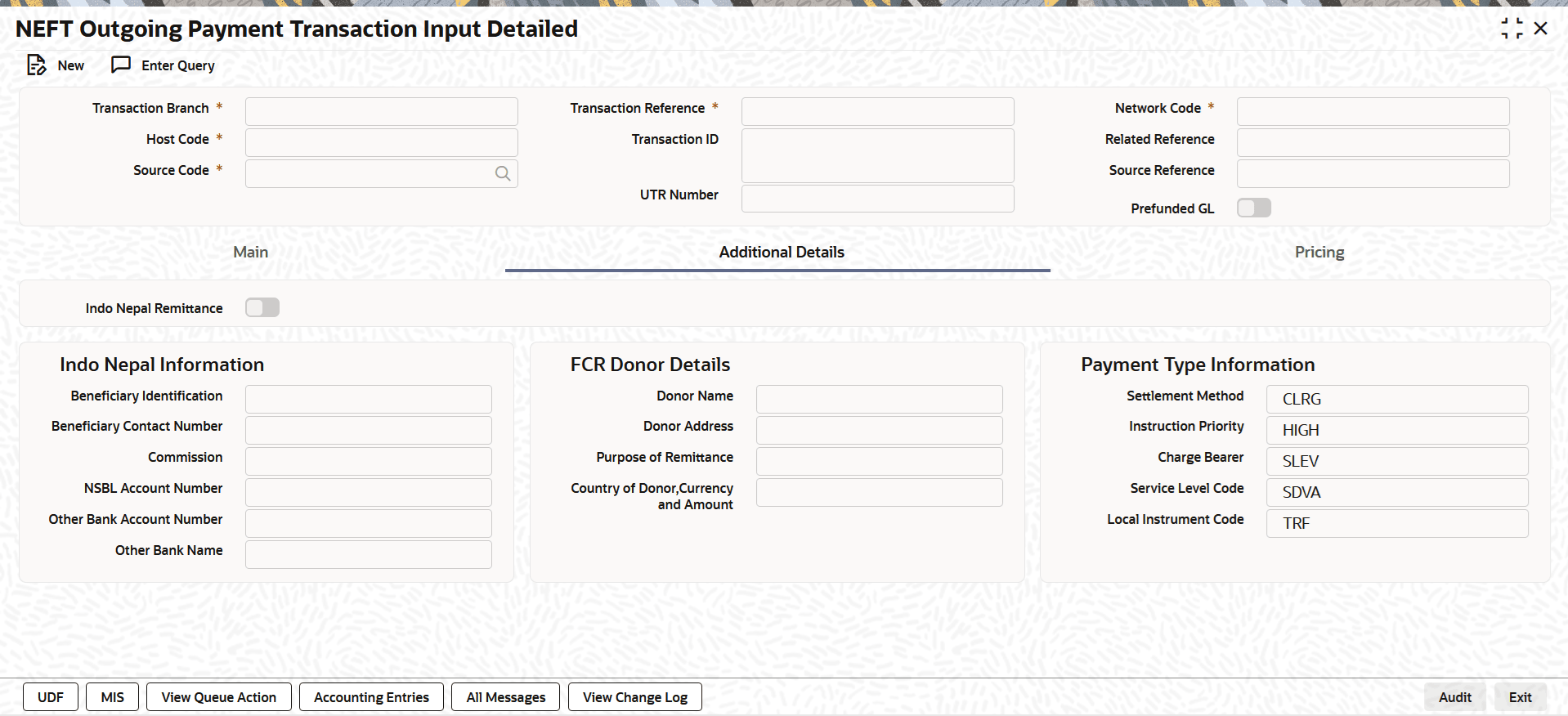
Description of "Figure 2-3 NEFT Outbound Transaction Input - Additional Details Tab" - On Additional Details tab, specify the fields.
This tab contains the below fields to capture the address details of debtor/creditor and remittance information from the sender to receiver.
Table 2-4 NEFT Outbound Transaction Input_Additional Details Tab - Field Description
Field Description Indo Nepal Remittance Select this checkbox to indicate that the outgoing NEFT is Indo Nepal Remittance. Indo Nepal Information This section displays the Indo Nepal Information. Beneficiary Identification Specify the citizenship/ PAN card/ passport number of the beneficiary or 'X' if no information is available. Beneficiary Contact Number Specify the mobile or land line number of the beneficiary.
Commission Specify the Commission/Charges depending upon the transaction amount. NSBL Account Number Specify the Account number of customer to be credited, if user is account holder in Nepal State Bank or X if cash is to be disbursed. Other Bank Account Number Specify the Account number of customer to be credited, if user is account holder in other bank or X if not available. Other Bank Name Specify the name of other bank or X if not available.
Note: For Indo Nepal Information fields validation details, refer to Indo Nepal Remittance Processing.
FCR Donor Details This section displays the FCR Donor Details. Donor Name Specify the Donor Name.
Donor Address Specify the Donor Address.
Purpose of Remittance Specify the Purpose.
Country of Donor, Currency and Amount Specify the Country.
Payment Type Information This section displays the Payment Type Information. Settlement Method System defaults Settlement Method as CLRG.
Instruction Priority System defaults Instruction Priority as HIGH.
Charge Bearer System defaults Charge Bearer as SLEV.
Service Level Code System defaults Service Level Code as SDVA.
Local Instrument Code System defaults Local Instrument Code as TRF.
Parent topic: NEFT Outgoing Payment Transaction Input Detailed