2.2.14.2 Main Tab - Other Details Button
This topic explains the Other Details buttons in the Main tab of the Fedwire ISO Outbound Drawdown Request Detailed screen.
- Click the Other Creditor Details or Other
Debtor Details button in the Main
tab.The Other Creditor Details or Other Debtor Details buttons under the Main tab open sub-screens with similar fields. The screen header changes based on the button selected.The Creditor Details or Debtor Details sub-screen is displayed.
Figure 2-29 Fedwire ISO Outbound Drawdown Request Detailed_Main Tab_Other Details Button
- On the Other Creditor Details or Other Debtor
Details screen, click the Postal Address tab to specify
the fields.For more information about the fields, refer to field description table.
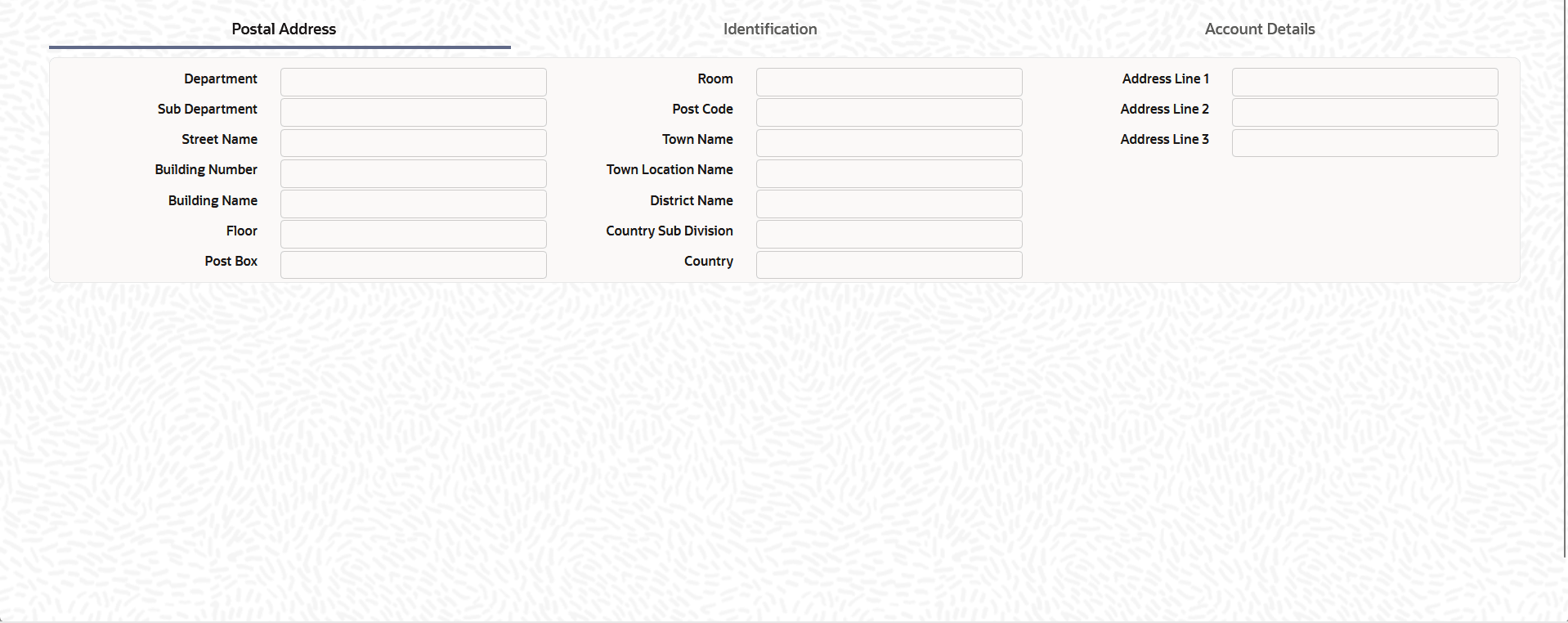
Table 2-24 Main Tab - Other Debtor Details Button - Postal Address Tab - Field Description
Field Description Department Specify the department. Sub Department Specify the sub-department. Street Name Specify the street name. Building Number Specify the building number. Building Name Specify the building name. Floor Specify the Floor. Post Box Specify the post box name. Room Specify the Room. Post Code Specify the post code. Town Name Specify the town name. Town Location Name Specify the town location name. District Name Specify the district name. Country Sub Division Specify the country sub division. Country Select the Country from the list of values. Address Line 1 Specify the Address Line 1 Address Line 2 Specify the Address Line 2 Address Line 3 Specify the Address Line 3 - Click the Identification tab to specify the
fields.
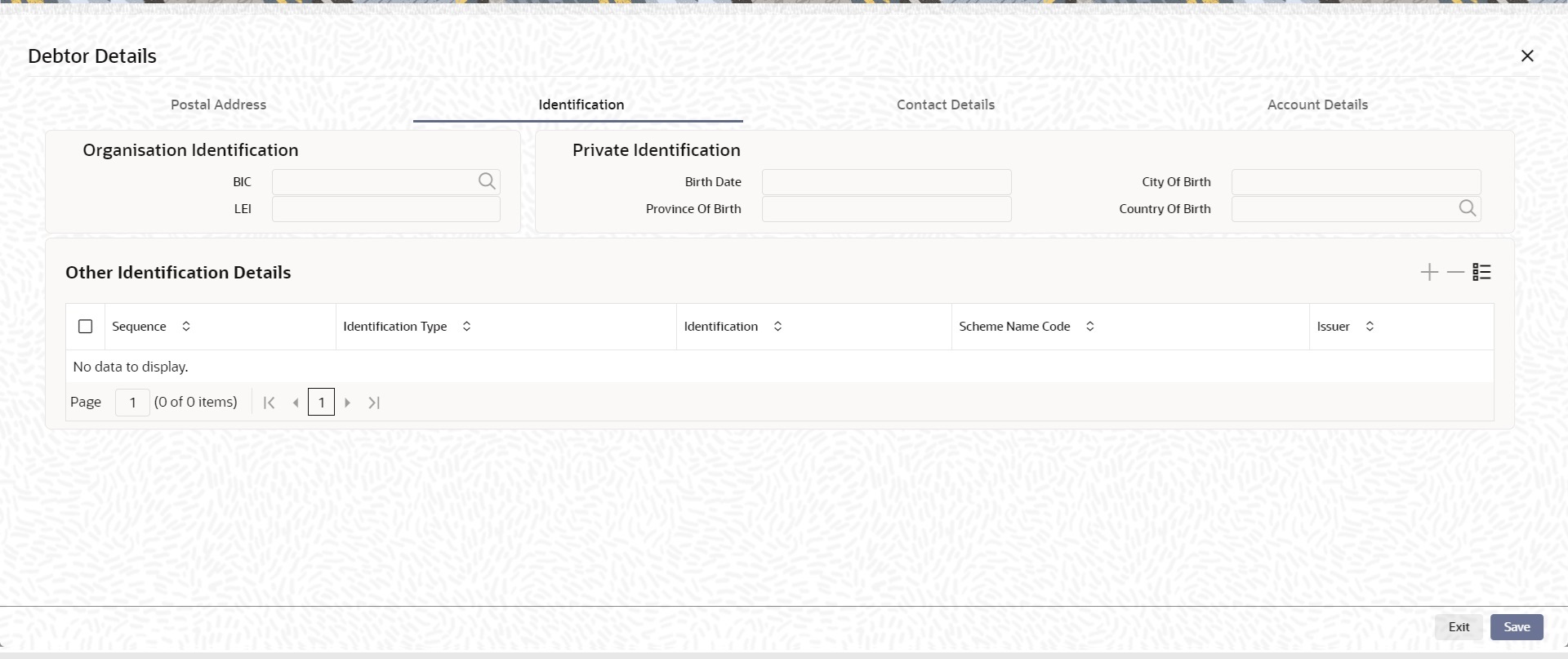
Figure 2-30 Main Tab_Debtor Details - Identification
Description of "Figure 2-30 Main Tab_Debtor Details - Identification" - On the Other Creditor Details or Other Debtor
Details screen, click the Identification
tab to specify the fields.For more information about the fields, refer to field description table.
Table 2-25 Main Tab - Other Debtor Details Button - Identification Tab - Field Description
Field Description Organisation Identification This section displays the following fields. BIC Select a BIC value from the list of values. LEI Specify the LEI. Private Identification This section displays the following fields. Birth Date Select a BIC value from the list of values. Province of Birth Specify the Province of Birth. City of Birth Specify the City of Birth. Country of Birth Select the Country of Birth from the list of values. Other Identification Details This section displays the following fields. Sequence Specify the sequence. Identification Type Select the Identification Type from the drop-down list. Identification Specify the identification. Scheme Name Code Select the Scheme Name Code from the list of values. Scheme Name Proprietary Specify the Scheme Name Proprietary. Issuer Specify the issuer. - Click the Account Details tab to specify the
fields.
Figure 2-31 Main Tab_Debtor Details - Account Details
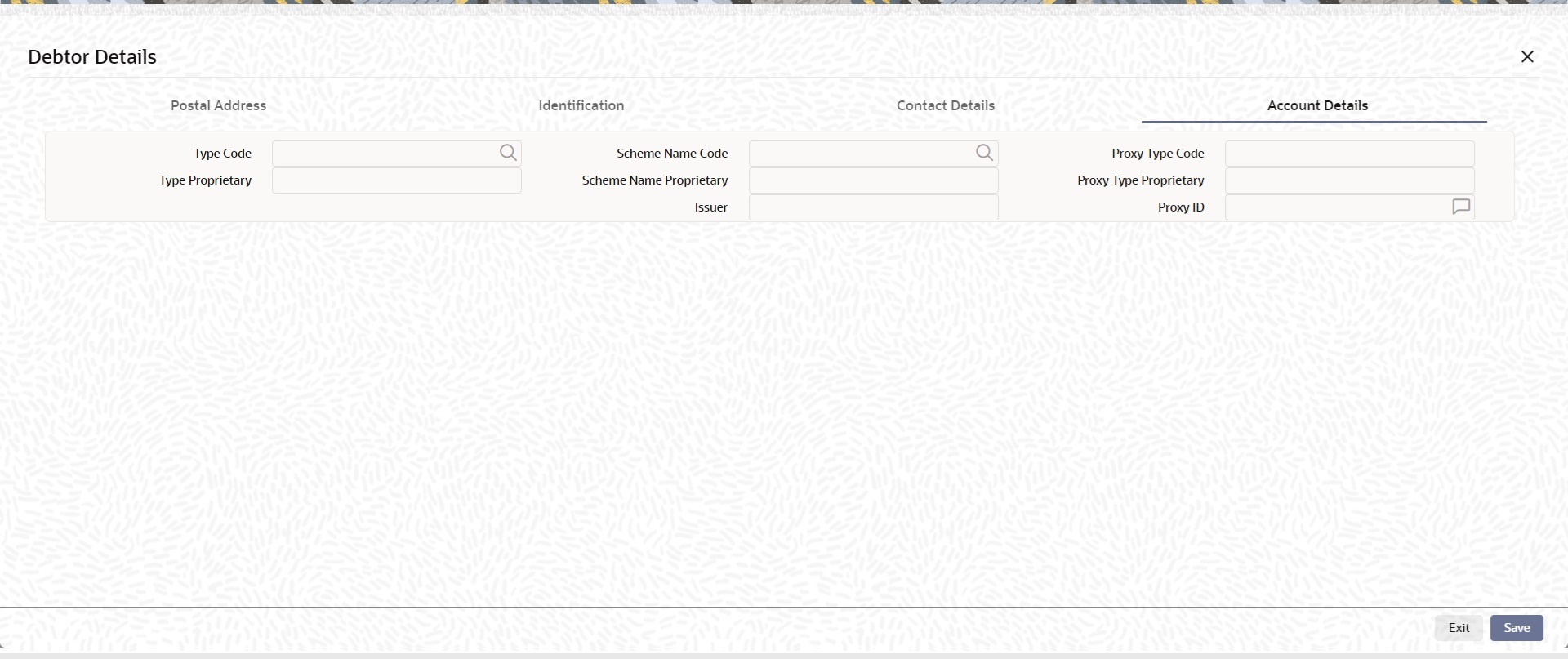
Description of "Figure 2-31 Main Tab_Debtor Details - Account Details" - On the Account Details tab, specify the following fields
for the agents.For more information about the fields, refer to field description table.
Table 2-26 Main Tab - Other Debtor Details Button - Account Details Tab - Field Description
Field Description Type Code Select the Type Code from the list of values. Type Proprietary Specify the Type Proprietary. Scheme Name Code Select the Scheme Name Code from the list of values. Scheme Name Proprietary Select the Country of Birth from the list of values. Issuer Specify the issuer. Proxy Type Code Select the Proxy Type Code from the list of values. Proxy Type Proprietary Specify the Proxy Type Proprietary. Proxy ID Specify the Proxy ID. Note:
If you enter Type information, you must provide either Type Code or Type Proprietary.
If you enter Scheme information, you must provide either Scheme Name Code or Scheme Name Proprietary.
If you enter Proxy information, you must provide either Proxy Type Code or Proxy Type Proprietary.
If you enter Proxy information, you must provide Proxy ID.
Parent topic: Fedwire ISO Outbound Drawdown Request Detailed