15.1 Receipt Acknowledgement Generation Browser

The Receipt Acknowledgement Generation Browser screen enables users to view incoming camt.057, camt.058, and camt.106 messages, facilitating efficient display and tracking of payment receipt acknowledgements.

  1. On Homepage, specify PSSRCACK in the text box, and click next arrow.
    The Receipt Acknowledgement Generation Browser screen is displayed.

    Figure 15-1 Receipt Acknowledgement Generation Browser
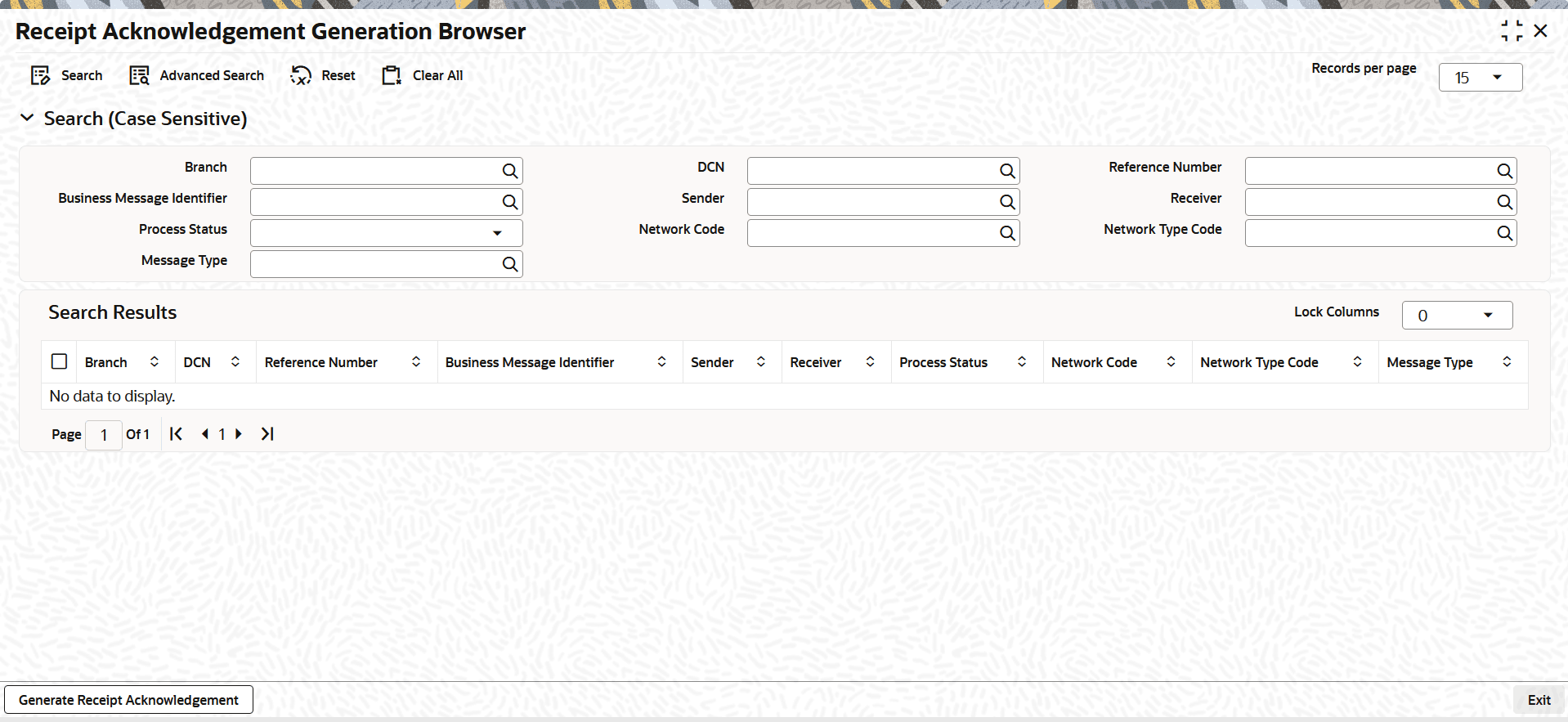


  2. On the Receipt Acknowledgement Generation Browser screen, search using one or more of the following parameters.
    The following fields are displayed:
    • Branch
    • Business Message Identifier
    • Process Status
    • Message Type
    • DCN
    • Sender
    • Network Code
    • Reference Number
    • Receiver
    • Network Type Code
  3. Once you specified the parameters, click the Search button.
    The system displays the records that match the search criteria.
  4. User can perform the following actions.

    Table 15-1 Receipt Acknowledgement Generation Browser - Action

    Action Description
    Generate Receipt Acknowledgement When the user clicks Generate Receipt Acknowledgement, the Receipt Acknowledgement Transaction Input (PSDORACK) screen opens to book a camt.025 transaction.