15.2 Generic Wires ISO Outbound Receipt Acknowledgement Input

The Generic Wires ISO Outbound Receipt Acknowledgement Input screen allows user to manually initiate the Receipt Acknowledgement (camt.025) transactions.

  1. On Homepage, specify PSDORACK in the text box, and click next arrow.
    The Generic Wires ISO Outbound Receipt Acknowledgement Input screen is displayed.

    Figure 15-2 Generic Wires ISO Outbound Receipt Acknowledgement Input
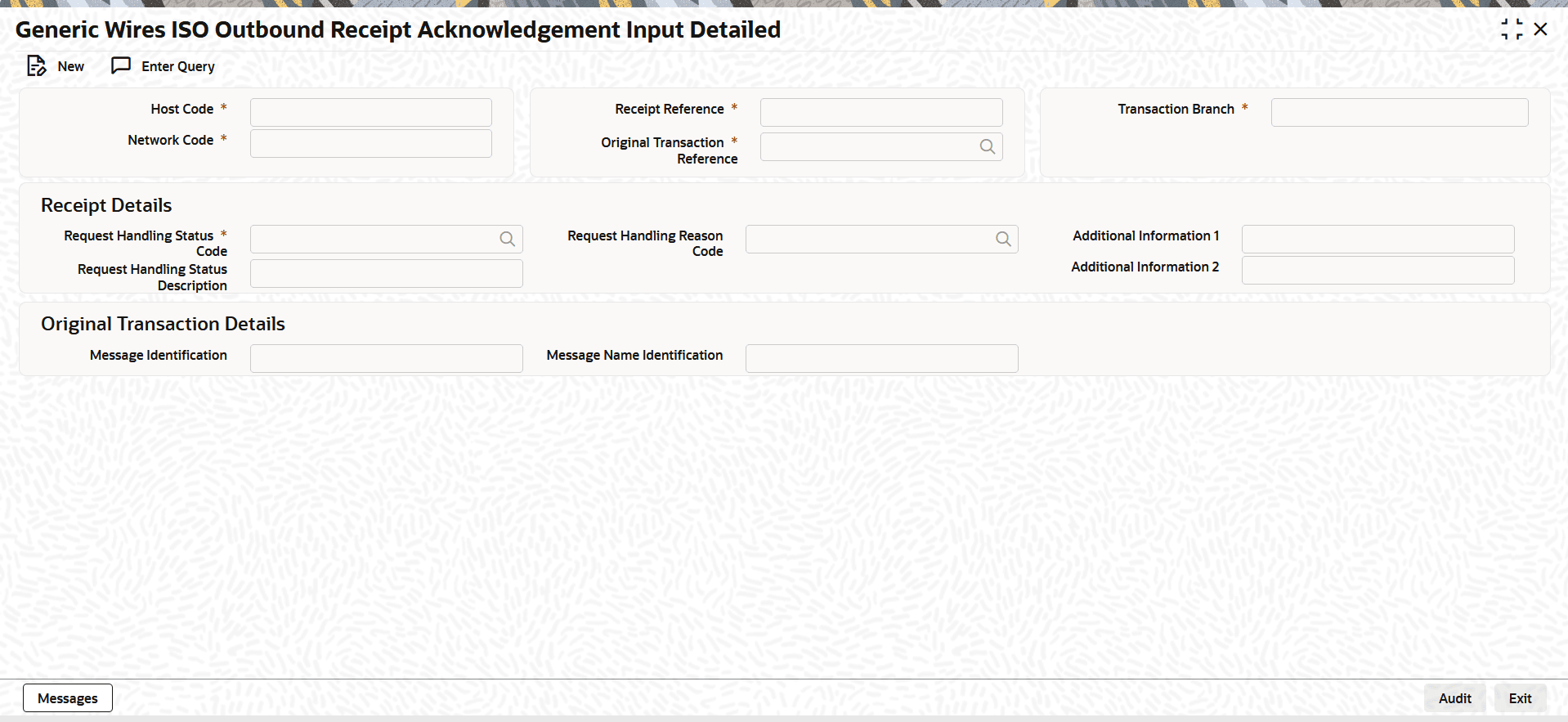


  2. On Generic Wires ISO Outbound Receipt Acknowledgement Input screen, click New to specify the fields.
    For more information about the fields, refer to field description table.

    Table 15-2 Generic Wires ISO Outbound Receipt Acknowledgement Input - Field Description

    Field Description
    Host Code System defaults the Host Code of the transaction branch when the user clicks the New button.
    Receipt Reference System displays the Transaction Reference Number on clicking New button.
    Transaction Branch System defaults the branch code of the logged in user branch.
    Network Code Select the Network Code from the list of values. This list contains all EU-TARGET2 networks defined in Network Code Maintenance (PMDNWCOD) for the host.
    Original Transaction Reference

    Specify the Original Transaction Reference from the list of values.

    Receipt Details

    This section displays the Receipt Details.

    Request Handling Status Code Specify the Request Handling Status Code from the list of values. The codes are listed as published in external code set.
    Request Handling Status Description System displays the description of the selected Request Handling Status Code populated from External Code set.
    Request Handling Reason Code Specify the Request Handling Reason Code from the list of values. The codes are listed as published in external code set.
    Additional Information 1 Specify the additional information related to the Status Reason.
    Additional Information 2 Specify the additional information related to the Status Reason.
    Original Transaction Details

    This section displays the Receipt Details.

    Message Identification System displays the Message Identification of original message.
    Message Name Identification System displays Message Name Identification of original message.