2.9.1.7 Initiate Beneficiary Pre-validation Summary

This topic explains the Initiate Beneficiary Pre-validation Summary screen.

  1. On Homepage, specify PMSBENVL in the text box, and click next arrow.
    Initiate Beneficiary Pre-validation Summary screen is displayed.

    Figure 2-78 Initiate Beneficiary Pre-validation Summary
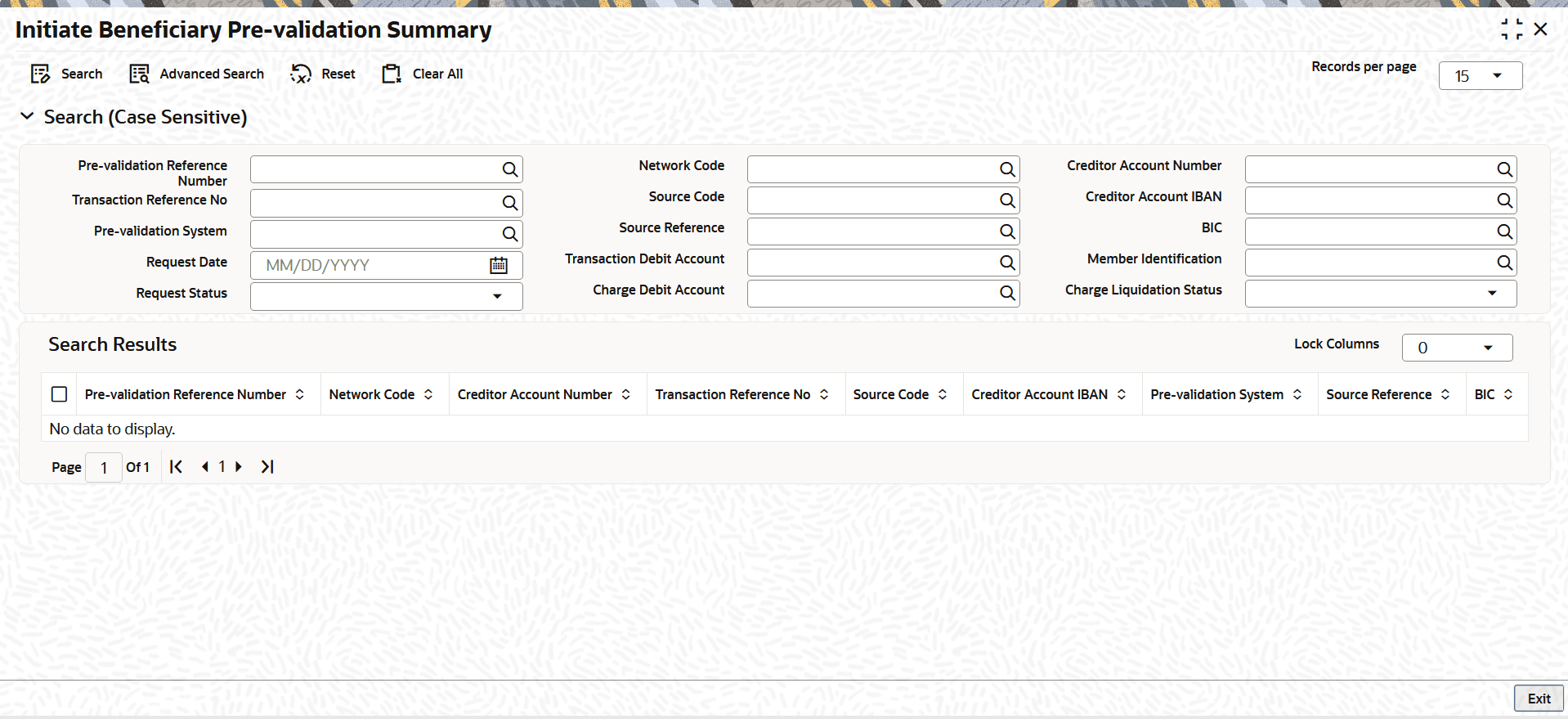


  2. On the Initiate Beneficiary Pre-validation Summary screen, search using one or more of the following parameters:
    • Pre-validation Reference Number
    • Transaction Reference No
    • Pre-validation System
    • Request Date
    • Request Status
    • Network Code
    • Source Code
    • Source Reference
    • Transaction Debit Account
    • Charge Debit Account
    • Creditor Account Number
    • Creditor Account IBAN
    • BIC
    • Member Identification
    • Charge Liquidation Status
  3. Once you specified the parameters, click the Search button.
    The system displays the records that match the search criteria.