1.1.2 Process TIPS Directory Detailed

Use TIPS Directory Detailed screen to validate the reachability of a BIC for payment message processing through the TARGET Instant Payment Settlement (TIPS) platform.

  1. On Homepage, specify PMDTIPDR in the text box, and click next arrow.
    The TIPS Directory Detailed screen is displayed.
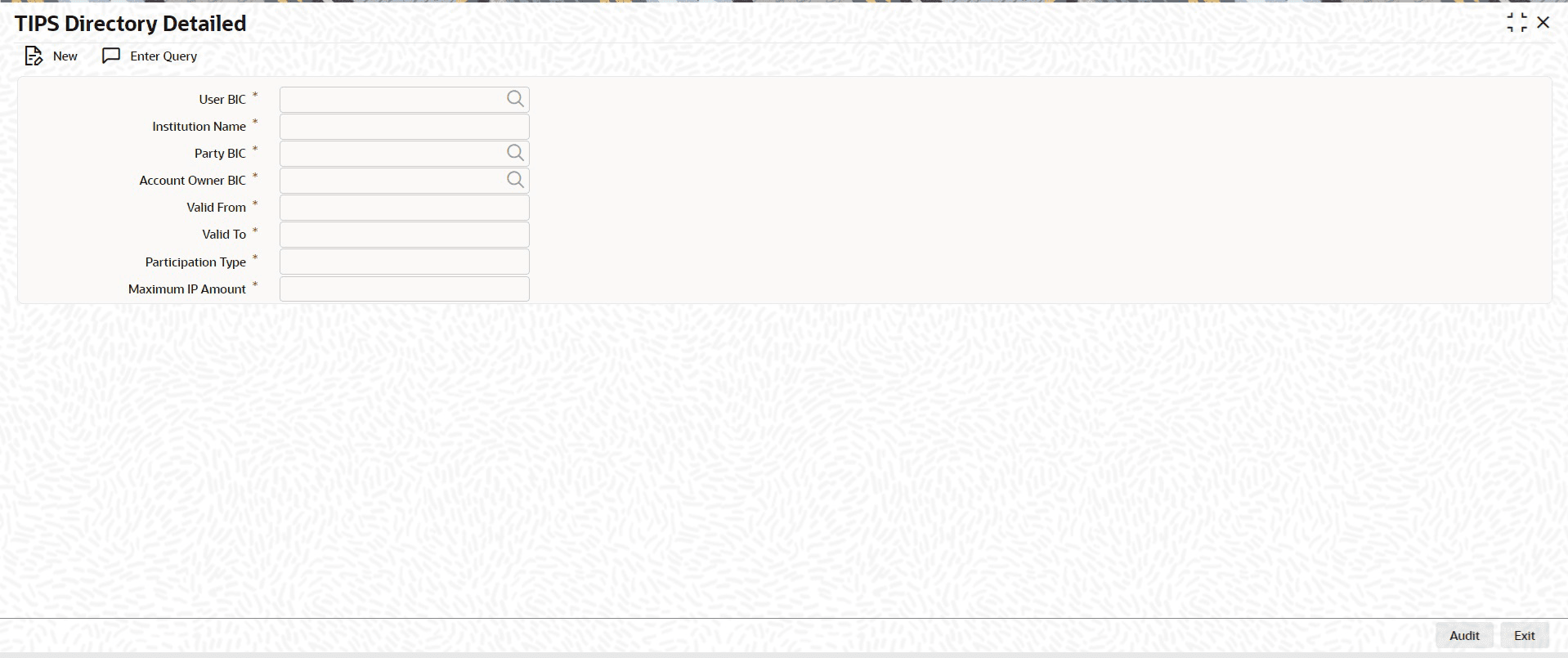
    Figure 1-1 TIPS Directory Detailed

    Description of Figure 1-1 follows
    Description of "Figure 1-1 TIPS Directory Detailed"
  2. On TIPS Directory Detailed screen, click New to specify the fields.

    Table 1-2 TIPS Directory Detailed - Field Description

    Field Description
    User BIC Select the User BIC, which represents an authorized account user in TIPS, from the list of values.
    Institution Name Specify the institution name for the User BIC.
    Party BIC Select the Party BIC, which identifies a TIPS Participant or a Reachable Party, from the list of values.
    Account Owner BIC Select the Account Owner BIC of the TIPS Participant that owns the TIPS Account to which the User BIC has been authorized, also through a CMB, from the list of values.
    Valid From Specify the date from which the entry is valid.
    Valid To Specify the date up to which the entry is valid.
    Participation Type Select the Participation Type from the drop-down list. The available options are:
    • TIPS Participant
    • Reachable Party
    Maximum IP Amount Specify the Maximum IP Amount that the corresponding TIPS Participant or Reachable Party can accept for an incoming instant payment transaction.