23.2.3 Direct Debit Transaction Information Other Details Button
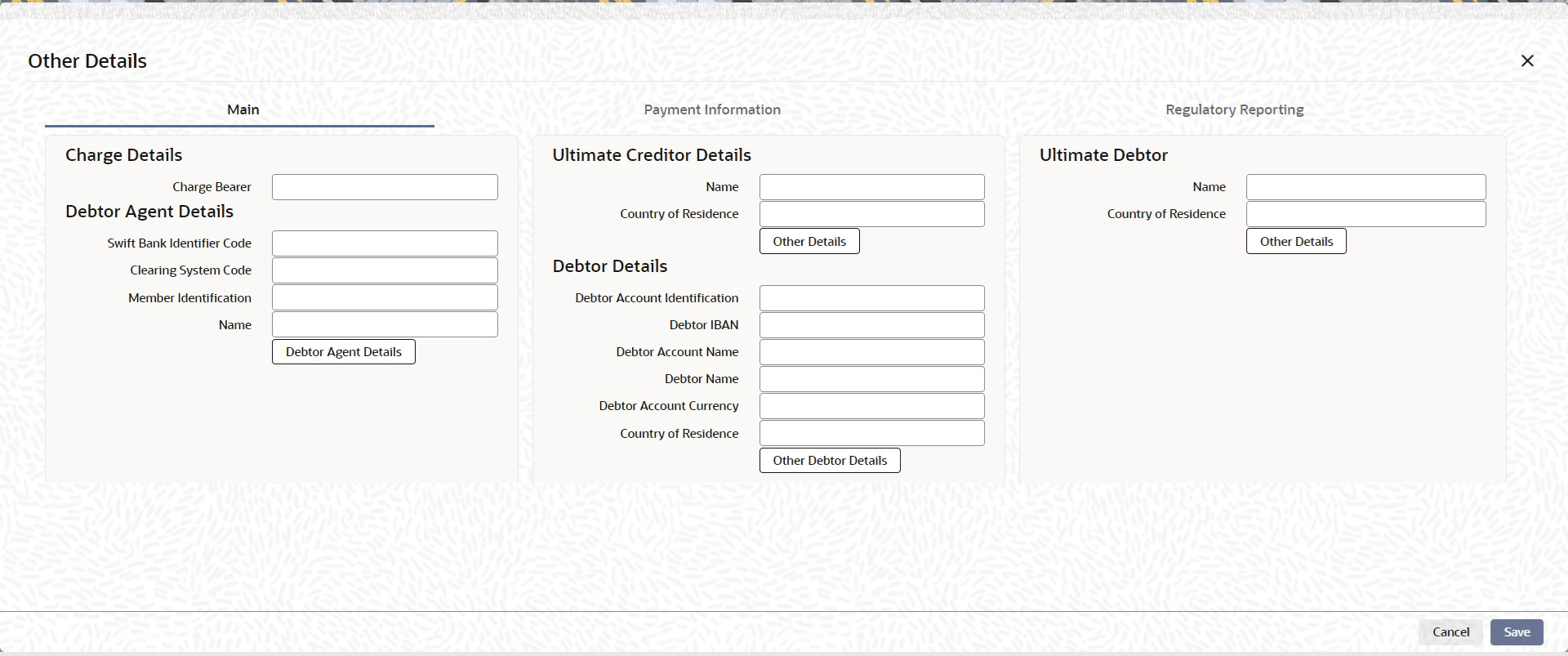
- Click the Other Details button under Direct Debit Transaction
Information section of Customer Direct Debit Payment Initiation Input
screen.
Figure 23-5 Direct Debit Transaction Information - Main Tab
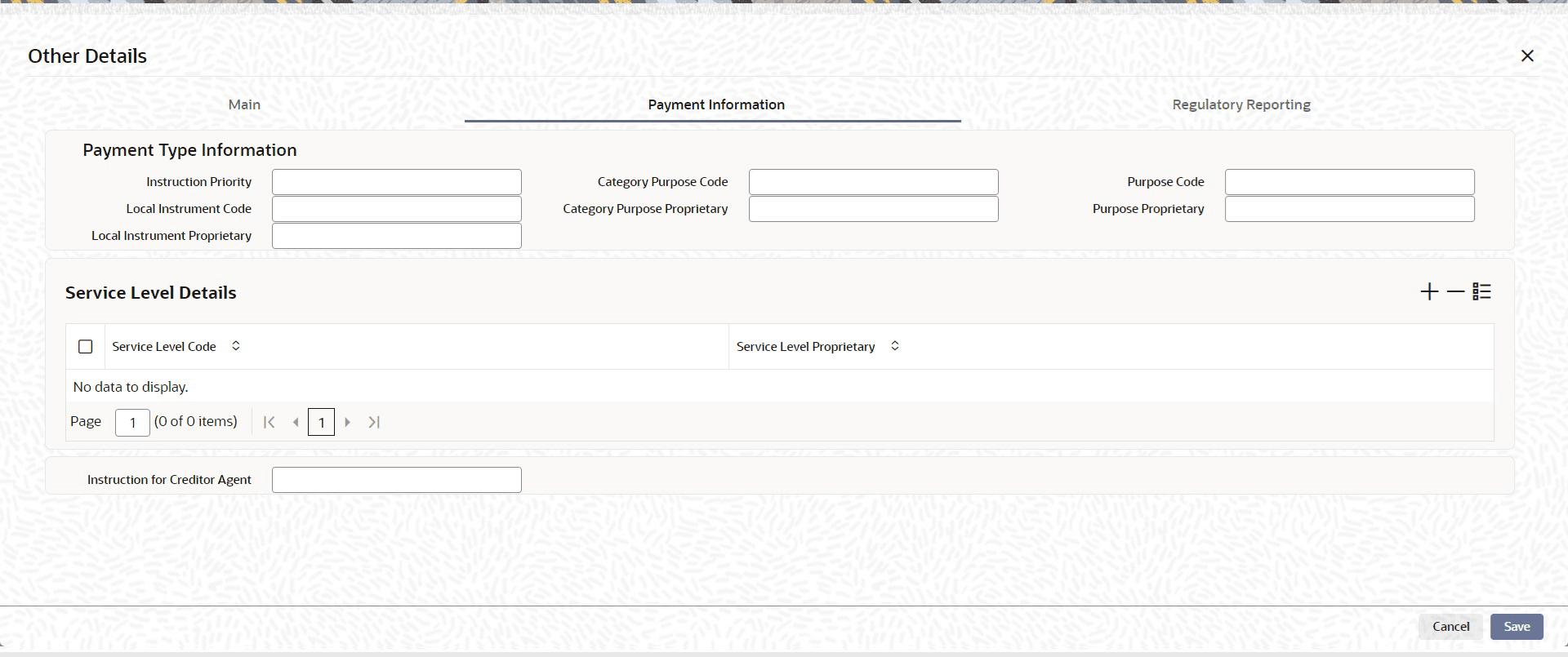
- Click Payments Information tab to invoke this screen.Specify the following fields available for this screen:
- Instruction Priorty
- Local Instrument Code
- Local Instrument Proprietary
- Category Purpose Code
- Category Purpose Proprietary
- Purpose Code
- Purpose Proprietary
- Service Level Code
- Service Level Proprietary
- Instruction For Creditor Agent
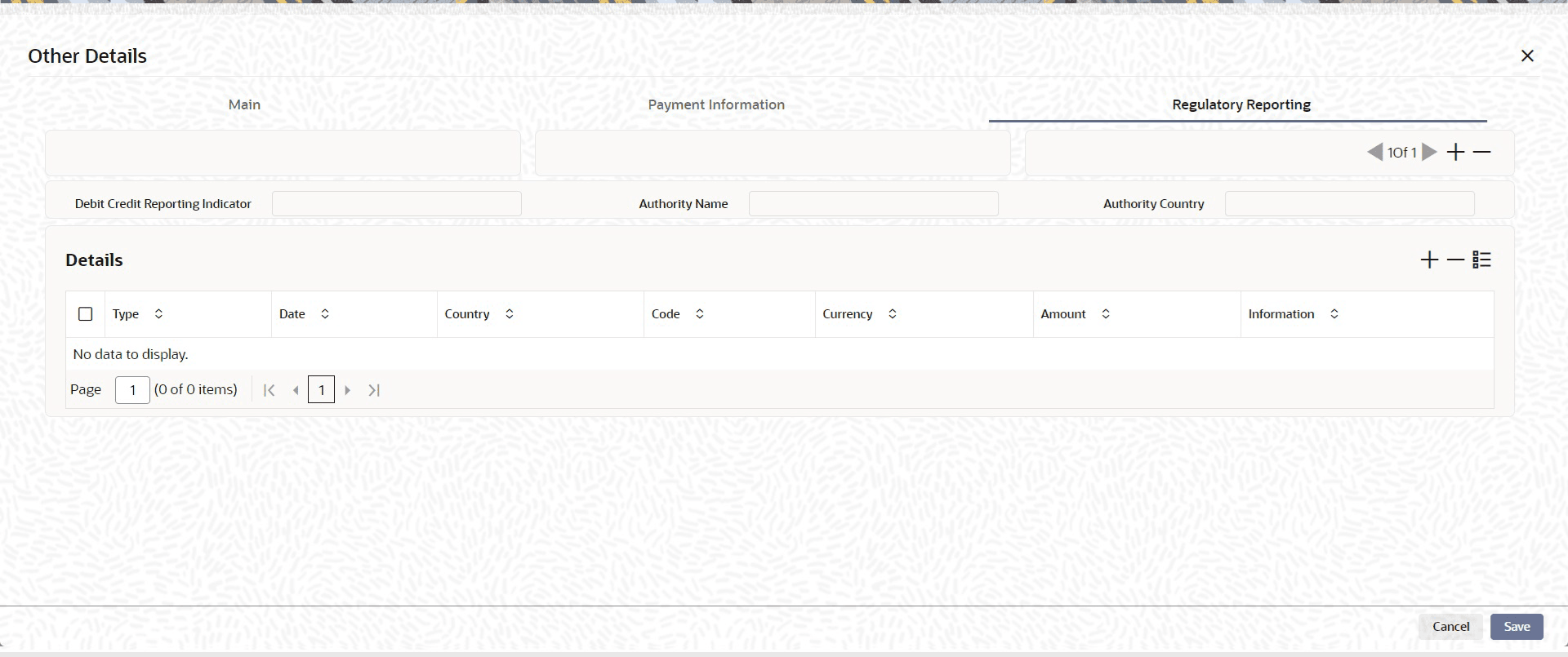
- Click Regulatory Reporting tab to invoke this screen.Specify the following fields available for this screen:
- Debit Credit Reporting Indicator
- Authority Name
- Authority Country
- Details
Parent topic: Customer Direct Debit Payment Initiation Input