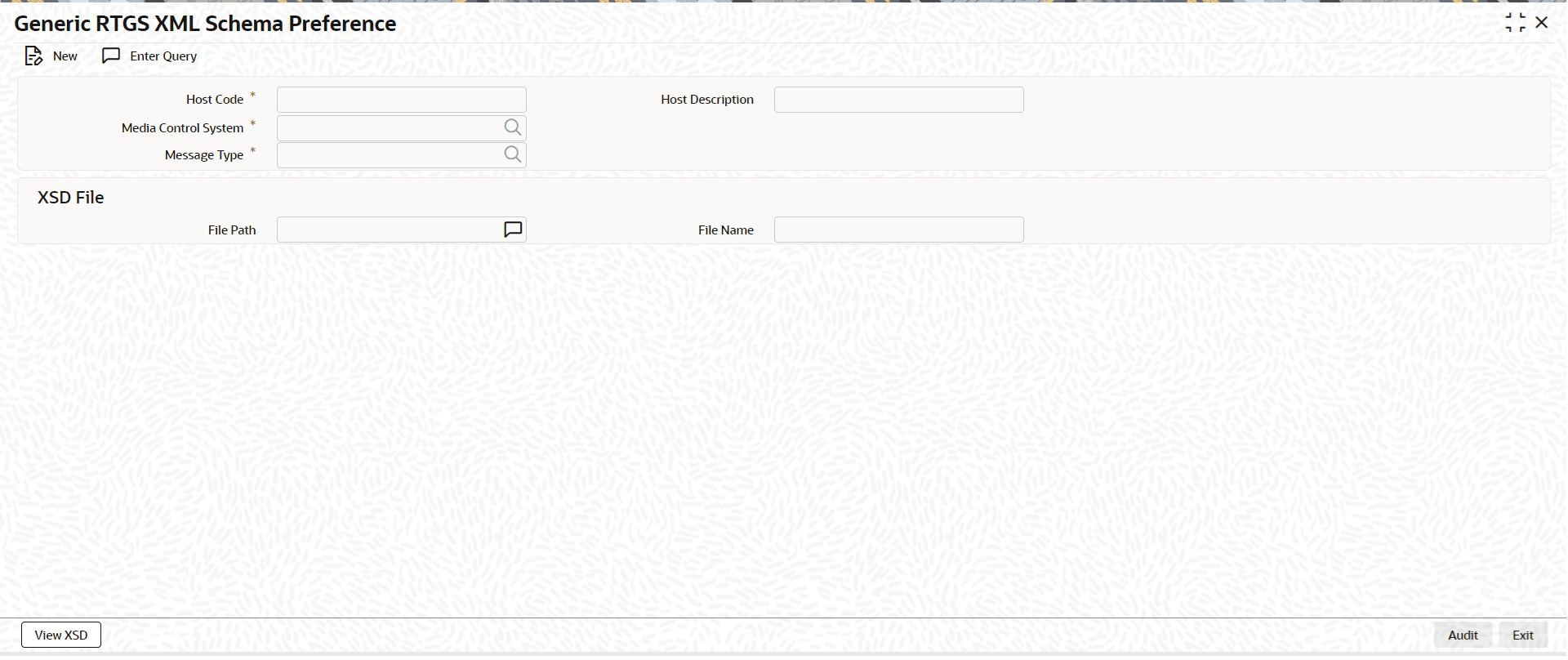
Generic RTGS XML Schema Preference
This topic provides the systematic instructions to provide the schema details for a Message Type and Media Control System.
It is assumed that all messages of a specific message type received in an MCS share the same schema definition.
- On Homepage, specify PSDGRXSP in the text box, and click next
arrow.The Generic RTGS XML Schema Preference screen is displayed.
Figure 2-16 Generic RTGS XML Schema Preference
- On Generic RTGS XML Schema Preference screen, click New to
specify the fields.For more information about the fields, refer to field description table.
Table 2-15 Generic RTGS XML Schema Preference - Field Description
Field Description Host Code System defaults the Host Code of transaction branch when the user clicks the New button. Host Code Description System defaults the description of the Host Code displayed. Media Control System Select the Media Control System from the list of values.
Valid (Open/Authorized) Media Control Systems associated with the media RTGSMX are displayed.
Message Type Select the Message Type from the list of values.
Following are the ISO Message Types applicable for RTGS ISO networks:- HEAD.001
- PACS.008
- PACS.009
- PACS.009 COVER
- PACS.004
- PACS.002
- CAMT.056
- CAMT.029
- CAMT.050
- CAMT.003
- CAMT.004
- ADMI.002
- ADMI.005
- ADMI.007
XSD File This section displays the following fields. File Path Specify the file path. File Name Specify the file name.
