1.2.2 UPI Registered Mobile Detailed
The UPI Registered Mobile Detailed screen allows users to maintain the registered combination of mobile number and account number for the UPI payment system.
- On Homepage, specify PVDREGMB in the text box, and click
next arrow.The UPI Registered Mobile Detailed screen is displayed.
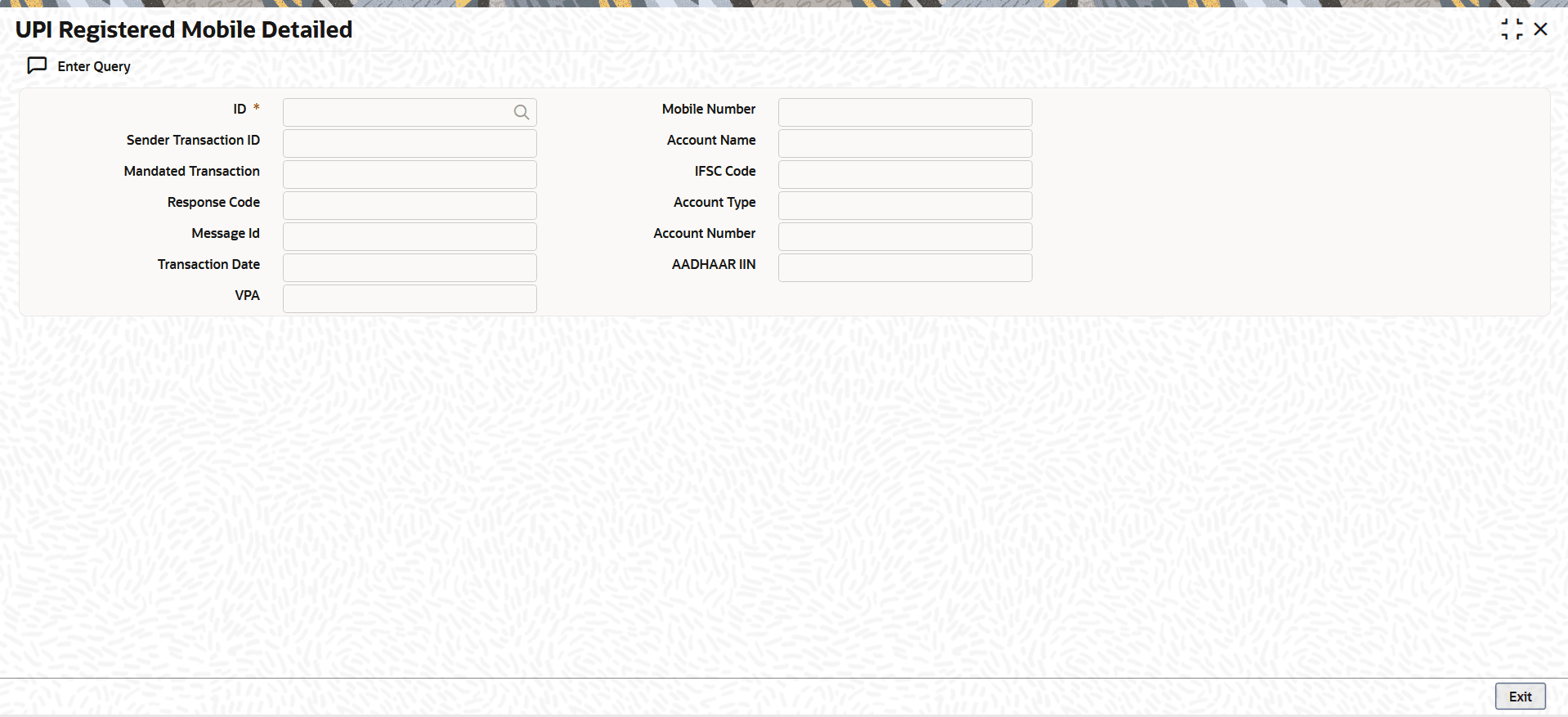
- On the UPI Registered Mobile Detailed screen, click
New to specify the fields.For more information about the fields, refer to field description table.
Table 1-10 UPI Registered Mobile Detailed - Field Description
Field Description ID Indicates the system generated transaction ID. Mobile Number Indicates the customer Mobile Number registered for UPI payment system. Sender Transaction ID Indicates the Sender Transaction ID. Account Name Indicates the customer Account Name registered for UPI payment system. Mandated Transaction Indicates whether the transaction is mandated, as provided in the inbound ReqPay request.
The valid values include:- Yes
- No
IFSC Code Indicates the IFSC code of the account number registered for UPI payment system. Response Code Indicates the Response Code. Account Type Indicates the customer Account Type registered for UPI payment system.
The options include:- Saving
- Current
Message Id Indicates the Message Id as received in the inbound ReqPay request. Account Number Indicates the customer Account Number registered for UPI payment system. Transaction Date Indicates the customer transaction date. AADHAAR IIN Indicates the customer AADHAAR IIN . VPA Indicates the Virtual Payment Address (VPA) of the customer.
- UPI Registered Mobile Summary
The UPI Registered Mobile Summary screen allows users to inquire and view the registered mobile number and account number combinations for the UPI payment system.
Parent topic: Unified Payments Interface (UPI) Maintenances
