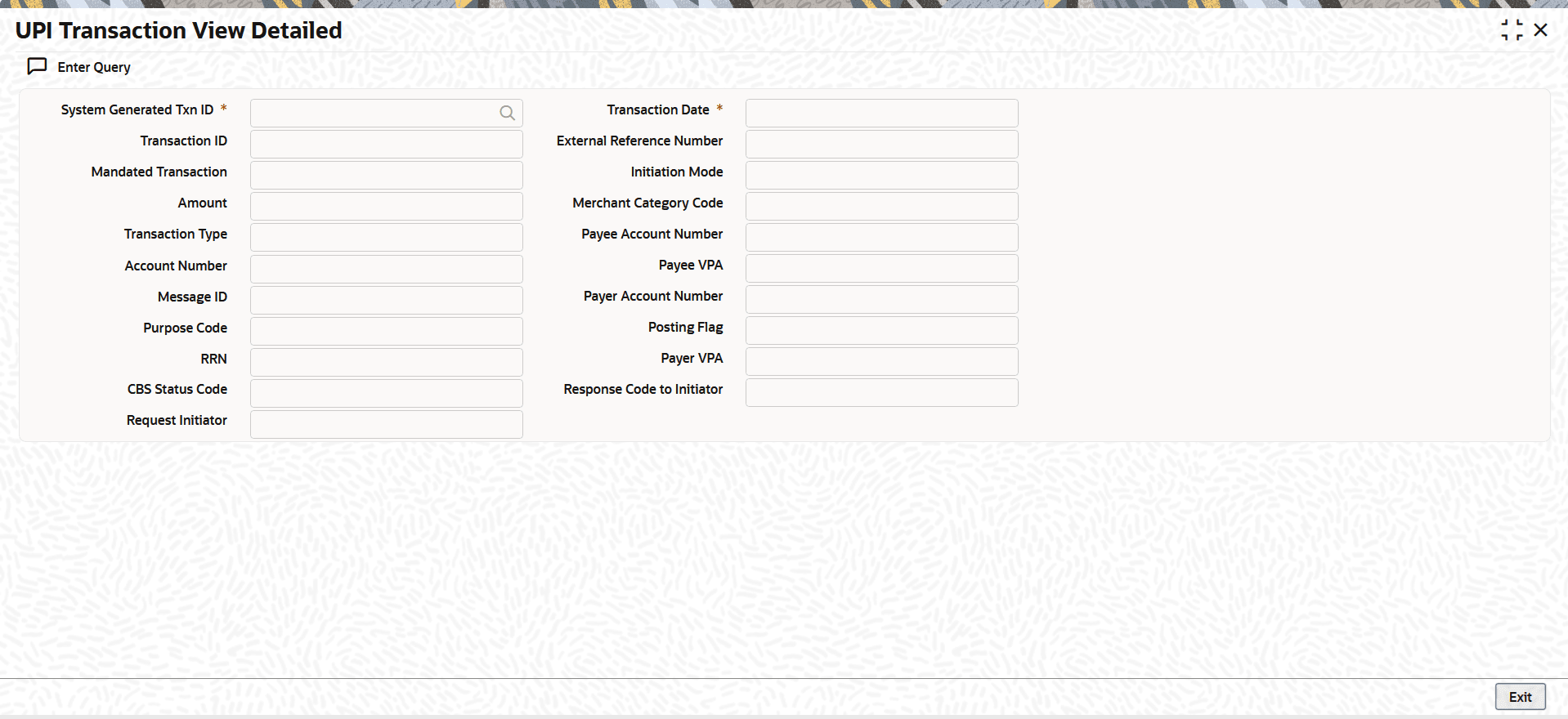
| System Generated Txn
ID |
Specifies the system-generated transaction
ID. |
| Transaction
Date |
Specify the date of the transaction. |
| Transaction
ID |
Indicates the Transaction ID as received in
the ReqPay request. |
| External Reference
Number |
Indicates the reference number received from
CBS in the response. |
| Mandated
Transaction |
Indicates whether the transaction is
mandated, as provided in the inbound ReqPay request.
The valid values include:
|
| Initiation
Mode |
Indicates the initiation mode as received in
the ReqPay request. |
| Amount |
Indicates the transaction amount. |
| Merchant Category
Code |
Indicates the merchant category code as
received in the ReqPay request.
|
| Transaction
Type |
Indicates the transaction type. The options
include:
|
| Payee Account
Number |
Indicates the payee's account
number. |
| Account
Number |
Indicates the account number. |
| Payee VPA |
Indicates the Payee's Virtual Payment
Address (VPA). |
| Message ID |
Indicates the Message ID as received in the
ReqPay request. |
| Payer Account
Number |
Indicates the payer's account
number. |
| Purpose Code |
Indicates the purpose code as received in
the ReqPay request. |
| Posting Flag |
Indicates the posting flag.The options
include:
|
| RRN |
Indictaes the customer reference number as
received in the ReqPay request. |
| Payer VPA |
Indicates the Payer's Virtual Payment
Address (VPA). |
| CBS Status
Code |
Indicates the CBS Status
Code.
|
| Response Code to
Initiator |
Indicates the Response Code to
Initiator.
|
| Request
Initiator |
Indicates the Request
Initiator.
|