1.2.3.1 UPI Transaction View Summary

The UPI Transaction View Summary screen allows users to inquire and view a summary of the financial transaction(s) performed through the UPI payment system.

  1. On Homepage, specify PVSTVIEW in the text box, and click next arrow.
    The UPI Transaction View Summary screen is displayed.
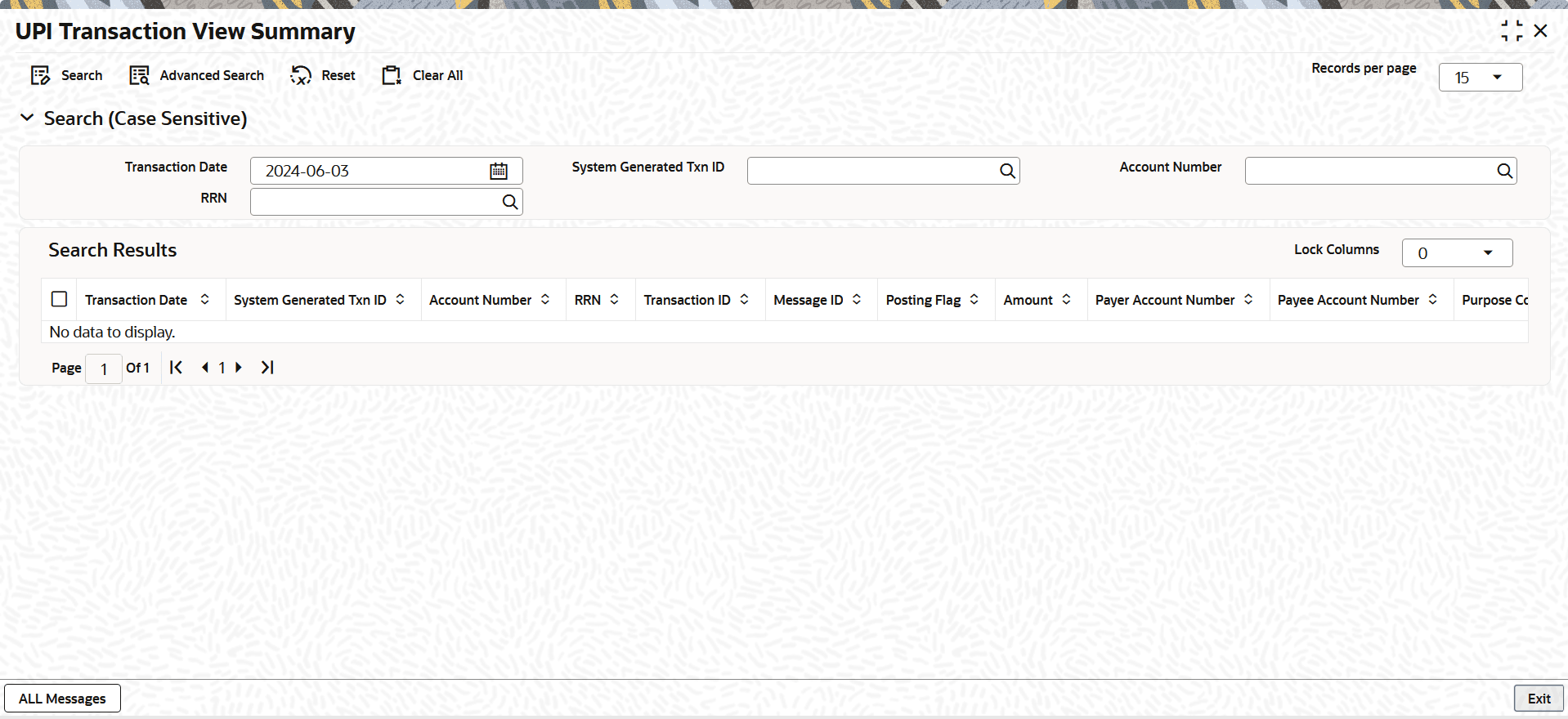
    Figure 1-5 UPI Transaction View Summary


  2. On the UPI Transaction View Summary screen, search using one or more of the following parameters:
    • Transaction Date
    • System Generated Txn ID
    • Account Number
    • RRN
  3. Once you specified the parameters, click the Search button.
    The system displays the records that match the search criteria.
  4. If the user double-clicks a selected record, the system loads the selected details in the UPI Transaction View Detail screen.
    The system does not allow the user to modify the transaction details.