12.1 Accounting Inquiry
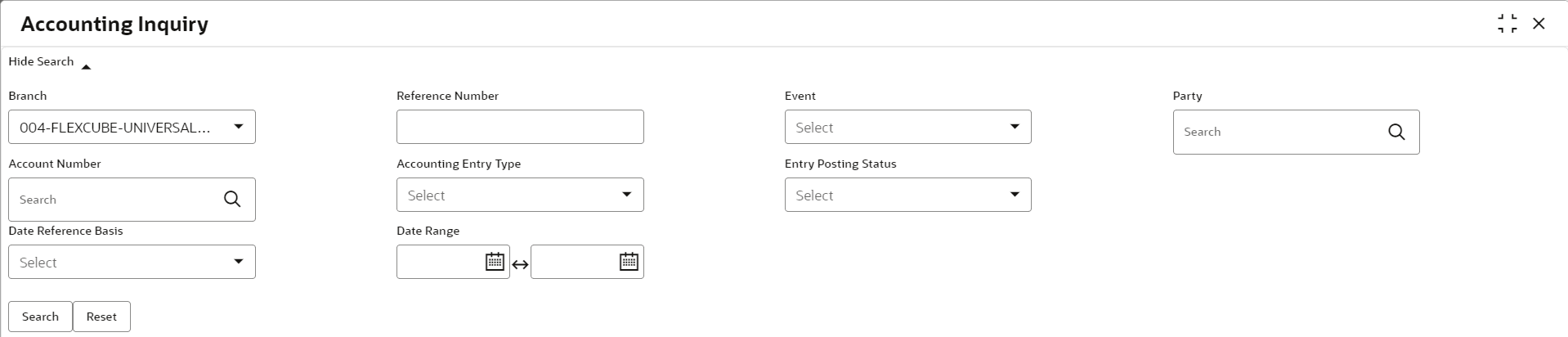
This topic describes the systematic instruction to search for accounting entries based on various criteria such as File Reference Number, Event, Product, Party, Account Number, and so on.
- Under Inquiry, click Accounting Inquiry.The Accounting Inquiry screen displays.
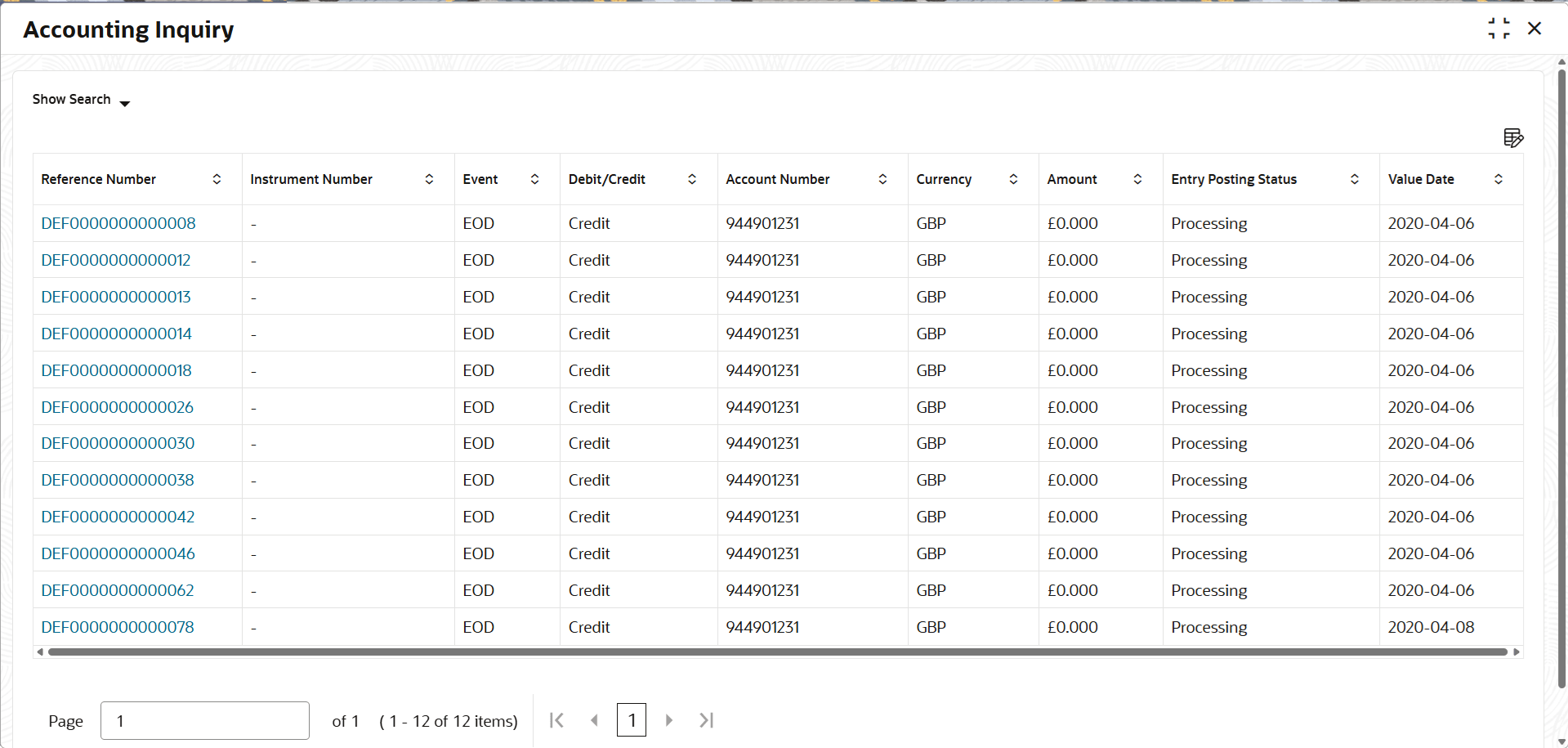
- Click Search to view the search results.The Accounting Inquiry - Search Results screen displays.
Figure 12-2 Accounting Inquiry - Search Results
Table 12-2 Accounting Inquiry - Search Results - Field Description
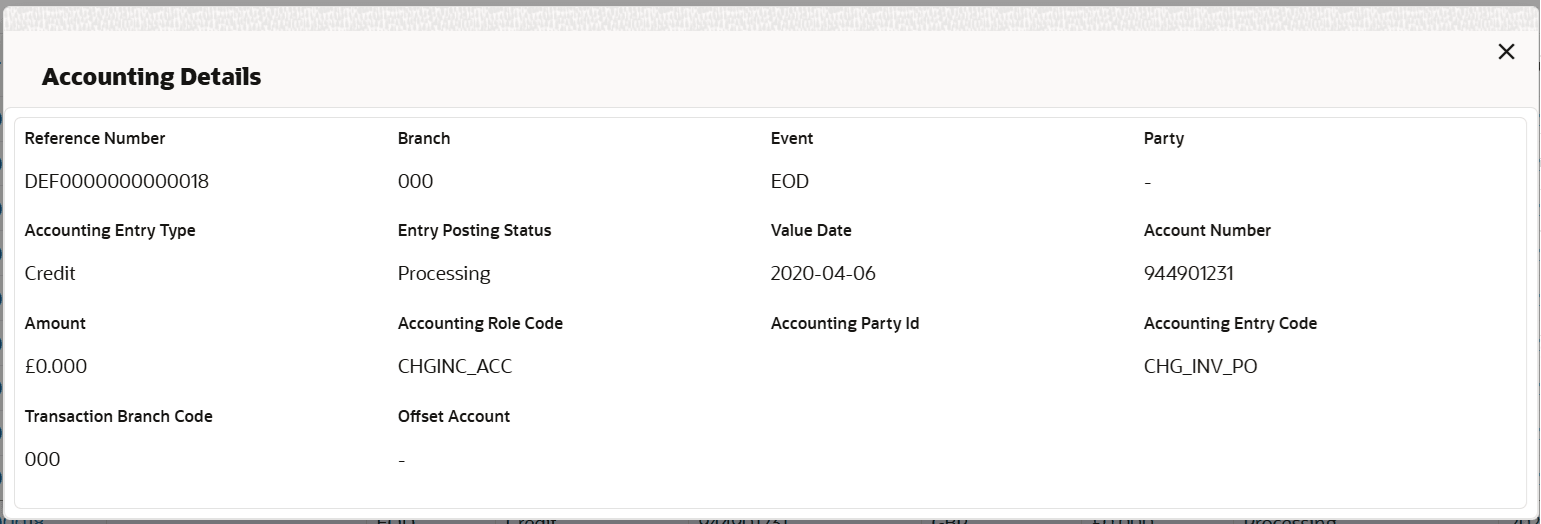
Field Description Reference Number Displays the reference number. Instrument Number Displays the instrument number of the account. Event Displays the event of accounting. Debit/Credit Displays whether the account is credited or debited. Account Number Displays the account number. Currency Displays the currency of the account. Amount Displays the amount. Entry Posting Status Displays the status of the accounting entry. Value Date Displays the value date of the accounting entry. Accounting Entry Description Displays the description of the accounting entry. Accounting Party Type Displays the accounting party type. Accounting Role Description Displays the description for description of the role. Accounting Settlement Method Displays the method of accounting settlement. Account Type Displays the accounting type. Amount Type Displays the amount type. ECA Reference Number Displays the ECA reference number. Event Sr No Displays the event serial number. Processing Date Displays the processing date of accounting information. Transaction Code Displays the transaction code of the accounting entry. Offset Account Number Displays the offset account number of the accounting entry. - Click the Reference Number to view the details of the
account.The Account Details screen displays.
Parent topic: Inquiries