1.1.1 Create Commission Rules
This topic provides systematic instructions to create commission rules.
A commission rule uniquely identifies the basic nature of a commission component. Each commission rule is defined by an eight-character code, called a Rule ID. Attributes are defined for this Rule ID, which is then linked to a product. When a contract is processed, the commission attributes defined for the Rule ID linked to the product will be applied on the contract.
User can define any number of rules for the commission that user would like to collect from your customers.
A commission rule is created in the same way that any Interest, Commission, Charge
and Fee (ICCB) rule is created, as follows:
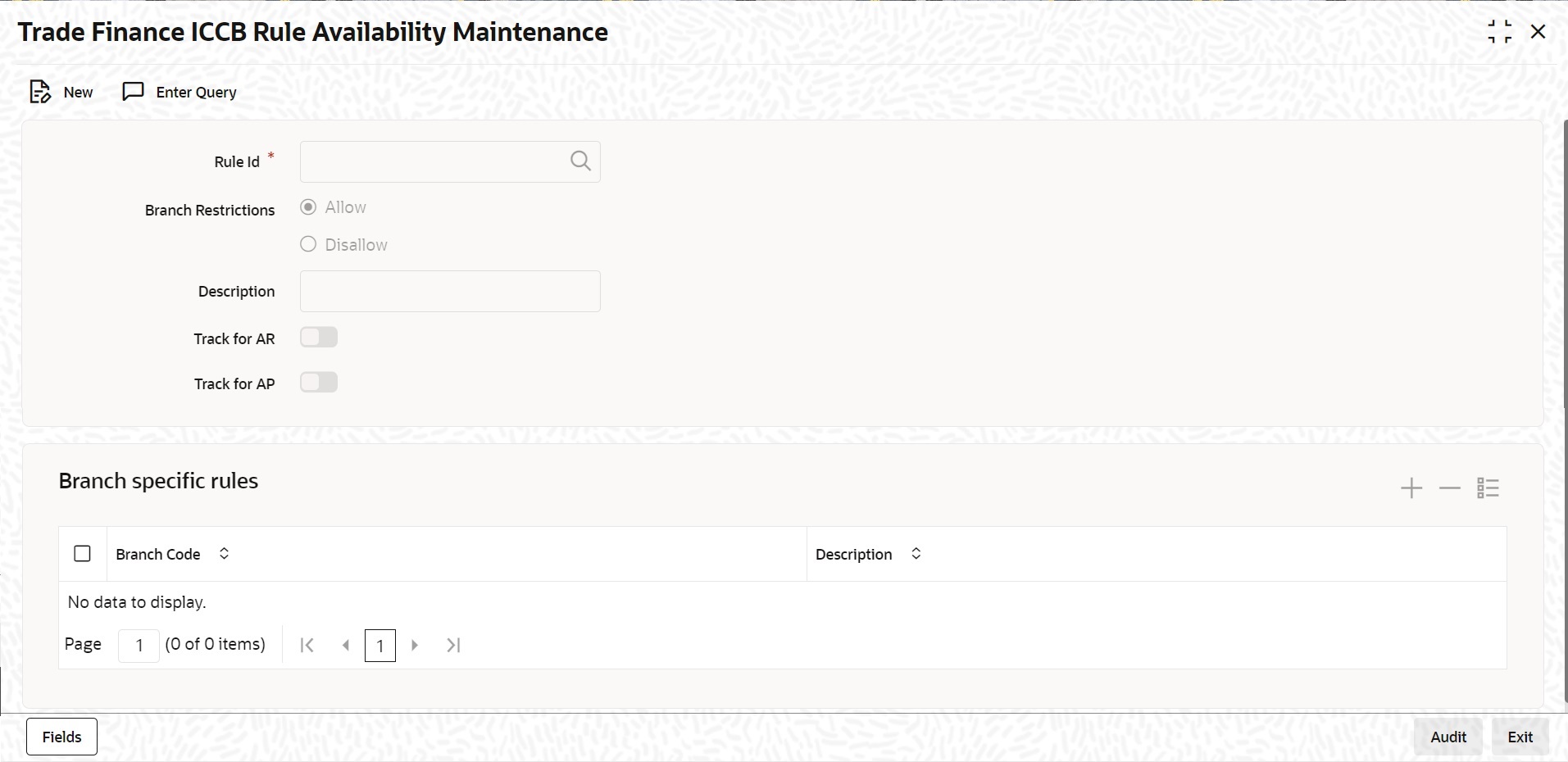
- The rule is created at the head office branch, by giving it a unique identification and description, in the ICCB Rule Branch Availability screen. In this screen, the rule is made available for use in the required branches by maintaining an allowed / disallowed list of branches.
- At the required branch, in the ICCB Rule Details screen, the attributes for the rule are defined. Maintaining the attributes in this screen is subject to whether maintenance of ICCB rules is allowed for the branch, and also whether the rule, for which attributes are being defined, is allowed for the branch.
- On the Homepage, type ‘CFDTFRLA' in the text box, and click the next arrow.In the ‘Trade Finance ICCB Rule Availability Maintenance’ screen, user can maintain ICCB rules, which user can make available to desired branches. User can do this by maintaining a list of branches for which the use of the rule is allowed, or disallowed.The Trade Finance ICCB Rule Availability Maintenance screen is displayed:
Parent topic: Defining a Commission Rule