3.4 Dual Authorization
This topic provides the systematic instructions to load dual authorization.
After creation or modification of maintenance records for a function with Dual Authorization enabled, an intermediate verifier First Authorizer verifies the record before final authorization. After first authorization, the system allows final authorization of the record.
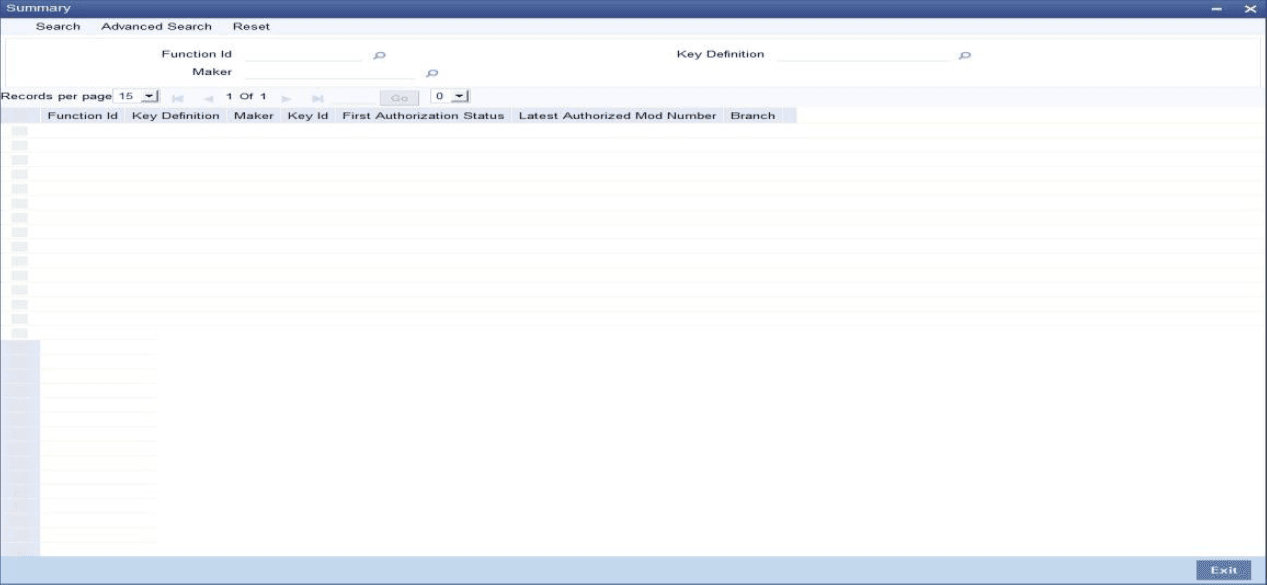
- on the Homepage, type CSSVERFY in the text box, and click the next arrow.The first level authorization is done using the Verify screen.
In the Verify screen, query the modifications pending for verification (First Authorization) and do the first level authorization for selected modifications. Based on the search criteria specified system queries and displays all the records that meet the search criteria. - Double click on a particular record user can view the details of all the
modifications pending for verification for that record in a separate screen
(CSDVERFY).
All the modifications pending are displayed and select a modification and verify all the modifications till the selected modification number.
For examples if there are 3 modifications (Modification numbers 2, 3 and 4) pending for verification and if user selects Modification number 3, system marks modification numbers 2 and 3 as ‘Verified’. Similarly, if user selects Modification number 4, modification number 2, 3 and 4 are marked as ‘Verified’.
The following details are captured:
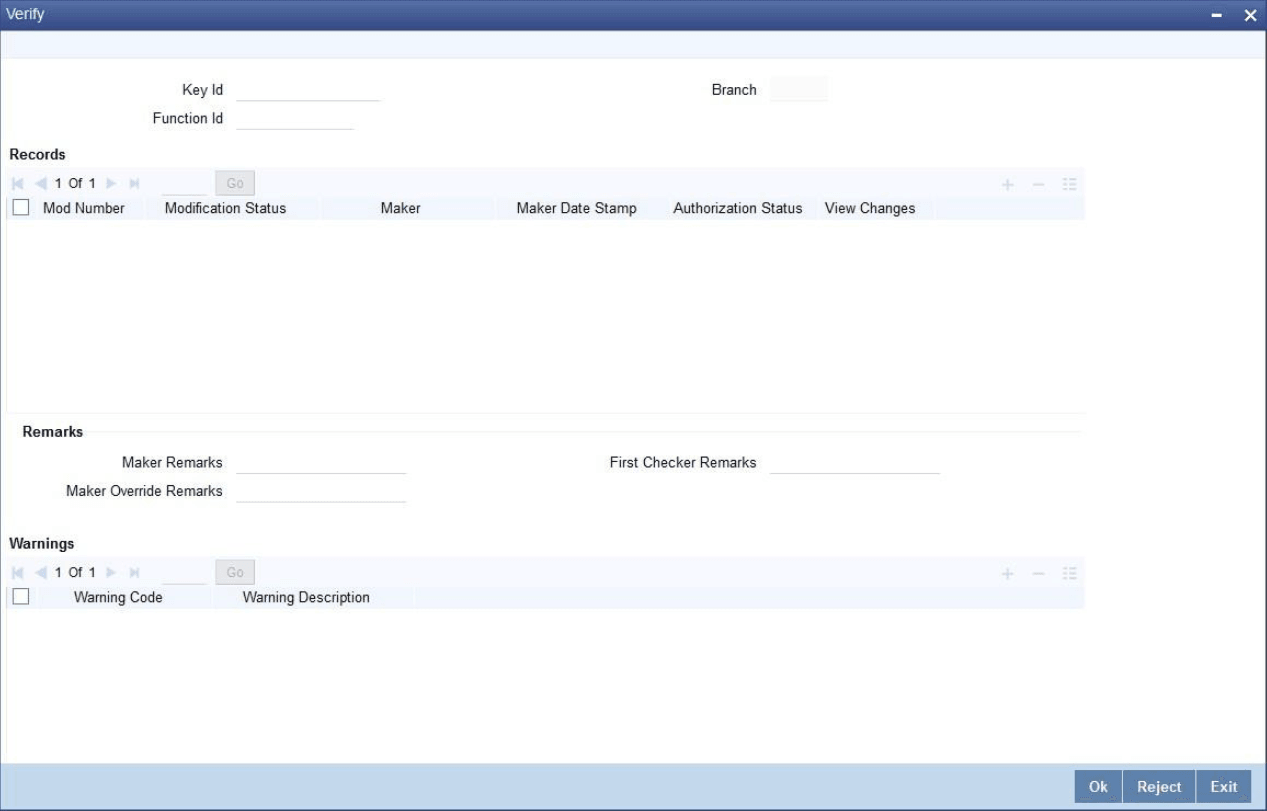
For every record, click View Changes that launches the function id screen and highlights the changes.Field Description Key Id Specify the key identification based on which the record can be queried. Alternatively, select the Key Id from the option list. This list displays the following values:
- Branch - To query the record based on input branch
- Maker ID - To query the record based on maker ID
- Function ID - To query the record based on function ID through which the record was submitted. For example, STDCIF, STDCUSAC
- Key ID - To query the record based on unique key ID
Note:
Search for a specific record using any of the above combination. To authorize a record, select the record and click Accept.Branch The system displays the Branch for the selected record.
Records The following details pertaining to the records are displayed:
- Modification No
- Modification Status
- Maker
- Maker Date Stamp
- Authorization Status
- View Changes
Remarks The following details are captured:
Maker Remarks The remarks specified by the maker of the record are displayed.
First Checker Remarks Specify remarks if any as part of first level authorization.
Maker Override Remarks The Override remarks specified by the maker of the record are displayed.
Warnings The system displays the error or warning codes for which dual authorization is enabled.
Warning Code The warning message or override messages logged for the record is displayed.
Fields The following details are captured:
Field Name The Field Name is displayed.
Old Value The Old Value of the field is displayed.
New Value The New Value of the field is displayed.
Parent topic: Common Operations